Mateo Luis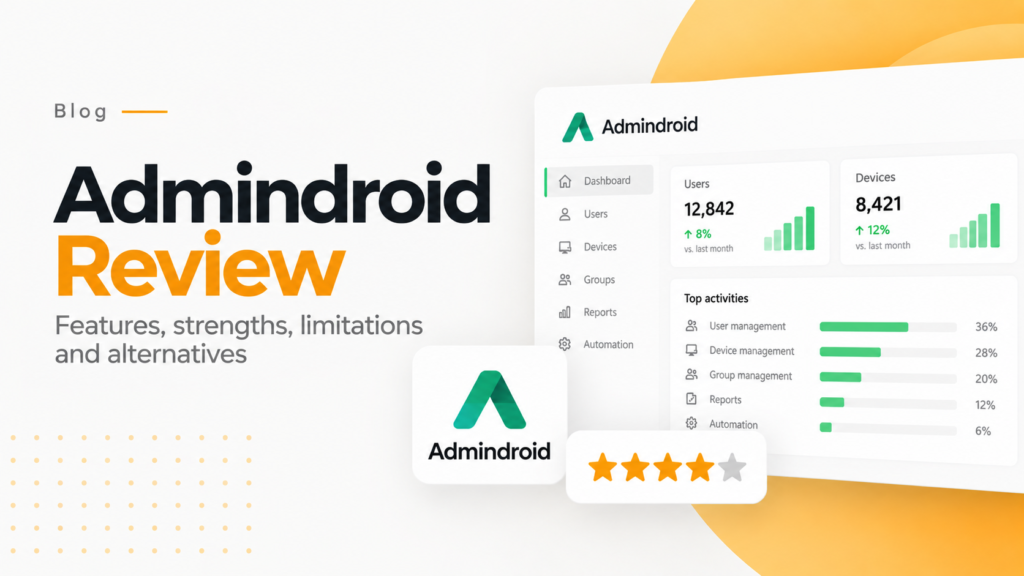
Key takeaways
- AdminDroid offers a library of around 1,800 Microsoft 365 reports covering Entra ID, Exchange Online, SharePoint, Teams, OneDrive and Intune.
- AdminDroid can alert on failed sign-ins, mailbox rule changes, external sharing and file deletions, sending alerts by email or webhook.
- AdminDroid presents Microsoft 365 audit events such as sign-ins, permission changes and mailbox access in a readable format with filters for IP and device.
AdminDroid is a reporting and auditing tool for Microsoft 365 and Active Directory, with more than 3,000 prebuilt reports, alerts and dashboards. 365TUNE has a different focus: Microsoft 365 license cost optimization and security settings checks.
In organizations moving towards Microsoft 365, managing users, security monitoring and ensuring compliance became the biggest challenge for them. Admins rely on analytical and reporting tools to fill the gaps left by Microsoft’s native dashboards. Another powerful alternative gaining attention is AdminDroid while 365TUNE is for optimization.
AdminDroid can work alongside 365TUNE as an add-on reporting tool.
AdminDroid overview
A specialized Microsoft 365 reporting and analytics platform which provides,
- Comprehensive reports,
- Dashboards,
- Alerts,
- Usage insights,
- Compliance monitoring.
It is mainly designed for administrators, deep visibility and security analysis and areas where default Microsoft tools are often limited.
365TUNE mainly focuses on Microsoft 365 license cost optimization and on checking security settings against CIS and CISA SCuBA baselines.
AdminDroid provides more detailed and a wider reporting capability, which makes it a strong fit for users who need Deep auditing, Compliance reports, Governance dashboards, role based monitoring, Automated alerts and scheduled reporting and MSP multi tenant management.
AdminDroid features
AdminDroid provides an extensive library of more than 3,000 Microsoft 365 reports.
One of the strongest features that covers,
- Azure AD,
- Exchange Online,
- SharePoint Online,
- Teams,
- OneDrive,
- Security and compliance,
- Intune
Using these reports admins can understand usage patterns, security risks and operational status and so on.
AI-powered analytics
AdminDroid integrates smart AI-driven suggestions for various analytics like,
- User behavior anomalies
- Unusual login patterns
- Suspicious activities
- License optimization
All these help admins take faster decisions with predictive insights that are driven using the analysis that was made.
Real-time alerts and automation
AdminDroid provides custom alerting for login fails, data sharing violations, external user activity, mailbox rule changes and file deletions.
Alerts can be sent through email, webhook or integrated systems that help to detect threats early.
With alert and automation, we can get alerts when suspicious logins happen, inactive or disabled accounts, Unusual mailbox access, Licence expirations and external sharing events and so on. It also supports Scheduled mailbox access, automated summary of emails, compliance based alerting with high customization.
Dashboard visualizations
360 degree visual insights can be obtained based on User activities, Email traffic trends, teams usage heatmaps, login patterns, device access breakdown and other needful can be obtained for the admin works. The dashboards are interactive and customizable which makes them very valuable during audit and reviews.
Audit and monitoring
AdminDroid provides a centralized auditing for
- Sign in
- Permission changes
- Mailbox access events
- Teams message/ activity logs
- File operations in OneDrive/SharePoint
The Human readable format of Microsoft 365 audit logs with specified filters for IP address, device time, status and much more are given. This readily saves hours of manual investigation.
Security and risk visualization
AdminDroid helps in threat identification patterns, which benefits users in security teams. It displays logins that happened outside the geographical zones that are not approved, also tracks impossible travel events and sudden spikes in external sharing. All these insights help to detect problems before Microsoft generates alerts in the security center.
Support for MSPs and multi-tenant environments
AdminDroid provides a centralized platform to monitor and report across multiple Microsoft 365 Tenants especially for Managed Service Providers (MSPs).
For each tenant, they have:
- Separate dashboards,
- Individual alerting rules
- Custom branding
- Scheduled reports sent directly to clients
All this reduces the effort that arises in the manual reporting.
How AdminDroid compares with 365TUNE
Depth in reporting
365TUNE focuses mainly on license cost optimization and security posture, whereas AdminDroid heavily focuses on reporting and analytics. AdminDroid reduces the security risk by real time alerts and audit logs to quickly detect threats. Helps in decision-making and cost optimization,as managers can understand usage trends easily through dashboards and identify unused licenses and users to save major costs.
Who AdminDroid suits
AdminDroid is more suitable for these list of users,
- IT administrators
- Security and compliance teams
- Managed Service Providers
- Large organization with multiple departments
Limitations
- AdminDroid requires permission to access Microsoft 365 data.
- The Paid version only has advanced reporting features.
AdminDroid is very useful to get a higher secure management in the larger organization. It enhances secure and timely management of events that occur in various sectors of an organization.
AdminDroid is a powerful tool that enhances the performance and excellent enhancement for Microsoft 365 reporting, security insights and audit visibility.
AdminDroid is a useful companion tool for Microsoft 365 reporting. For a closer look at where it stops, see our AdminDroid review of deep reporting vs optimization.
Frequently asked questions
What is AdminDroid used for?
AdminDroid is a Microsoft 365 reporting and auditing tool. Administrators use it to review usage, security risks and audit activity across Microsoft 365 services through prebuilt reports and dashboards instead of PowerShell queries.
Does AdminDroid support MSPs with multiple tenants?
Yes. AdminDroid lets managed service providers monitor several Microsoft 365 tenants from one platform, with separate dashboards, individual alert rules, custom branding and scheduled reports sent to each client.
Do I need a paid AdminDroid license for advanced reports?
Yes. The advanced reporting features covered in this review are part of AdminDroid's paid version, so compare its editions before planning a rollout.
How is AdminDroid different from 365TUNE?
AdminDroid focuses on broad reporting, auditing and alerting. 365TUNE focuses on Microsoft 365 license cost optimization and security posture checks, so the two tools can be used side by side.