
Find unused Microsoft 365 licenses
See every inactive, unassigned and oversized license in your tenant, what each one costs per month, and who it's assigned to.
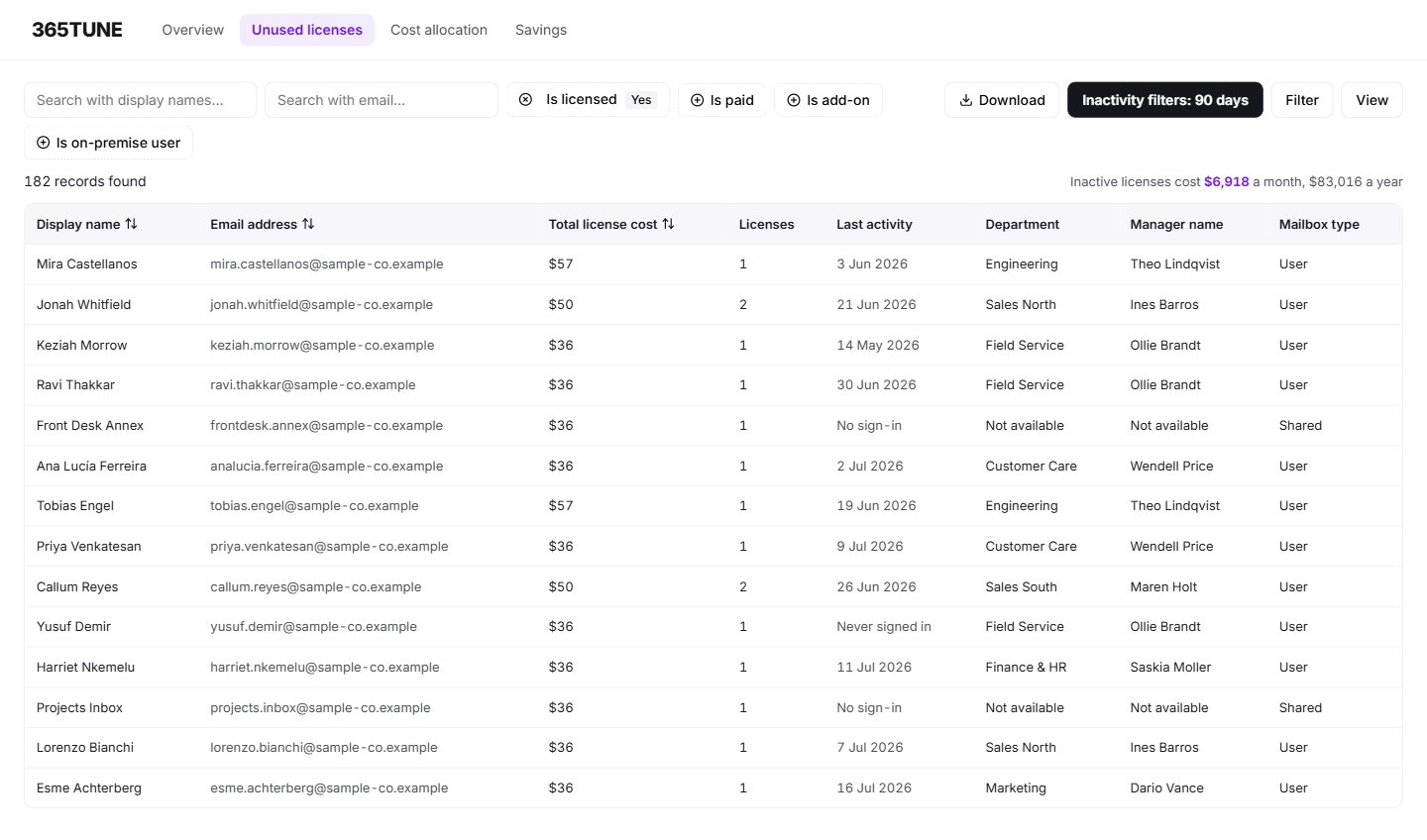
What is an unused Microsoft 365 license?
An unused Microsoft 365 license is one you pay for that nobody is using. 365TUNE finds three kinds:
- Inactive: assigned to someone who hasn't signed in or used the apps for 90 days. You can change the period.
- Unassigned: bought and sitting in the pool, assigned to no one.
- Oversized: a higher tier than the person uses, such as an E5 for someone who only needs what E3 includes. 365TUNE judges this from what each person actually does, recorded in the Microsoft 365 audit logs.
Each one shows its monthly cost, so the list adds up to a figure you can take to a renewal meeting.
What the admin center shows, and what it leaves out
The Microsoft 365 admin center shows how many licenses you've bought and how many are assigned. To find inactive ones, you check last sign-in dates user by user, or write a PowerShell script against Microsoft Graph. Neither puts a price next to the result, and neither tells you which E5 users only use E3 features.
365TUNE does that work for every user at once. It brings license assignments, sign-in activity, email and Teams activity from Microsoft Graph usage reports, and each user's actions from the audit logs into one list, then adds the monthly cost of each license. Shared mailboxes that carry a paid license get their own finding and count toward the waste figure, because a shared mailbox under 50 GB with no archive or hold needs no license. Blocked and deleted accounts that still hold a license get their own list too.
For what the built-in reports cover, see Microsoft's guide to Microsoft 365 admin center usage reports.
How it works
- Connect read-only. Grant 365TUNE read access to your tenant. It can't change settings or licenses during the scan.
- Scan. It reads every license assignment and the activity behind it.
- Price. Each unused license gets its monthly cost, grouped by type, department and license product.
- Act. Export the list, send it to the owners, or pass it to savings recommendations to put the changes in order.
What you get
| Finding | What 365TUNE checks | What you do next |
|---|---|---|
| Inactive license | No sign-in or app activity in 90 days (you can change the period) | Confirm with the manager, then remove or reassign |
| Unassigned license | Bought, but assigned to no one | Reassign it or reduce the count at renewal |
| Oversized license | A higher tier than the user's actual activity in the audit logs calls for | Downgrade at the next change window |
| Blocked or deleted account | Sign-in blocked or account deleted, license still attached | Remove the license now |
| Shared mailbox with a paid license | A license on a shared mailbox under 50 GB with no archive or hold | Check size and holds, then remove the license |
| Legal hold | User under a litigation or retention hold | Keep the license until the hold is lifted |
| Monthly cost | Microsoft list price for each license, or your own price once entered | Add it up for the renewal meeting |
Find underutilized licenses and costs
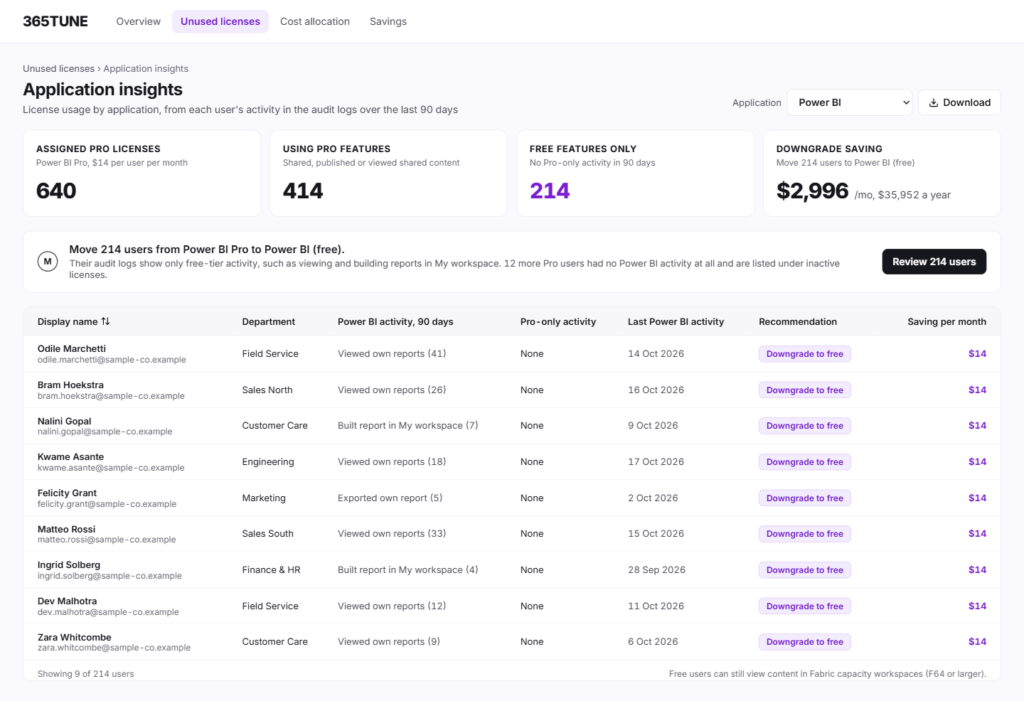
365TUNE reads each user's activity in the audit logs app by app, so it can tell when a license pays for features nobody uses. Each application gets its own view: who holds the license, what they actually do with it, and what a cheaper option would save.
For IT teams and MSPs
For IT teams
A priced list to bring to renewal, instead of a count from the admin center. Managers can confirm each inactive user before you remove anything.
For MSPs
Run the same check on every customer tenant from one dashboard, and show each customer the monthly cost of what you found.
Before you remove a license
Removing a license can affect data and access, so check these first:
- Leave and sabbaticals: an inactive account may belong to someone coming back. Confirm with the manager or HR.
- Mailbox and OneDrive content: convert the mailbox to shared, or move the content, before the license goes.
- Group-based licensing: if a group assigns the license, remove the user from the group instead.
- Legal holds: removing a license from someone under a litigation or retention hold can put the held data at risk. 365TUNE flags these users so they don't end up on a removal list by mistake.
Security of the connection
Reporting needs read-only access to your tenant. Anything that writes, such as removing a license through automation, asks for its own consent, and only for the permissions that task needs. 365TUNE is ISO 27001 certified, has a SOC 2 Type II report and doesn't use your data for training.
Find out what your unused licenses cost
Connect read-only and see the priced list for your tenant.
Questions about unused Microsoft 365 licenses
How do I find unused Microsoft 365 licenses?
In the admin center you can compare purchased and assigned counts, then check each user's last sign-in. That works for a few dozen users. For a whole tenant, 365TUNE reads every assignment and its activity at once and prices each unused license.
What's the difference between an unused and an unassigned license?
An unused license is assigned to someone who doesn't use it. An unassigned license is bought but not given to anyone. Both cost the same each month, and 365TUNE lists them separately because you fix them in different ways.
How long should someone be inactive before I remove their license?
Most teams use 30 to 90 days. Shorter catches waste sooner but flags people on leave. 365TUNE uses 90 days by default, and you can change it to match your offboarding policy.
Does 365TUNE remove licenses for me?
The scan doesn't change anything. You remove licenses in Microsoft 365, or consent to lifecycle automation, which asks for write permission separately and routes each removal for approval first.
Can MSPs check unused licenses across customer tenants?
Yes. Each customer tenant appears in one dashboard with its own priced list.