
Microsoft 365 governance and automation
Offboard leavers and inactive accounts after the manager or HR approves, and put Entra ID settings back when they drift from your baseline.
What is a Microsoft 365 governance tool?
A Microsoft 365 governance tool keeps a tenant in the state you decided on. It removes access when people leave, cleans up accounts nobody uses and catches settings that someone changed. Without one, those jobs run on tickets, scripts and memory.
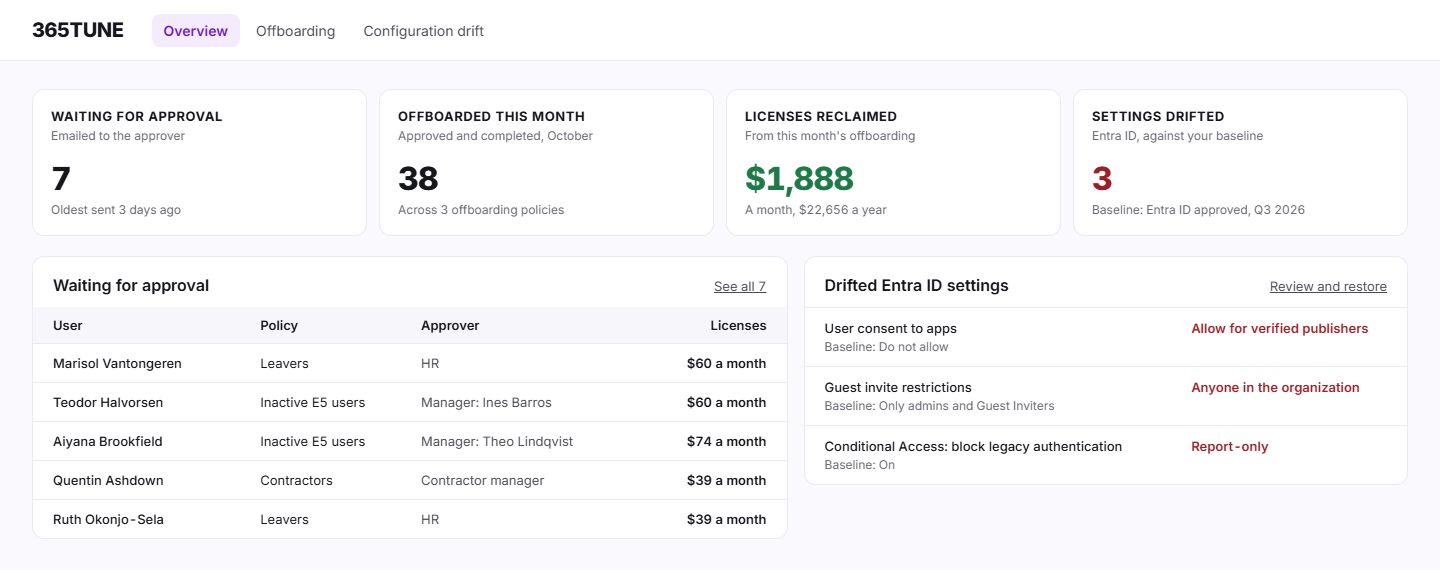
365TUNE covers two of them. Offboarding policies find leavers and inactive accounts, ask the manager, HR or another approver by email, and then run the steps you chose. Configuration drift compares your Microsoft Entra ID settings with a named baseline on every scan and restores the approved values.
Governance and automation features
Lifecycle management
Find leavers and accounts nobody has used in 90 days, get the manager's or HR's approval by email, then block sign-in, remove licenses and hand over the mailbox and files.
See lifecycle managementOffboarding policies
Decide once who is offboarded, who approves and which steps run, and every case after that follows the same rules.
See offboarding policiesConfiguration drift
Save your Entra ID settings as a named baseline. Every scan shows which settings no longer match, and you restore the approved value.
See configuration driftWhat Microsoft offers, and what it leaves out
Microsoft's own tools for both jobs live in Entra ID Governance. Lifecycle workflows run leaver tasks from user attributes, and they need a Microsoft Entra ID Governance or Entra Suite license. Configuration management watches a tenant against a JSON baseline through Microsoft Graph and reports drift. Fixing the drift is up to you, and snapshots are deleted after 7 days.
365TUNE does the same two jobs with an approval step for offboarding, baselines you name and keep, and a restore for each drifted setting.
Microsoft documents these in Configuration management in Tenant Governance.
How governance connects to cost and security
An offboarded account gives its licenses back, so each run shows up in unused license detection as money saved. A drifted Entra ID setting is often a failed security control too, so restoring it moves your security posture score. One scan feeds all three.
For IT teams and MSPs
For IT teams
Stop chasing leavers by ticket. The manager approves by email, the steps run, and the record is kept for 24 months for the auditor.
For MSPs
Set up offboarding policies and an Entra ID baseline for each customer tenant, and show customers the log of every account you closed.
See which accounts and settings need attention
Connect read-only and see your inactive accounts and Entra ID settings during the 14-day trial.
Questions about Microsoft 365 governance
What does a Microsoft 365 governance tool do?
It keeps the tenant in the state you agreed on: access removed when people leave, unused accounts cleaned up, and settings that drift put back. 365TUNE covers offboarding and Entra ID configuration drift.
Does 365TUNE need write access?
Only for the features that change things. Offboarding and restoring a setting each ask for their own consent, with only the permissions that task needs. The scans stay read-only.
Can one policy cover all my customers' tenants?
Not today. Offboarding policies and baselines are set per tenant.
Is it safe to connect?
365TUNE connects with read-only access, is ISO 27001 certified, has a SOC 2 Type II report and doesn't use your data for training.