
Are you renewing or buying? Start here.

Microsoft 365 License
Cost Calculator

Organizations waste 30-40% of their Microsoft 365 budget on unused or oversized licenses. Your audit tool knows where—but can’t tell you how much.
Here is a free license calculator to estimate your actual needs.

“How much are you wasting?”
License Cost Calculator

Answer five strategic questions to receive an optimized Microsoft 365 license mix that balances capabilities with cost, using current public list pricing and your custom growth buffer.

Click a capability to include or exclude it from the recommendation. All are enabled by default.

Step 1 of 5 — Company Profile
Who are we optimizing for?

Basic profile details help us determine the right plan family (Business vs. Enterprise). Your buffer percentage will be applied to calculate the recommended license count for growth and flexibility.

Current employees + contractors needing licenses
Add buffer for growth, turnover, and flexibility (typically 15-25%)
%
Step 2 of 5 — Workforce Mix
How do your people work?

Understanding your workforce patterns helps us map users to the most cost-effective license tiers. Desktop Office users need full applications, while web users can use lighter plans.

No dedicated PC, primarily mobile or shared devices (retail, healthcare, manufacturing)
%
%: 0% #: 0 users
Need full Word, Excel, PowerPoint installed on Windows/Mac (not web versions)
%
%: 0% #: 0 users
Step 3 of 5 — Apps & Collaboration
Productivity & collaboration needs

Enter the number of users needing each level of email/mailbox and Teams functionality. This helps us determine base plans and evaluate cost-effective add-ons.

How many users need each mailbox size?
0 users 0%
0 users 0%
0 users 0%
How many users need each level of Teams functionality?
0 users 0%
0 users 0%
0 users 0%
Number of users needing PSTN calling and enterprise telephony
Number of users needing analytics, dashboards, and report creation
If pilot or broad: approximate percentage of users
% of total users
Planning to deploy/govern AI agents (Agent 365) or need Entra Suite identity governance? This determines whether the E7 Frontier Suite bundle is cost-effective.
Step 4 of 5 — Security & Compliance
Risk, security & compliance posture

Security requirements help us decide between E3 + add-ons vs. E5, and determine how many users need advanced protection.

Who needs advanced threat protection, DLP, and enhanced security?
Step 5 of 5 — Windows & Final Notes
Windows licensing & additional considerations

Windows Enterprise features can influence whether full Microsoft 365 suites provide better value than Office-only SKUs.

Get Started in 3 Steps

1. Connect

Securely connect to your Microsoft tenant data with few clicks

2. Discover

Initial scan identifies optimization opportunities instantly

3. Optimize

Implement recommendations and track savings month over month

What’s Missing in Traditional Audit-Only Tools?

No Financial Context for Audit Events

When Admindroid shows you 150 inactive users, that’s operationally useful. But without cost overlay, you can’t answer:
Without dollar values, audit data remains an IT problem—not a business solution.

No Cost Attribution or Chargeback Capability

Finance teams increasingly demand license cost allocation for effective inter company recharging:
Traditional audit tools weren’t designed for this. They track user activity, not organizational spending

Stop Guessing. Start Optimizing.

Every day without cost visibility is another day of wasted budget. Organizations with 1,000+ Microsoft 365 users find an average of $47,000 in annual savings within the first quarter.

Built for Microsoft partners and MSP growth

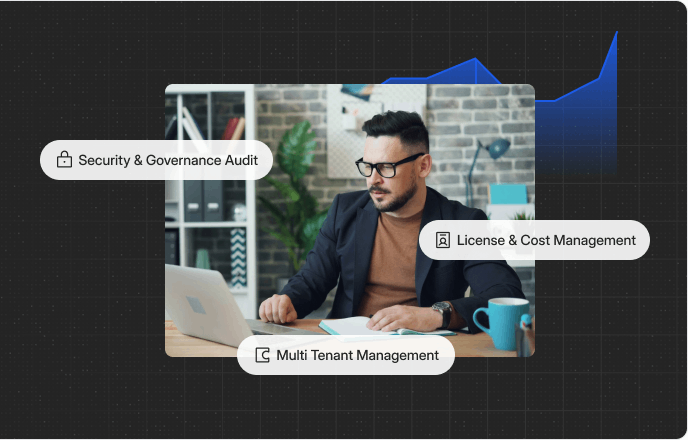
Eligible MVPs receive lifetime free access, while MSPs unlock exclusive pricing designed to support scalable multi-tenant operations.
Frequently asked
questions

Got questions about 365TUNE? We’ve compiled answers to the most common inquiries to help you get the most out of our platform. Explore the FAQ below to find quick solutions and helpful insights.
What is 365TUNE, and who is it for?

365TUNE is a powerful reporting tool designed for IT administrators, IT leaders, and finance teams. It provides actionable insights into Microsoft 365 license usage, helps generate financial reports, and ensures security and compliance. It’s ideal for organizations looking to optimize costs, improve license management, and strengthen collaboration between IT and finance teams.

365TUNE is a powerful reporting tool designed for IT administrators, IT leaders, and finance teams. It provides actionable insights into Microsoft 365 license usage, helps generate financial reports, and ensures security and compliance. It’s ideal for organizations looking to optimize costs, improve license management, and strengthen collaboration between IT and finance teams.

365TUNE is a powerful reporting tool designed for IT administrators, IT leaders, and finance teams. It provides actionable insights into Microsoft 365 license usage, helps generate financial reports, and ensures security and compliance. It’s ideal for organizations looking to optimize costs, improve license management, and strengthen collaboration between IT and finance teams.

365TUNE is a powerful reporting tool designed for IT administrators, IT leaders, and finance teams. It provides actionable insights into Microsoft 365 license usage, helps generate financial reports, and ensures security and compliance. It’s ideal for organizations looking to optimize costs, improve license management, and strengthen collaboration between IT and finance teams.

365TUNE is a powerful reporting tool designed for IT administrators, IT leaders, and finance teams. It provides actionable insights into Microsoft 365 license usage, helps generate financial reports, and ensures security and compliance. It’s ideal for organizations looking to optimize costs, improve license management, and strengthen collaboration between IT and finance teams.

Get in touch

365TUNE is now beta. Join the waitlist to experience the full potential of the platform with a free beta access. Get a six months-no-commitment subscription with full access.

Apply Now. We’ll get back to you as soon as possible.

Visit us

Come say hello at our headquarter.
5900 Balcones Drive #8939

Austin, TX, 78731

Mail us

Our friendly team is here to help.
hello@365tune.com

Stay ahead with exclusive
Microsoft 365 Insights

Join a community of professionals transforming their business.
No spam guaranteed!