Mateo Luis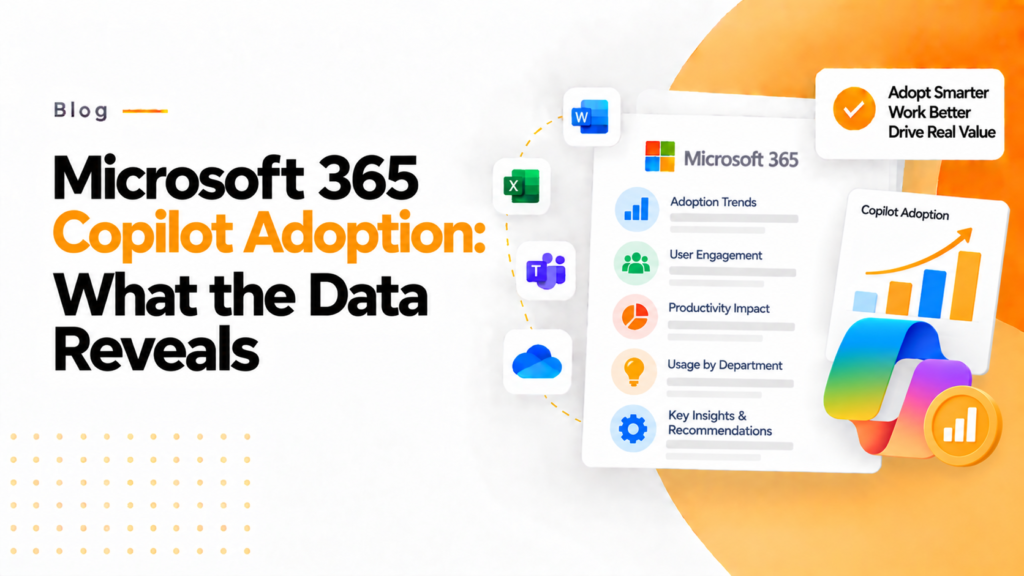
Key takeaways
- The Microsoft 365 Copilot usage report shows who uses Copilot, how often, and in which apps such as Word, Excel, Outlook and Teams.
- Copilot only pays back when licensed employees use it, so usage tracking shows which Copilot seats sit idle.
- Low Copilot use in a single app, such as Excel, signals that a team needs targeted training or onboarding for that app.
Artificial Intelligence is changing how businesses work every day. One of the most powerful tools in this space is Microsoft 365 Copilot. But having access to AI is not enough. This article helps you understand how the Microsoft 365 Copilot Usage Report works and how it turns insights into real business impact.
Microsoft 365 Copilot is transforming our experience with artificial intelligence. It allows employees to quickly produce text-based outputs in email, document creation, and analyzing their data; however, many organisations are now wondering if they are using Copilot the way it was intended. This is where the Microsoft 365 Copilot Usage Report is of importance to their organisations.
Importance of Copilot Usage Tracking
Countless companies are investing in AI applications with very large expectations regarding their return on investment. However, companies must understand that the return on investment only comes through actual utilization of the licenses issued to the employees. Many software-as-a-service licenses issued to an organisation are never fully used. This is also true with respect to the Copilot AI application. If the employees are not utilising the tool, the investment is lost.
According to Microsoft’s research on Copilot’s earliest users, users were 29% faster in a series of searching, writing and summarizing tasks, and 70% said they were more productive.
However, these benefits can only be achieved if people are using the Copilot tool.
Thus, tracking the utilisation of Copilot is necessary to achieve business results.
Usage tracking starts after rollout. Before it, a Copilot readiness assessment finds the overshared sites, open links and unlabeled files that Copilot could surface to the wrong people.
What is the Microsoft 365 Copilot Usage Report?
The Copilot Usage Report is a built-in analytics tool in Microsoft 365 that provides insight into the use of Copilot by employees using products such as Word, Excel, Outlook, and Teams.
Microsoft provides detailed guidance on the Microsoft 365 Copilot usage report, including the metrics available to administrators for monitoring adoption and user activity.
It answers some basic but very important questions related to employee usage of Copilot:
Who is using Copilot?
How frequently is Copilot used?
Which Microsoft 365 applications provide the best value from Copilot?
In what situations can Copilot be considered less frequently utilized?
Managers can draw conclusions regarding whether Copilot is actually helping their teams vs. simply sitting idle by determining the responses to these questions.
The common problems that many businesses face
Even though there is a report available for companies to use to help facilitate the use of the report, many companies are not utilizing the report as intended. In general, the report was created for technical purposes and therefore provides little information to business owners to help them determine how to relate their usage data to the business being provided through the use of the system. In addition, there is no clear definition of what constitutes “good usage.”
Digital transformation initiatives often stall when adoption is not visible or tracked. At this point, businesses need improved clarity relative to their employee’s use of the Microsoft 365 applications that they subscribe to, for example through a Microsoft 365 audit.
How 365TUNE can help you
Let’s see how 365TUNE works with the raw data from Microsoft 365 and builds a model that is easy to read. With 365TUNE, you will be able to answer business-related questions with data; for instance:
Are we using Copilot effectively?
Which departments require additional training?
Where are we wasting our licensing?
What improvements can we recommend for usage?
The 365TUNE solution is action-oriented and will tell you what action to take based on the data that is displayed. For example, if a team is not using Copilot in Excel, 365TUNE will let you know that and give you ideas for the next steps (i.e., the next steps can be training or additional onboarding). The bottom line is that you will have more confidence in making decisions with the use of 365TUNE.
Good Copilot Usage
Good usage is more than just logging into the product; you are using it to perform meaningful activities such as drafting an email significantly faster than doing it manually, summarizing the content from your meetings, producing reports in a matter of minutes versus days, and analysing large amounts of data in a matter of seconds versus hours and hours.
Employees can spend a large share of their working time just searching for information. With Copilot, this time is dramatically decreased.
Without utilizing a method to track how you’re using Copilot, you won’t have the visibility needed to realize improved performance levels.
Turning Data into Actionable Decisions
When it comes to making business decisions, the basis for those decisions is founded on numerical data presented via raw reports. But the actual materials that businesses will utilize in order to make those decisions require the use of tools like 365TUNE that will take an organisation from just having access to raw data, to providing actionable, insightful output to better equip them in their decision-making processes.
For example, rather than just being presented with the statement “there is low usage,” a business could find out the following:
The specific users who require additional support
The teams have achieved success
The areas in which an organisation needs to focus on reducing costs
The areas an organisation should invest in to get the best return on investment
This will allow an organisation to look at Copilot as an investment that can be tracked as a line item in their financial reports, rather than as merely an expense.
365TUNE’s Microsoft 365 adoption tracking follows Copilot use team by team, month by month, and prices the seats nobody uses.
The big picture: AI return on investment
AI is growing really quickly, and companies are spending billions of dollars on investments in AI technology.
But just because a company invests in AI doesn’t mean there will be success.
Success will be realized through the adoption, usage, and impact of AI technology.
According to Microsoft, employees who use AI tools report feeling satisfied and less stressed at work, provided they use the tools effectively.
Tracking tools such as the Microsoft 365 Copilot Usage Report will therefore be an essential part of the growth of AI because they provide the basis for measurement and analysis of the use of AI by employees, and help to create a baseline for the improvement of productivity, employee engagement, and employee performance.
Final Thoughts
Microsoft 365 Copilot is an amazing tool that can increase your productivity, save you time, and decrease your workload. However, if you do not track how much you use Microsoft 365 Copilot, you have simply purchased a software license that your staff is not using.
The Microsoft 365 Copilot Usage Report will provide you with the information you need, and 365TUNE will translate it into an action plan to improve employee productivity.
In other words, You cannot improve what you cannot measure!
Frequently asked questions
Where do I find the Copilot usage report in Microsoft 365?
In the Microsoft 365 admin center, go to Reports, then Usage, and select Microsoft 365 Copilot. You need a role such as Global Reader or Reports Reader to view it.
What does the Microsoft 365 Copilot usage report show?
It shows enabled and active Copilot users and each user’s last activity date in apps such as Teams, Outlook, Word, Excel and PowerPoint. You can view 7, 30, 90 or 180 day periods and export per user details.
Why are user names hidden in the Copilot usage report?
Microsoft 365 usage reports conceal user, group and site names by default for privacy. A Global Administrator can turn this off in the admin center under Settings, Org settings, Reports.
How do I measure Copilot adoption across my organization?
Compare active Copilot users with assigned Copilot licenses over time, and break the results down by app and department. Copilot Analytics in Viva Insights adds deeper adoption and impact dashboards.