Mateo Luis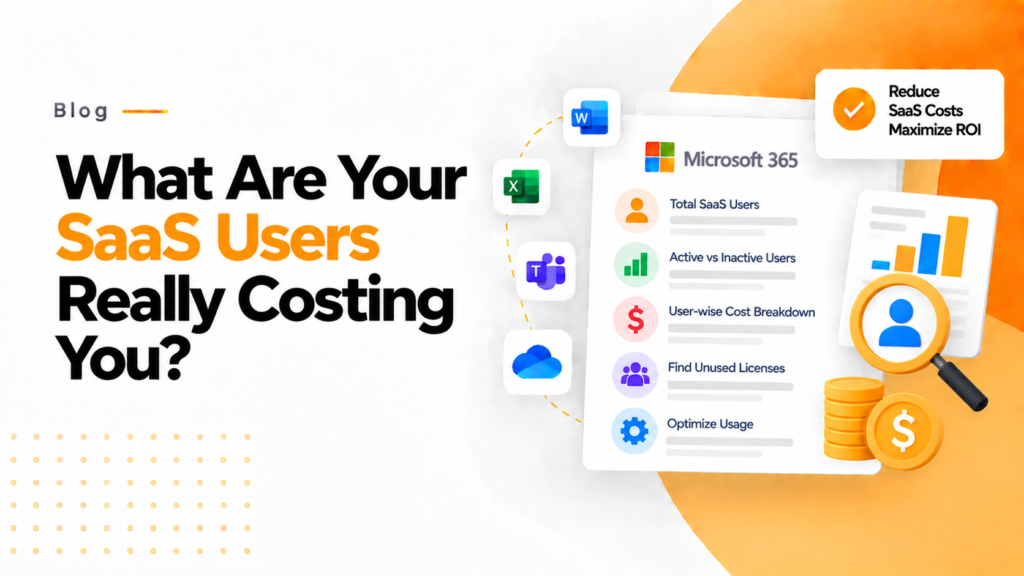
Key takeaways
- Cost per active user is total SaaS spend divided by the number of active users, not by the number of licenses purchased.
- Only about 49% of users assigned a SaaS license actively use it, so cost per license understates what each active user really costs.
- The FinOps Foundation lists cost per active user as a SaaS unit cost metric for aligning software spend with actual usage.
Understanding SaaS spending is no longer just about tracking licenses; it’s all about uncovering the real value behind every user. This article explores how every business can make a shift from traditional cost tracking to value-driven decision-making using the Cost per Active User Calculator.
In today’s SaaS-centric economy, organizations now need to assess how efficiently they use their purchased software rather than whether they are buying software for their organization. The SaaS market has grown dramatically and is still growing, and organizations keep investing in software. That causes problems for many companies that still don’t know how much value they receive for those investments, for example when they buy the same software for every user whether or not everyone makes full use of it.
The CPAU Calculator can be used as an effective tool for evaluating decision-making regarding software investments, as it helps to illustrate the total user base and total active users acquired from each software license purchased, thus giving companies financial clarity on whether to be paying for users or active users. By shifting the focus from the total user base to the total active user base, companies will receive the best understanding of the financial benefits of their software investments.
The Importance of Cost per Active User in Today’s Business World
Pricing models for most Software as a Service (SaaS) providers are based on a monthly cost of a license per user. While this method creates predictability for the organization’s budget, it can provide a false sense of security relative to ROI (return on investment) due to the misuse of capital resources.
The issue is that many users assigned a SaaS user license are not actively using their assigned licenses, which leaves those licenses under-utilized or completely unused.
Organizations that use traditional SaaS pricing models can pay far more than they should because they calculate utilization with the wrong formula.
With the implementation of the “Cost per Active User Calculator,” organizations can measure their level of engagement versus the number of purchased user licenses, as opposed to simply using their company’s total cost of purchased licenses.
What is a Cost Per Active User Calculator? What are the benefits?
The cost of active users, or cost per active user (CPAU), for a SaaS-based business can be calculated as follows:
Cost Per Active User = $ Total Spent on SaaS ÷ # Active Users
The value of the cost per active user can change the way an organization evaluates return on investment. For example, organizations will no longer ask “How many licenses do we have?” Instead, they will be asking, “How many users are using the product and what is their overall cost to the company?”
The FinOps Foundation also recognizes cost per active user as a useful SaaS unit-cost metric for evaluating software efficiency and aligning spend with actual usage.
This change aligns with the growing trend within the SaaS industry to provide usage-based insights to companies. A growing number of SaaS vendors now offer some form of usage-based pricing, part of an overall shift towards value-based pricing.
Why is this calculator used?
The main reason for using this calculator is to determine if there are inefficiencies in SaaS spending that were previously unknown. Many organizations believe that their software expenditures are warranted because their products have been adopted, but this is a problematic assumption. Just because there is an adoption of a product does not mean that there is also an engagement with that product.
Many users rely on only a fraction of the features included with their software applications. There is a significant difference between access to a software application and the actual amount of use made of that application. Access and use create a hidden way to drain money from a budget.
Using the Cost per Active User Calculator, organizations can find out if they have licenses that may not have been used or are underutilized. They can also understand the real cost-effectiveness of their SaaS spend, build better budgets and projections, and link business outcomes to the dollars spent on software.
Introducing 365TUNE’s Approach to Cost Optimization
This is where 365TUNE takes it one step further: instead of simply measuring metrics, we take metrics and turn them into actionable insights. 365TUNE has developed a Cost Per Active User Calculator that is not only designed to show you numbers, but also to show you patterns behind those numbers. Using our calculator, organizations can find out what tools are producing value, how to find inactive users, and where opportunities for optimization exist. But 365TUNE does more than simply identify users who are inactive; it helps organizations understand why users are inactive and what can be done to increase user activity.
Because many organizations overpay for SaaS services each year, measuring cost per active user is worth the effort.
The Hidden Impact on Business Decisions
Companies track too many metrics to manage SaaS budget adequately. According to a statement made by the SaaS community, “It’s better to have 5 metrics that you’re tracking than 30 metrics you’re not tracking.”
One metric that really matters is the Cost per Active User, as it impacts the decision to renew or cancel a subscription, downgrade their pricing tiers (and other price-associated activities), or whether to invest in user training or onboarding. Cost per Active User also has a strong correlation with user engagement. For instance, users who adopt the core features of a SaaS solution are more likely to become long-term users of the application. This leads to greater activity and increases ROI.
From cost tracking to value optimization
Future SaaS management will no longer be about cutting costs; instead, it relates to optimizing business value. Businesses that use surface metrics to discern the value of their SaaS, such as total user count, are going to have problems with hidden inefficiencies in their SaaS subscription usage.
The Cost per Active User calculator allows SaaS managers to realize a new perspective when making decisions about their SaaS subscriptions. This calculator will allow managers to make more intelligent decisions based on engagement, the value-for-money their company will obtain, and the number of people using their technical resources.
365TUNE, as a tool that calculates cost per active user, provides SaaS managers with the capability to determine the value of their SaaS subscription as a competitive advantage by tracking the cost per active user. The ability to identify software investment wasted due to lack of use will be critical to the company’s success. Ultimately, the key to optimizing the competitive advantage related to SaaS subscriptions will be in finding the correct value for each user in your organization, not just the number of active users.
Frequently asked questions
How do you calculate cost per active user?
Divide total spend on a SaaS product for a period by the number of users who were active in that period. For example, $10,000 a month across 400 active users is $25 per active user, even if 600 licenses were bought.
What counts as an active user for SaaS cost reporting?
Pick a fixed activity window and apply it consistently, such as a sign-in or real use within the last 30 days. Microsoft 365 usage reports offer 7, 30, 90 and 180 day periods, which makes 30 days a common choice.
Why is cost per active user better than cost per license?
Cost per license only shows the price you negotiated, while cost per active user shows what you pay for the people who actually use the tool. A rising figure is an early sign of unused or underused licenses.
What should you do when cost per active user is too high?
Find inactive users and reclaim or downgrade their licenses, then check whether low adoption needs training rather than cuts. Recalculate after the changes and again before the next renewal.