Mateo Luis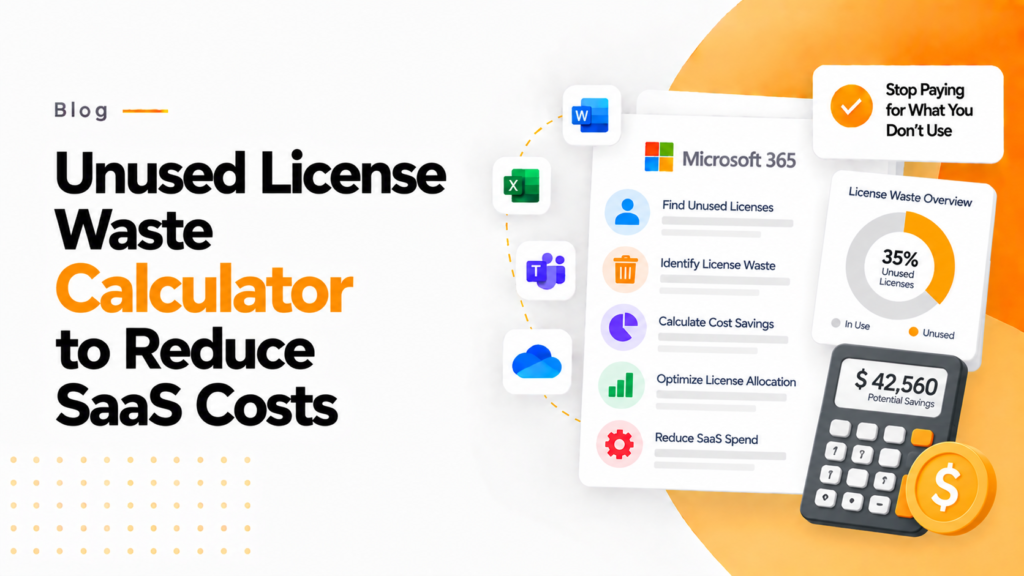
Key takeaways
- The calculator takes total licenses purchased, active users and cost per license, and returns monthly waste, yearly waste and recoverable savings.
- Research cited in the article puts wasted SaaS spend at about 20 to 30% of a typical company’s licensing costs.
- Waste persists because finance sees what licenses cost while IT sees who uses them, and neither team has the full picture.
An unused license waste calculator estimates what you pay for licenses nobody uses, from the licenses you bought, your active users and the cost per license, as a monthly and yearly figure.
Unused license waste calculator
Enter the licenses you pay for and the people who use them to see what unused licenses cost you.
- Unused licenses
- Monthly waste
- Yearly waste
- Recoverable each year
An estimate from the figures you enter. Nothing you type leaves this page.
Software waste is one of the most overlooked cost leaks in modern businesses. While companies focus on growth, subscriptions quietly pile up in the background. This article explores how unused licenses create hidden financial drains and how tools such as 365TUNE bring clarity and control back to your software spending.
As software continues to migrate towards subscriptions, many companies have ignored the potential for their software licenses to drain significant revenue and re-invest it into more efficient elements of their bottom line. Typically 20–30% of license spend (365TUNE research) is wasted on either out-of-date or unused software licenses, making this a common practice among most organizations with major amounts of lost revenues resulting from it.
The Unused License Waste Calculator from 365TUNE takes information that is typically hidden within spreadsheets and reports that may never be seen again and turns them into easy-to-see actions that companies can take now to act upon and save on corporate resources.
The Hidden Costs of “Just-in-Case” Sponsorship
Most companies buy software licenses with good intentions. Over time, the number of licenses purchased increases (due to company growth, new employees, and additional tools created) as well as the number of licenses left unused because of employee turnover (due to role changes, and shifting business priorities).
According to a report by Flexera, a large share of the software licenses organizations buy go unused or underused. Depending on the size of the organization, that waste can cost thousands to millions of dollars each year.
Overspending is not really the primary issue; rather, it may be related more to a lack of visibility. For example, while finance departments will know how much money has been charged to them for software licenses, they will not necessarily have access to specific data showing how much they actually are using (or did not use) those licenses. Likewise, even though the IT department is responsible for granting access to certain systems by users, they might not maintain information about what level of engagement users have with those systems. This lack of communication leads to wasteful, repeated cycles.
What is an Unused License Waste Calculator?
An Unused License Waste Calculator is a tool that helps estimate how much money you are losing for your organization due to licenses you have purchased but do not use.
How does it work? It gathers input data on the following three areas to calculate usage rates:
- Total number of licenses purchased
- Number of active users
- Cost per license
Once you gather the three areas of information above, the calculator will provide you with the following data:
- Monthly wasted spend on unused licenses
- Annual financial impact for unused licenses
- Potential avoided costs once your organization optimizes its license usage
Then, the 365TUNE platform runs within the Microsoft 365 platform and similar enterprise platforms that usually have a problem with excessive licensing.
The calculator can do more than just calculate your monthly and/or annual licensing savings; it can also put the unnecessary licensing activity into the context of an organization’s existing enterprise patterns.
Why This Matters More Than You Think
Unused licenses are not simply a budgeting issue; they can lead to your organization not achieving its maximum ROI and provide your decision-makers with no data regarding budgeted software value for the rest of your organization’s business.
When a business does not optimize its licenses, it leads to:
Budgeted costs increase and do not provide any value. The ROI for licenses decreases when companies do not utilize their licenses; therefore, ultimately, companies will not know how to use credit according to the value of the purchase of each license.
A decrease in the amount of use may lead to an inability to use data effectively when making budgeted software decisions.
Optimizing license usage can reduce software costs significantly, which matters for any growing company.
365TUNE’s solution will give organizations the intelligence needed to shift their decision-making process from reactive decisions to informed decisions about how to lower future software costs.
How 365TUNE Takes Action
What stands out for 365TUNE’s Unused License Waste Calculator is its clear cut and useable design. It’s not just a number generator; this is a decision document.
It allows businesses to:
- In virtually no time, to know how much waste is occurring
- Create justification to maximize your cost savings
- Get IT and Finance on the same page with common data
- Act now towards re-allocation
But more importantly, you can eliminate the uncertainty of assumption with hard number(s) to provide for future activity execution.
From Awareness to Optimization
Optimization starts after you’ve identified there’s waste in resources and every organization routinely checks its software licenses to either re-allocate licenses that have been unused for a long time, downgrade any premium licenses that are no longer in use, or get rid of any tools or applications they have purchased that are redundant. Formal cost optimization also tends to improve operational efficiency.
The calculator gives organizations a basis upon which to build their optimization process by providing awareness, accountability and action.
A Smarter Way to Look at Software Costs
With the movement towards SaaS products, scaling has become an easy endeavor; however, the management of the costs associated with these products has become increasingly complicated. Organizations used to pay one fee for a perpetual license/usage, but with SaaS they now pay for using the product and continue to do so while they have the product. Therefore, as time goes on these organizations will continue to accumulate waste from software licensing/subscriptions.
The Unused License Waste Calculator provided by 365TUNE helps organizations to see waste from a different perspective: “What you don’t use still costs you.” Hence, businesses should begin looking at the way they manage their digital assets differently by recognising waste materials.
Final Thoughts
Recovering an “unused” license is a very straightforward process; however, costs of this kind tend to go unobserved. The process for addressing this issue is simple; however, a lack of visibility prevents this from being accomplished.
The 365TUNE Unused License Waste Calculator provides the visibility that is needed to recover these costs in the simplest of terms through just a few entries into a single calculator result output file, giving businesses a way to identify the financial losses associated with incorrectly paying for a license and how to recover those lost dollars.
As many companies are looking for ways to save money, and with every dollar that is lost representing another revenue opportunity being wasted, it is critical to identify all areas of waste, even those that cannot be seen!
Frequently asked questions
How do I calculate unused license waste?
Subtract active users from licenses purchased to get unused licenses, multiply by the monthly cost per license for monthly waste, then by 12 for yearly waste. For 200 licenses, 160 active users and $36 each, that is 40 unused licenses and $1,440 a month.
What counts as an unused license?
A license that is purchased but not assigned, or assigned to someone who has not signed in or used the service for a set period, commonly 30 to 90 days. Licenses still held by people who have left the organization count too.
Can I get a refund for unused Microsoft 365 licenses?
Under Microsoft’s new commerce subscriptions you can cancel or reduce seats for a prorated refund only within seven days of buying or renewing. After that, annual seats can normally only be reduced at the renewal date, so plan reductions before renewal.
What optimization percentage should I enter in a license waste calculator?
Enter the share of unused licenses you realistically expect to remove, since some idle seats are kept for new starters. 365TUNE research puts recoverable spend at typically 20 to 30% of license spend, which is a sensible starting range.