Mateo Luis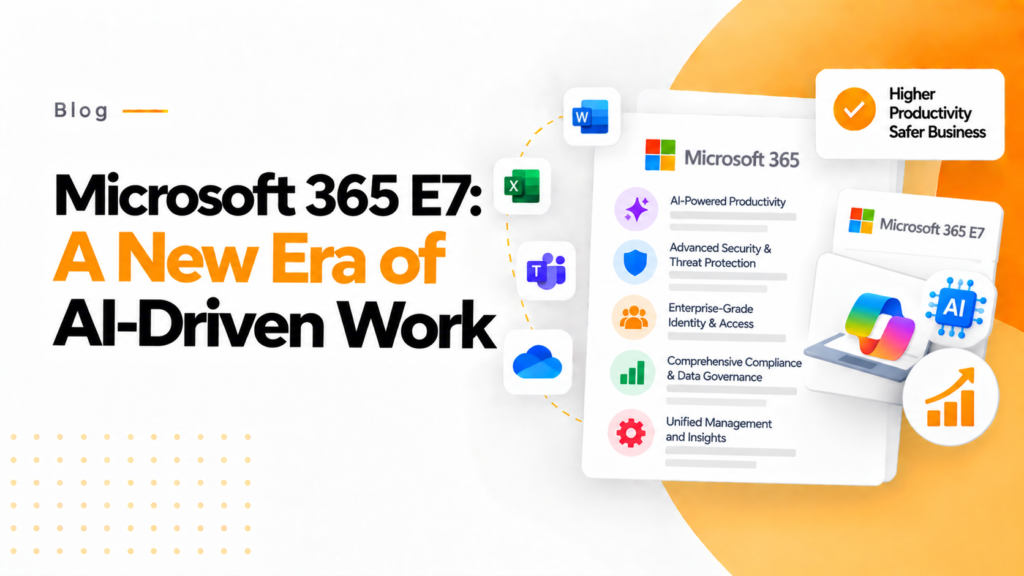
Key takeaways
- Microsoft 365 E7 marks a shift from suites built around Office apps toward an AI-first workplace that guides decisions and automates routine work.
- Routine tasks such as document classification, meeting summary generation and workflow routing are early candidates for AI automation.
- Wider AI use adds admin work across user provisioning, licensing, security policies, compliance monitoring and usage analytics.
Before Microsoft 365 E7, the main focus of previous Microsoft 365 products was to ensure that businesses had the office applications they needed. However, E7 shifts away from a primary focus on productivity and is transitioning towards an AI-first workplace, where intelligent systems are guiding and assisting employees in their decision-making process, automating repetitive tasks, and converting data into actionable insights.
Microsoft announced Microsoft 365 E7: The Frontier Suite on March 9, 2026, with general availability on May 1, 2026 at $99 per user. It combines Microsoft 365 E5, Microsoft 365 Copilot and Agent 365, and includes Microsoft Entra Suite and advanced Defender, Intune and Purview security capabilities.
The Evolution toward AI-Powered Productivity
In recent years, Microsoft 365 has transitioned from merely a number of software tools for productivity to a unified and complete digital workplace. Using Microsoft Teams, Outlook, SharePoint, and OneDrive, numerous organizations have thousands of ways to collaborate.
In addition, many modern organizations are being challenged with additional obstacles, including:
- An abundance of information
- Complex digital processes and workflows
- A growing number of cybersecurity threats
- A rapid increase in data growth across multiple systems
Through Microsoft’s advanced AI capabilities, organizations can leverage these technologies to alleviate challenges encountered through improved capability of systems to identify patterns, summarize information, automate processes, and make sound, data-based decisions.
The idea around Microsoft 365 E7 is to integrate AI into all areas of the workplace, which will empower organizations to be smarter, not simply faster.
What AI-Driven Work Looks Like
In a workplace employing AI, employees are supported by intelligent tools capable of:
Automating routine tasks
Routine administrative task automation can include handling repetitive tasks such as document classification, meeting summary generation, and workflow routing.
Providing real-time insights
AI systems can analyze vast amounts of organization data to extract and surface insights from that data that cannot typically be seen.
Improving team collaboration
During meetings and discussions, teams can gain real-time intelligence through intelligent suggestions, automatic summaries, and contextual knowledge.
Strengthening security and compliance
AI can identify abnormal or suspicious behavior, indications of potential threats, and compliance violations before the issues develop into critical issues.
With these capabilities, organizations can move from manual tasks towards maximizing productivity through activities deemed as high-value strategic analysis versus the surrounding administrative work.
The Growing Complexity of Microsoft 365 Environments
As organizations grow in their use of the various different services available in the Microsoft ecosystem, managing Microsoft 365 environments grows more complex for administrators. Administrator responsibilities now include, but are not limited to, (re)dressing the following areas:
- Provisioning and deprovisioning Users
- Managing licensing
- Managing Security Policies
- Monitoring Compliance
- Multi-Tenancy
- Reviewing usage analytics
If your administration team does not have the correct tools for managing an ever-increasingly complex environment, it could easily get the IT team overwhelmed.
That’s where tools/services like 365TUNE become crucial.
Enhancing the Microsoft 365 Ecosystem with 365TUNE
365TUNE is a Microsoft 365 license cost and security product that helps organizations improve their Microsoft 365 administrative tasks. 365TUNE provides a centralized management console for administration and provides several benefits:
Centralized Management Console
365TUNE provides an easy-to-use interface for managing users, licenses, and policies for Microsoft 365.
Comprehensive Reporting Tools
Organizations can view how people are using Microsoft 365 as well as where people are not using Microsoft 365 and how they can improve their use of Microsoft 365.
Ability to Automate Routine Administrative Tasks
By automating repetitive IT administrative tasks, organizations can focus their IT resources on strategic initiatives instead of routine administrative tasks.
Improved Security and Compliance
AI will increase the amount of digital transactions, and security is becoming increasingly important. 365TUNE will provide organizations with greater visibility into security and compliance.
Preparing for the Future of Intelligent Work
The launch of Microsoft 365 E7 demonstrates the broader evolution of the workforce from the traditional office to an AI-centric digital workspace. This means we are now no longer just using tools to measure our productivity, but rather the intelligence behind the tools we use.
To take full advantage of AI-powered work, organizations need to audit their Microsoft 365 environments and ensure they meet the following criteria:
- Well-Governed
- Secure
- Fully Managed
- Optimized for Growth
Tools such as 365TUNE augment the innovation of Microsoft by allowing organizations to have greater control, visibility, and automation to manage their increasingly sophisticated digital workspaces.
Conclusion
Microsoft 365 E7 signals a significant step towards a world in which artificial intelligence will play an essential role in the way we work daily. With AI embedded in collaboration, analytics, and security, Microsoft has changed how organizations function in the digital world.
As technology continues to develop, workplace technologies are becoming more powerful and complex. Tools such as 365TUNE will make it possible for companies to harness the full value of Microsoft 365 while achieving robust governance, streamlined administration, and optimal operational efficiency.
The combination of AI-powered productivity and intelligent management tools will continue to develop the next generation of modern work environments.
Frequently asked questions
What is Microsoft 365 E7?
Microsoft 365 E7 is a Microsoft enterprise tier above E5 that adds Microsoft 365 Copilot and tools for governing AI agents to the E5 suite. Check Microsoft licensing documentation for its exact contents and pricing before planning a move.
Is Microsoft 365 Copilot included in Microsoft 365 E5?
No. Microsoft 365 Copilot is a separate per user add-on for E3 and E5 plans. Without it, E5 users still get Copilot Chat grounded in web data at no extra cost.
How should IT prepare a Microsoft 365 tenant for AI tools?
Review sharing and permissions so AI assistants cannot surface overshared files, apply sensitivity labels to sensitive content, and reclaim unused licenses before buying new ones. Then turn on usage reporting so you can see who actually uses the tools.