Mateo Luis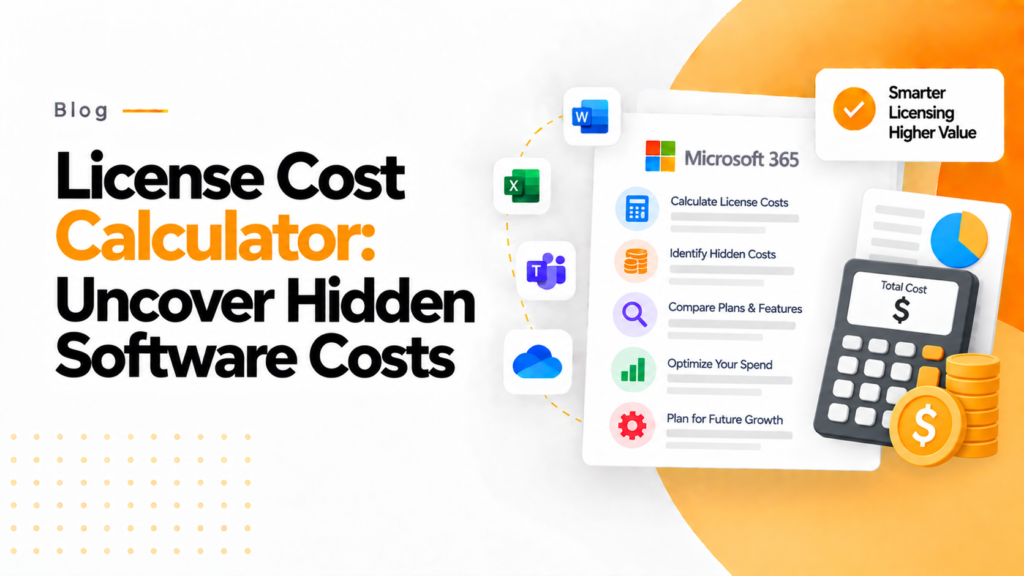
Key takeaways
- A license cost calculator needs three inputs: the number of licensed users, the cost per license and how many of those licenses are in use.
- Multiplying unused licenses by the monthly cost per license shows the waste in money, the figure finance needs before renewal.
- Licenses bought just in case keep billing every month while idle, so reviewing them before renewal avoids paying for another term.
A license cost calculator adds up what your organization pays for software licenses each month and year, and shows how much of that goes on licenses nobody uses, so you can see where to cut.
Software costs don’t usually feel dangerous until they quietly become one of the biggest leaks in your business. From small startups to growing enterprises, scattered across teams and tools. This article explores how a License Cost Calculator can help you uncover hidden expenses and take control of your software investments.
License cost calculator Add up what your licenses cost each month and year, and how much of that pays for licenses nobody uses. An estimate from the figures you enter. Nothing you type leaves this page.
When your company grows, you’ll also invest in tools to help your business grow, including: software subscriptions, plug-ins, enterprise platform, and/or third-party services. However, the majority of organizations do not realize that licensing costs compound, rather than grow linearly.
Many organizations overspend on software licenses every year due to unused licenses, redundant tools, insufficient visibility, etc. This isn’t just an inefficient way to spend; it’s a way for your company to lose revenue.
That is why a License Cost Calculator is more than just a tool to calculate total licensing costs; it is also a lens through which an organization can determine its total software spend.
Why License Costs Slip Through the Cracks
If you look at an individual license in isolation, it may not seem costly; a new user license could cost a few dollars each month or possibly a monthly fee of $30 per user. As your business grows larger and your staff expands, you will have many systems that you use every day. These systems may include a marketing system, an HR system, and dozens of other systems that are specific to the different areas of your company. In this case, you have many different subscription costs and no clear view of the total spent each month. By the time a full audit shows the total spent on software, you have already incurred the leak.
The License Cost Calculator will help provide a solution for this type of problem.
What a License Cost Calculator Really Does
The License Cost Calculator will provide an answer to three questions that you have to ask yourself:
What is the current cost of your licenses?
How many of those licenses are being utilized?
Where can savings or more effective processes be had by cutting back on licensing costs?
A License Cost Calculator asks for the following information:
Total number of licensed users, or users utilizing a license;
Cost per user for that license.
Total number of licensed users and total number of non-licensed users.
The License Cost Calculator provides you with the following:
Total number of licensed users and total amount of monthly and annual fees/charges for those licenses you own;
The number of unused or underutilized licenses.
The cost savings based on optimizing or changing the way that you are currently managing your licensing costs.
Simple calculations can provide necessary information that will help your organization realize value from its licensing costs.
Are You Paying for Unused Licenses?
One of the major causes of a license being wasted is that too many “just in case” licenses have been purchased and you are currently waiting to use your licenses. The idea behind purchasing too many licenses is valid, but they keep taking money from your budget month after month due to being idle.
Many licenses purchased through SaaS and cloud services remain inactive, so think about the cost savings of recovering even just half of them.
Effective software license optimization uses actual usage data to identify underutilized licenses, reclaim unnecessary subscriptions, and reduce avoidable software spending.
Where 365TUNE fits in
A function that 365TUNE provides is as a cost optimization partner, and not simply a tool vendor.
By using scheduled, automated scans as well as actionable data insights for tracking utilization patterns, 365TUNE can carry out both cost calculations as well as offer insights into the behaviour that caused those costs.
With a built-in License Cost Calculator within the 365TUNE ecosystem, organisations can:
Find any unused or duplicate licences quickly
Keep track of department-wide usage of licences on every scan
Estimate future licence needs based on growth patterns
Review renewals strategically before committing to any additional/unnecessary expense
The end result? More informed decision making than reactive cost-cutting.
From Expense Monitoring to Competitive Advantage
The evolution of your small business will involve transitioning from tracking expenses to developing strategies for developing your business. A license cost calculator can be helpful to save you money, but also provide you with an understanding of how your resources are allocated.
Saving every rupee by discovering your “unused” licenses allows you to now apply those savings towards growing your business; growing your business could include, but is certainly not limited to, hiring new employees, spending more on marketing, developing new products, or improving current products. Allocating these savings in a competitive business market will be extremely important.
Peter Drucker said, “what gets measured can be managed.” Licensing cost is no exception to this rule.
Final Thought
The cost of licenses is something most people ignore, but this is usually where you may find the easiest and fastest way to positively affect your financial performance.
The problem is not necessarily related to the complexity of some processes; instead, it is simply due to there being no visibility of how much money was actually spent on licenses. Using proper methods, along with the benefits of advanced technology like those provided by 365TUNE, can help you determine ways to save money or better use the resources you currently have.
In order to maximize your business’s profitability it is possible to receive a greater financial benefit through finding an efficient way to spend money versus generating new revenue streams.
Frequently asked questions
How do I calculate the total cost of my software licenses?
Multiply the number of licenses for each product by its monthly price, add the products together, then multiply by 12 for the annual total. Include add-ons and per user plug-ins, which are easy to miss because they are often billed separately.
What is the difference between license cost and total cost of ownership?
License cost is the subscription fee alone. Total cost of ownership adds the time spent administering the software and supporting and training users, plus integration or storage charges, so it is always higher than the license line on the invoice.
Why do software license costs grow faster than headcount?
Each new hire usually needs several subscriptions, and each team adds its own tools and add-ons, so spend rises with the number of products as well as people. Licenses also stay assigned after people leave unless offboarding removes them.
How is 365TUNE priced?
365TUNE Basic costs $20 per tenant per month, Standard costs $0.05 per seat per month and Enterprise costs $0.09 per seat per month. A 14 day free trial is available.