Mateo Luis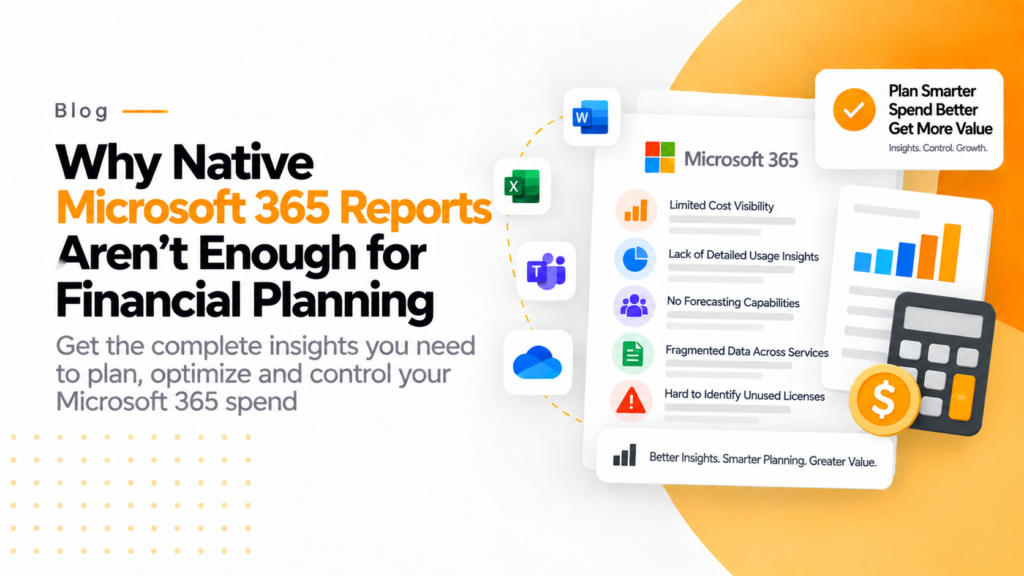
Key takeaways
- The Microsoft 365 admin center reports active users, license assignments and app usage, but not license cost per department or cost center.
- Native Microsoft 365 reports have no forecasting, so they cannot model license costs from hiring plans or estimate renewal pricing.
- Without structured monitoring, SaaS costs can grow 15% to 30% a year through new hires, upgrades, trial conversions and new markets.
Native Microsoft 365 reports show usage, active users and license assignments, but they don’t break license costs down by department, forecast future spend or recommend savings, so finance teams still build budgets by hand from exported data.
Microsoft 365 acts as the backbone of practically all of today’s modern workplaces. It handles everything from email, collaboration, document storage, and security, which supports free-flowing daily operations across all types of businesses. As part of that ecosystem, the Microsoft 365 Admin Center does provide built-in capability to support the development of reports.
So, many leaders with finance and IT responsibilities are asking the following questions: “Since Microsoft provides reports, why would we need to consider another option to assist with financial forecasting, controlling costs, or creating optimized budgets?”
To answer that question clearly, the native Microsoft 365 reports were never designed for financial forecasting, cost control, or budget optimization. Let’s take a moment to break this down further.
What Native Microsoft 365 Reports Actually Provide
The Microsoft 365 Admin Center has an emphasis on providing operational visibility but does not provide operational intelligence as it relates to financial forecasting.
Microsoft’s Microsoft 365 usage reports provide administrators with data on service usage, active users, licensing, and user activity across the organization.
Examples of the questions that can be answered through the operational visibility of the Microsoft 365 Admin Center include, but are not limited to:
- How many users are current?
- Who has not logged in to their account for some period?
- What is the license assignment status for our organization?
- How are users interacting with Teams or SharePoint?
These types of insights are useful for managing IT operations.
However, users who are responsible for financial planning need to answer a completely different type of question.
Where Native Reports Fall Short for Microsoft 365 Financial Planning
No Real Cost Breakdown by Department or Business Unit
To perform their jobs, finance teams need insight into what the company is spending in each department, what the cost per cost center is for licenses, and how costs compare across regions. Microsoft has not provided this granular level of detail with their native reporting, so all you can see is how many licenses are assigned, not how much they cost by business line.
No Forecasting or Budget Modeling
Financial planning does not rely only on historical data; it relies equally on predicting the potential future financial state of a business or organization. There are several areas where Microsoft 365 reporting is lacking, including:
- Not providing any estimated values for the future on how much it will cost per month to license users based upon their hiring plans;
- Not running any hypothetical scenarios on the impact of hiring user licensing plans;
- Failing to provide future estimates of renewal pricing on existing users
- Not providing any estimates of the budgets.
This lack of financial planning capability means that finance teams are spending a lot of time exporting and building their own forecasts and budgets to figure out how their companies will fare over the next two to five years.
Limited Visibility Into License Waste
Some of the causes of waste include:
- Inactive users;
- Duplicate user licenses; and
- Excessive user plans.
However, while Microsoft provides reports on usage activity for license users, those reports do not provide the level of detail to help finance teams identify areas of financial waste. An IT department may be able to identify that a user is inactive, but only finance will be able to identify where a company is losing money.
No Optimization Recommendations
Microsoft provides you with reports that show data about your usage of M365 (Microsoft 365), but these reports don’t tell you things like
- You can downgrade 42 of your users, which will save you $X every year.
- You are currently paying for 18 E5 licenses that are not being used.
- The XXX department is using below 100% of the premium features of Microsoft 365 on their accounts.
Businesses continue to overspend with no optimization insight provided.
No Unified Financial Dashboard for Decision Makers
CFOs do not want to look at technical admin panels to understand their costs associated with M365. They would like to visualize:
- Financial summary: easy summary of all spending in one table
- Trend of Costs over Time
- Identify areas they can save money
- Compare Budget vs. Actual Spend
- Alerts on renewals and risks
Native M365 reporting was not designed for use in presentation form used in boardrooms.
The Real Risk: Silent SaaS Spend Growth
The cost of Microsoft 365 increases over a long period of time due to:
- New hires
- License upgrades
- Software Feature Expansions
- Conversion of Trial Users to Permanent Users
- Expansion into Emerging Markets
With little to no structured monitoring of their Microsoft 365 usage, SaaS costs can grow year after year without leaders understanding the reason for the increase. Specialized third-party tools can help control that spending.
How 365TUNE bridges the gap
This is precisely why we created 365TUNE. 365TUNE is not a simple reporting layer; rather, it converts data regarding the use of Microsoft 365 into financial analytics so you can make more informed decisions regarding how to plan and optimize resources. Here are 4 significant advantages:
Financial-Ready Cost Visibility
365TUNE breaks down your license expenditure:
- Per Department Basis
- Per User Costings
- Cost Center Allocation
- Spending by region
- Historical Trends.
In essence, rather than relying only on raw usage data, you will be able to obtain financial data that you can use to make financial decisions.
Forecasting & Budget Planning Tools
365TUNE empowers finance teams to do the following:
- Forecast costs of licenses based on future hires
- Develop scenarios for upgrades or downgrades
- determine the effect of renewing
- Identify savings opportunities in the future.
As such, financial planning becomes proactive rather than reactive.
Automated Waste Detection
- Inactive users with paid accounts
- Underutilized premium plans
- Duplicate accounts
- Upgrade or downgrade candidates.
Activity data will be translated into the potential for real monetary savings.
Executive-Level Dashboards
- Clear financial summaries;
- Reports on spending trends;
- Alerts to optimize;
- Variance between your actual and budgeted expenses;
- Track ROI rather than rely on spreadsheets.
Perfect for executive presentations and boards of directors.
The Microsoft 365 reporting dashboard in 365TUNE shows license spend, waste, security score and active users on one screen, and emails its reports as PDF and CSV on a schedule.
Continuous optimization, not just reporting
The Microsoft 365 native report is a snapshot taken at a point in time. 365TUNE is designed for ongoing optimization and financial governance in relation to your Microsoft 365 usage.
It turns Microsoft 365 from an essential expense into an optimized, manageable investment.
When Do You Know You’ve Outgrown Native Reporting?
- Your annual Microsoft 365 spend is large enough that license waste shows up in the budget;
- You have usage across multiple departments and/or geographies;
- You are unable to project your licensing expenses with any degree of accuracy;
- You suspect there is a waste of licensing, but you can’t provide tangible data to support that assertion; and,
- The finance department is actively working to do a significant volume of manual Excel exports.
At this point in time, you have lost visibility that is considered optional and are instead at a point of needing visibility relative to finances.
Final Thoughts
Reports within the Microsoft 365 Admin Center are ideal for managing day-to-day operations, and a Microsoft 365 audit adds the cost and security view.
However, for use in financial planning, you require:
- Visibility into costs;
- Forecasting capabilities;
- Insight into optimizing costs;
- Executive-ready dashboards;
The Microsoft 365 native reports do not provide this level of functionality; 365TUNE does.
For organizations that take the control of their SaaS-related expenditures very seriously, that are committed to accurate forecasting, or that are seeking to eliminate hidden costs related to licensing, now is the time to look for more than just basic reporting or usage charts.
Financial planning requires much more than usage charts.
It requires clarity.
It requires control.
It requires 365TUNE.
Frequently asked questions
Can I see Microsoft 365 license costs by department?
Not in the admin center itself. You can combine the department or cost center attribute in Microsoft Entra ID with license assignments and your prices in Excel or Power BI, or use a tool that does the allocation for you.
How do I forecast Microsoft 365 license costs for next year?
Start from current licenses by plan and price, add planned hires and leavers, then factor in expected upgrades and any announced Microsoft price changes. Remove inactive and duplicate licenses from the baseline first so the forecast does not carry waste forward.
When are native Microsoft 365 reports no longer enough?
Usually when spend spans several departments or countries, finance cannot project license costs with confidence, or someone exports to Excel every month to answer cost questions. At that point you need cost allocation and forecasting, not just usage data.
Why doesn’t Microsoft 365 show license waste in dollars?
Microsoft’s usage reports show activity per user, but they do not hold your negotiated prices or link inactivity to cost. Finding waste in dollars means joining usage data to license prices, which is a finance view rather than an IT one.