
Microsoft 365 user lifecycle management
Find leavers and inactive accounts, get the manager's or HR's approval by email, then remove access and reclaim the licenses. Every step is logged.
What is Microsoft 365 offboarding automation?
Microsoft 365 offboarding automation closes a leaver's account the same way every time: block sign-in, end their sessions, hand the mailbox and files to someone, remove the licenses and, later, delete the account. Done by hand, steps get missed, and a missed license keeps billing.
365TUNE finds the accounts to offboard, from inactivity or from Entra ID attributes, and emails the approver you chose: the manager, HR or someone else. Nothing runs until they approve. Then the steps in your offboarding policy run, and each one is logged.
How approval works
- Find. On every scan, 365TUNE lists users who match an offboarding policy: no activity for the number of days you set, or an Entra ID attribute that marks them as leaving.
- Ask. The approver in the policy (the user's manager, HR or a named person) gets an email with the account, its licenses and the steps that will run.
- Wait. Nothing happens until they approve or reject. A rejected request is logged and the account is left alone.
- Run. On approval, the policy's steps run in order.
- Log. Every step, its result and the approval are recorded and kept for 24 months.
Offboarding steps you can run
Choose the steps for each policy:
- Block sign-in: the account can no longer sign in.
- Revoke sessions: signs the user out of every app and device.
- Convert the mailbox: to a shared mailbox, so the mail stays.
- Transfer OneDrive files: to the manager or another person.
- Remove group and Teams memberships: so the account drops out of every team and group.
- Remove the licenses: so you stop paying for them.
- Delete the account: after the number of days you set.
A shared mailbox under 50 GB with no archive or hold needs no license, so converting it keeps the mail and frees the seat.
Microsoft explains shared mailbox licensing in About shared mailboxes.
Offboarding policies
An offboarding policy decides three things once: who it applies to, who approves, and which steps run. Every account that matches it is handled the same way. Policies are set per tenant.
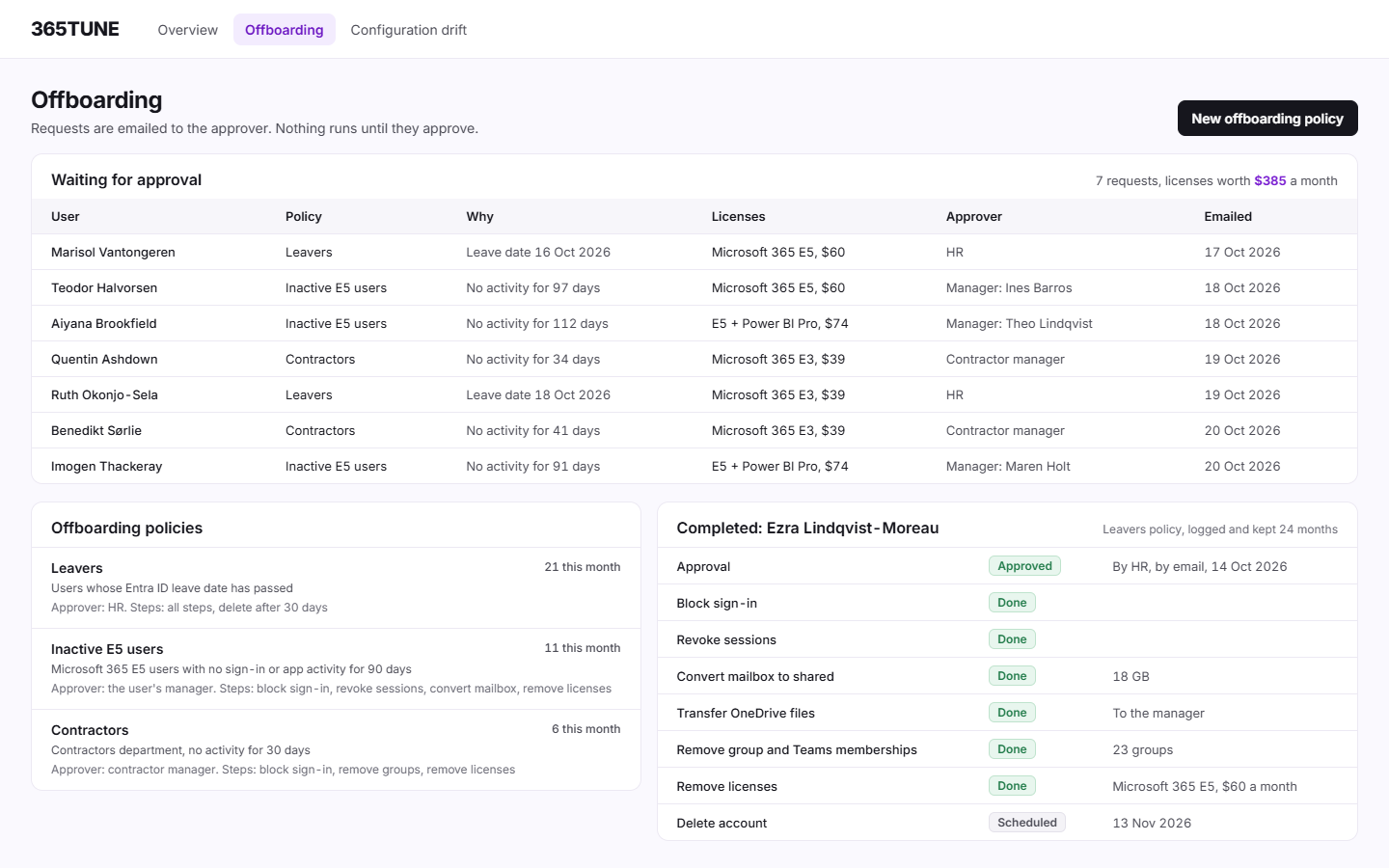
Sample policies for a 6,000-user company:
| Policy | Applies to | Approver | Steps |
|---|---|---|---|
| Leavers | Users whose Entra ID leave date has passed | HR | All steps; delete after 30 days |
| Inactive E5 users | Microsoft 365 E5 users with no sign-in or app activity for 90 days | The user's manager | Block sign-in, revoke sessions, convert mailbox, remove licenses |
| Contractors | Users in the Contractors department inactive for 30 days | Contractor manager | Block sign-in, remove group memberships, remove licenses |
One offboarding run, the way you'll see it
Sample run, a sales leaver with Microsoft 365 E5:
| Step | Result |
|---|---|
| Approval | Approved by HR by email, 14 Oct 2026 |
| Block sign-in | Done |
| Revoke sessions | Done |
| Convert mailbox to shared | Done, 18 GB |
| Transfer OneDrive files | Done, to the manager |
| Remove group and Teams memberships | Done, 23 groups |
| Remove licenses | Done, Microsoft 365 E5 freed: $60 a month |
| Delete account | Scheduled for 13 Nov 2026 |
What Microsoft offers, and what it leaves out
Entra lifecycle workflows run leaver tasks from user attributes, such as a leave date, and need a Microsoft Entra ID Governance or Entra Suite license. Admins also build their own with PowerShell or Power Automate, which works until the script's author leaves. 365TUNE adds the approval email, the license saving for each account, and a log you can hand to an auditor.
Microsoft describes lifecycle workflows in What are lifecycle workflows?.
For IT teams and MSPs
For IT teams
Close leavers the same way every time, with the manager's sign-off on record, and stop paying for their licenses the same week.
For MSPs
Run each customer's offboarding from a policy you set once, and send them the log of every account you closed.
Security of the connection
Finding accounts needs read-only access. Offboarding changes accounts, so it asks for its own consent, with only the permissions those steps need, and it runs only after someone approves. 365TUNE is ISO 27001 certified, has a SOC 2 Type II report and doesn't use your data for training.
See who should be offboarded
Connect read-only and see your leavers and inactive accounts during the 14-day trial.
Questions about Microsoft 365 offboarding
What happens if the approver doesn't answer?
Nothing. The account stays as it is until the approver approves or rejects the request.
Does 365TUNE handle new starters?
Not today. Lifecycle management covers leavers and inactive accounts.
What happens to the leaver's mailbox and files?
You choose in the policy. The mailbox can become a shared mailbox, which needs no license under 50 GB without an archive or hold, and OneDrive files can go to the manager or another person.
How long is the offboarding log kept?
24 months. It records the approval, each step and its result.