 Archie Nair
Key takeaways
- Five former employees left on Microsoft 365 Business Premium at $22 a month cost $1,320 a year until someone removes their licenses.
- Giving a 20 person sales team E5 when E3 covers their email and Office use costs an extra $5,040 a year.
- Shared mailboxes under 50 GB need no license, so converting a leaver’s mailbox keeps the mail and frees the seat.
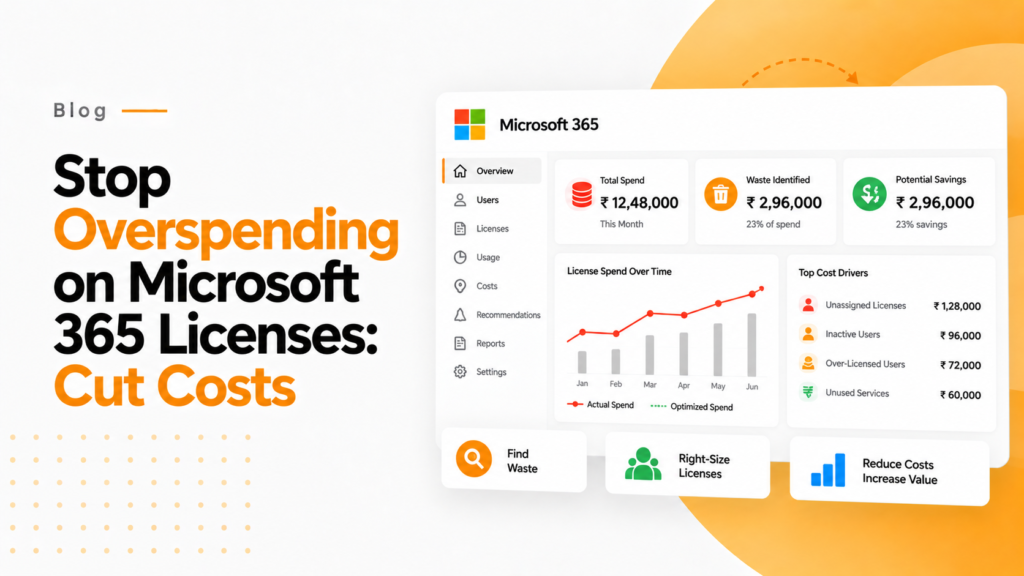
Are you unknowingly overspending on Microsoft 365 Licenses thousands of dollars each month that no one uses? If you’re managing IT for multiple clients or running an organization with more than 50 employees, the answer is almost certainly yes. Many organizations pay for Microsoft 365 licenses nobody uses, and the waste adds up to a real share of the annual IT budget.
A Microsoft 365 audit lists every unused license with its monthly cost and the user it’s assigned to.
Here’s the reality: as your organization grows and employees come and go, license management becomes increasingly complex. Former employees retain licenses months after departure. New hires receive premium licenses when basic ones would suffice. Teams purchase add-ons they never utilize. The result? A bloated Microsoft 365 subscription that’s quietly draining your IT budget.
Why Microsoft 365 License Optimization Matters More Than Ever
The pattern is consistent and alarming: organizations rarely optimize their license allocation after initial deployment.
The problem isn’t incompetence. It’s the rapid evolution of Microsoft’s licensing model combined with the time constraints facing IT teams. Microsoft 365 has evolved from a simple Office suite to a complex ecosystem with over 30 different license types, each with dozens of features and services.
This complexity creates opportunity. While your competitors struggle with manual license management, organizations that implement systematic Microsoft 365 optimization gain a significant competitive advantage. They redirect saved budget toward innovation, security improvements, and growth initiatives.
How Much Are You Really Overspending on Microsoft 365?
The Hidden Cost Categories Most Organizations Miss
1. Ghost users: the silent budget killers
Former employees often retain their licenses for months after departure. HR processes the termination, but IT misses the license cleanup. At $22 per user per month for Microsoft 365 Business Premium (paid yearly), just five ghost users cost $1,320 annually.
Quick audit tip: Run a cross-reference between your Active Directory and payroll system. Any discrepancies likely represent overspending opportunities.
2. License overprovisioning: premium licenses for basic needs
Sales teams often receive E5 licenses ($60/month) when they primarily use email and basic Office apps, functionality fully covered by E3 licenses ($39/month, Microsoft list prices paid yearly). For a 20-person sales team, this represents $5,040 in annual overspend.
3. Unused add-ons and features
Microsoft’s bundling strategy means organizations pay for features they never use. Advanced Threat Protection, Power BI Pro, and Project licenses frequently sit idle while contributing to monthly costs.
The Real Financial Impact
Let’s examine a typical scenario: A 200-employee organization using Microsoft 365 Business Premium across the board.
- Current annual cost: $52,800
- Optimized structure cost: $36,960
- Annual savings: $15,840
- Three-year savings: $47,520
Five Critical Signs You’re Overspending on Microsoft 365 Licenses
Sign #1: You Can’t Answer “Who Uses What?” in Under 30 Seconds
The problem: Manual tracking across multiple admin centers The solution: Implement automated Microsoft 365 reporting
If answering basic usage questions requires digging through multiple dashboards, you lack the visibility needed for cost optimization. Organizations with proper reporting find optimization opportunities that manual tracking misses.
Sign #2: New Hire License Assignment Follows “Default Premium” Logic
The red flag: Every new employee automatically receives the highest-tier license The cost: $21 extra per user per month when E3 would suffice instead of E5
Create role-based licensing templates. Marketing coordinators don’t need the same tools as data analysts.
Sign #3: Your Last License Audit Was Over Six Months Ago
The reality check: User needs change quarterly in dynamic organizations The missed opportunity: savings that regular optimization would catch
Successful organizations conduct license reviews monthly and comprehensive audits quarterly.
Sign #4: You Have More Licenses Than Active Employees
Common scenario: 150 employees, 180 Microsoft 365 licenses Root cause: Poor offboarding processes and bulk license purchases
Implement automated workflows that trigger license reviews during employee transitions.
Sign #5: You’re Using PowerShell Scripts from 2019 or Earlier
The challenge: Microsoft’s Graph API and reporting capabilities evolve rapidly The impact: Outdated tools miss new optimization opportunities
Modern Microsoft 365 optimization requires current tools and methodologies.
Tools and Strategies to Audit Microsoft 365 Usage Effectively
PowerShell Reports That Reveal Hidden Costs
The license usage deep-dive script
This PowerShell approach (the report cmdlet saves a CSV file, which the script then reads) provides granular insights into actual feature utilization:
# Connect to Microsoft Graph
Connect-MgGraph -Scopes "User.Read.All", "Reports.Read.All"

# Generate detailed usage report
Get-MgReportOffice365ActiveUserDetail -Period 'D30' -OutFile "$env:TEMP\ActiveUsers.csv"
Import-Csv "$env:TEMP\ActiveUsers.csv" |
    Select-Object 'User Principal Name', 'Exchange Last Activity Date',
    'Has Exchange License', 'Has OneDrive License',
    'Has SharePoint License', 'Has Teams License'
Key metrics to track:
- Last login dates for each service
- Feature utilization percentages
- License assignment vs. actual usage correlation
Native Microsoft 365 Reporting Capabilities
Microsoft 365 admin center usage analytics
- Navigate to Reports > Usage
- Focus on “Active Users” and “Apps Usage” sections
- Export data for deeper analysis
Azure AD sign-in logs
- Identify users who haven’t logged in for 30+ days
- Cross-reference with license assignments
- Calculate immediate cost-saving opportunities
Third-Party Optimization Tools
While native reporting provides basic insights, specialized tools offer advanced analytics:
- License assignment optimization algorithms
- Automated rightsizing recommendations
- Cost projection modeling
- Compliance and security integration
Consider solutions that provide ongoing optimization rather than one-time audits.
For example, 365TUNE flags unused Microsoft 365 licenses on every scan and shows what each one costs a month.
How to Reduce Microsoft 365 License Costs Without Compromising Productivity
The Strategic Rightsizing Framework
Step 1: User categorization
Create licensing tiers based on actual job functions:
- Power Users (E5): Executives, analysts requiring advanced features
- Standard Users (E3): Most knowledge workers
- Basic Users (E1/F3): Frontline workers, part-time staff
Step 2: Feature-based analysis
Map actual usage to license features:
- Exchange Online usage patterns
- SharePoint and OneDrive storage requirements
- Teams calling and meeting frequency
- Advanced security feature utilization
Step 3: Gradual implementation
Implement changes in phases to minimize disruption:
- Month 1: Remove unused licenses and obvious mismatches
- Month 2: Implement role-based licensing templates
- Month 3: Optimize add-ons and premium features
Advanced Cost Reduction Strategies
Shared Mailbox Optimization Convert underutilized user mailboxes to shared mailboxes (no license needed up to 50 GB)
Licensing Pool Management Maintain 5-10% buffer for new hires rather than over-provisioning
Add-on Consolidation Review Power BI, Project, and Visio standalone licenses for potential E5 consolidation
Addressing Common Microsoft 365 Optimization Objections
“We Don’t Have Time for Complex License Management”
The reality: Manual license management consumes more time than automation setup
Organizations often resist optimization due to perceived complexity. However, the initial time investment in proper tools and processes saves 10-15 hours monthly in ongoing license administration.
Consider this: spending one day setting up automated license monitoring saves approximately 120 hours annually in manual tracking and optimization tasks.
“Users Will Complain About Feature Restrictions”
The solution: Transparent communication and gradual transitions
Most users never notice license downgrades when done strategically. Focus on actual usage patterns rather than theoretical needs.
Implement changes during low-usage periods and provide clear communication about available alternatives for any removed features.
“The Savings Don’t Justify the Effort”
The numbers tell a different story: optimization typically saves 20–30% of license spend (365TUNE research)
For a 200-user organization spending $4,000 monthly on Microsoft 365, this represents $9,600 to $14,400 in annual savings.
Your Next Steps: From License Chaos to Strategic Advantage
Microsoft 365 license optimization isn’t a one-time project. It’s an ongoing strategic advantage that compounds over time. Organizations that master license management redirect saved budget toward innovation, security improvements, and competitive advantages.
Your immediate action plan:
- Conduct a quick license audit using the PowerShell scripts provided
- Identify your top 3 optimization opportunities
- Implement role-based licensing templates for future hires
- Establish monthly license review processes
The organizations thriving in today’s competitive landscape are those that optimize every aspect of their IT spending. Microsoft 365 license optimization represents one of the highest-ROI improvements you can implement this quarter.
Frequently asked questions
How do I find Microsoft 365 licenses assigned to former employees?
Export licensed users from the Microsoft 365 admin center and compare them with your HR or payroll leaver list. Accounts that are blocked from sign-in but still licensed, or that show no sign-in in Entra ID for 30 days or more, are the first to check.
Do shared mailboxes need a Microsoft 365 license?
No, a shared mailbox up to 50 GB needs no license. It needs one if it grows beyond 50 GB, needs an archive or litigation hold, or someone signs in to it directly instead of opening it from their own account.
How much more does Microsoft 365 E5 cost than E3?
At Microsoft list prices E5 costs about $21 per user per month more than E3. E5 adds Defender for Office 365 Plan 2, Entra ID P2, Purview Audit (Premium), Power BI Pro and Teams Phone, so users who need none of these are usually fine on E3.
How can I check Microsoft 365 license usage with PowerShell?
Install the Microsoft Graph PowerShell SDK, connect with Connect-MgGraph using the User.Read.All and Reports.Read.All scopes, then use Get-MgUser with the AssignedLicenses property or the Office 365 active user report. The older MSOnline module was retired in 2025.