Mateo Luis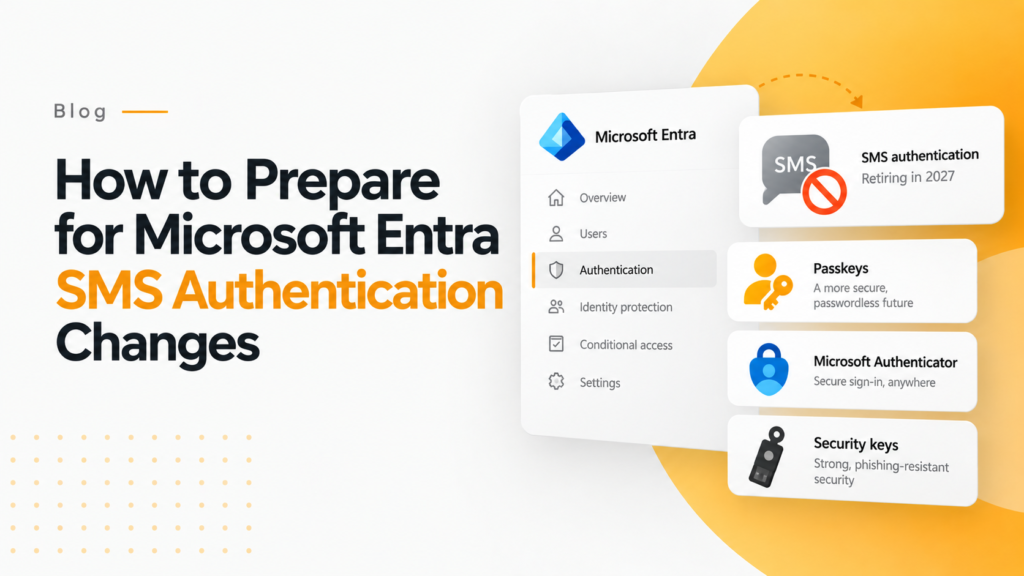
Key takeaways
- Microsoft plans to retire its own SMS and voice authentication for Entra ID on February 1, 2027, and tenants cannot opt out.
- From September 1, 2026, users who rely on SMS or voice will be prompted to register a passkey at their next MFA sign-in.
- Organizations with a genuine legal or operational need for SMS can keep it through a customer-managed telecom provider in the Microsoft Security Store.
Microsoft is retiring its own SMS and voice authentication in Microsoft Entra ID on February 1, 2027, and on July 1, 2027 for Global Administrators and external users. Since September 1, 2026, users enabled for SMS or voice are prompted to register a passkey.
Does your business still use SMS alerts when accessing Microsoft Entra ID? If so, you should be aware of an important deadline on February 1, 2027, when Microsoft will terminate its SMS and voice authentication for Microsoft Entra ID. Microsoft is doing away with this method because SMS is not secure enough for Microsoft’s safety policies, and will instead move users to alternative forms of authentication involving passkeys and other options that prevent phishing attacks.
For IT administrators, being responsible for managing Microsoft 365 users means you are dealing with a migration job rather than just an update of technology.
And here is the good news: you still have enough time to prepare for the upcoming changes in the authentication process.
What Exactly Is Changing with Microsoft Entra SMS Authentication?
Microsoft Entra SMS Authentication is undergoing a major change. Recall the last time you logged in to your Microsoft 365 account. Did you receive a six-digit code on your phone? The same text message code may no longer be available for those organizations that use Microsoft’s integrated telecom solution. This change directly affects Microsoft Entra SMS Authentication.
Microsoft announced that its own SMS and voice authentication will be retired on February 1, 2027 for all users except Global Administrators and external users, whose date is July 1, 2027. This means Microsoft Entra SMS Authentication will no longer work in its current form for affected organizations. Hence, by that point, those individuals who use only SMS or voice for authentication will be required to register a passkey unless they want to miss signing in. There is no option of avoiding this change that Microsoft has planned by February 2027.
There is one more milestone. For Microsoft Entra SMS Authentication users, this milestone is particularly important. Our guide to Microsoft Entra passkeys and the SMS retirement covers it step by step.
Since September 1, 2026, users enabled for SMS or voice authentication have been automatically enabled for passkeys and are prompted to register one when they next sign in with MFA. This is an important step in the transition away from Microsoft Entra SMS Authentication.
So if you are an administrator who thinks, “I will handle this issue next year”, do it now.
What is the Reason for Microsoft Leaving SMS?
Once, SMS was considered a breakthrough in security. However, attackers have discovered loopholes in it.
Phone authentication has weaknesses such as SIM swapping, phone phishing, and interception. Nowadays, Microsoft sees both SMS and phone calls as inferior to anti-phishing solutions.
Microsoft’s preference indicates that the company’s new feature will be “default passkeys”.
Being built on cryptographic technology, passkeys are made to be safe from phishing scams, SIM swapping, and replay attacks.
Therefore, it is more about changing the way people view the security of their identity than removing the old feature.
What Action Should IT Administrators Take Now for Microsoft Entra SMS Authentication?
The first thing to do is extremely straightforward: find out who uses SMS or voice. Microsoft recommends identifying users enabled for SMS or voice before beginning the migration. Microsoft offers instructions on how to identify people using SMS and voice in your tenant. This will be your basis for the next steps because you cannot move forward with your migration until you have a list of people involved.
Once you have completed the first step, segment users into meaningful groups. Some may already use Microsoft Authenticator, Windows Hello, or other means of authenticating. Others may have to get their passkey finished from scratch.
This is where a good Microsoft 365 administrator makes a huge difference.
Instead of sending a tedious email to all your employees, you may just present all the changes to them in a few steps.
Should SMS be replaced with passkeys?
Microsoft proposes the use of passkeys for organizations looking to replace SMS. In terms of alternatives that prevent phishing attempts, Windows Hello for Business and the use of FIDO2 Security keys are also strong contenders.
Entra also supports additional authentication methods. In order to choose the right solution, understanding one’s users is imperative. For office workers using Windows devices, Windows Hello might be the most appropriate solution. If users are likely to require access to multiple devices, synced passkeys might be a better alternative.
For organizations needing higher security, FIDO2 security keys are likely to be the preferred solution. It is important to remember that the choice of the solution should not be based just on what is feasible. Make sure that you test it with the relevant users before making the final decision.
What If An Organization Still Requires Microsoft Entra SMS Authentication?
Some organizations may not be able to discontinue the use of SMS right away.
According to Microsoft, an organization that has a legitimate business, legal, or operational reason may continue using SMS or voice from customer-managed telephony providers available via the Microsoft Security Store. Information about the first providers, Soprano and Telesign, is available now, and configuration is available from October 30, 2026.
However, this should not automatically become a go-to solution.
In fact, according to Microsoft, it’s much better to go for phishing-resistant identity verification whenever possible.
Your roadmap for preparing for 2026
Think about what will happen on February 1, 2027, when 50 employees find themselves in the nightmare of not being able to log in via SMS.
This is a situation you need to prevent.
To get ready, you should begin today. Identify the users who log in with SMS and voice, analyze which authentication method they are using, find proper options for passkeys as a replacement, conduct small pilot testing, and migrate users step by step. Communicate the change to users as well, since Microsoft has been prompting them to register passkeys since September 2026.
There are three steps to the process:
- Find out: Who is using SMS? This identifies the users affected by the Microsoft Entra SMS Authentication changes.
- Migrate: What method of authentication is more secure for each user? This step determines the right replacement for Microsoft Entra SMS Authentication.
- Verify: Can the affected users log in without SMS?
If you complete all three steps before the deadline, February 2027 will be just another day on the calendar instead of a day of crisis at the help desk.
How 365TUNE can help IT teams stay ahead
Almost always, changes in Microsoft 365 do not happen alone. Any authentication shift may bring about changes in the performance of devices, users, security rules, and regular operations.
That is why a specific tool and some resources could simplify the management of Microsoft 365.
365TUNE scans Microsoft 365 tenants for license costs and security settings, so teams can see where configuration needs attention as changes like this one roll out.
In other words, do not wait for an SMS failure to think of a backup plan.
Microsoft has provided a timeline. The automatic activation of passkeys and reminders to users started on September 1, 2026, and Microsoft-provided SMS and voice authentication stops on February 1, 2027 (July 1, 2027 for Global Administrators and external users).
It is advisable to undergo a process of migration from a system of regular users to a system of anti-phishing authentications.
Frequently asked questions
Is Microsoft getting rid of SMS authentication in Entra ID?
Yes, for the Microsoft-provided service. Entra ID stops sending its own SMS and voice codes on February 1, 2027, although organizations with a valid business need can keep SMS through a customer-managed telecom provider.
Why is SMS MFA considered insecure?
SMS codes can be stolen through SIM swapping, phishing and interception, and users can be tricked into typing a code into a fake sign-in page. Passkeys use cryptographic keys tied to the real site, so they resist phishing and replay attacks.
What should replace SMS for Microsoft 365 sign-in?
Microsoft recommends passkeys, either synced or held in Microsoft Authenticator. Windows Hello for Business suits office staff on Windows devices, and FIDO2 security keys suit users who need the highest assurance.
What happens to users who only have SMS after February 2027?
They will have to register a passkey when they next sign in, unless the tenant has set up a customer-managed telecom provider. Users who already use Authenticator, Windows Hello or another phishing-resistant method are not affected.