
Microsoft 365 configuration drift detection and restore
Save your Microsoft Entra ID settings as a named baseline. Every scan shows which settings no longer match it, and you restore the approved value.
What is Microsoft 365 configuration drift?
Microsoft 365 configuration drift is the gap between the settings you approved and the settings your tenant has now. It builds up quietly: an exclusion added to a Conditional Access policy for one urgent case, guest invites opened for a project, user consent to apps switched back on. Each change made sense once. Together they undo your security work.
365TUNE saves your Microsoft Entra ID settings as a named baseline, compares the tenant with it on every scan, and restores the approved value for any setting that drifted.
Settings, not data
Configuration drift covers Microsoft Entra ID settings today. It's not a backup: it doesn't copy or restore mailboxes, files or Teams messages. Exchange, SharePoint and Teams settings aren't included yet.
Drifted settings, the way you'll see them
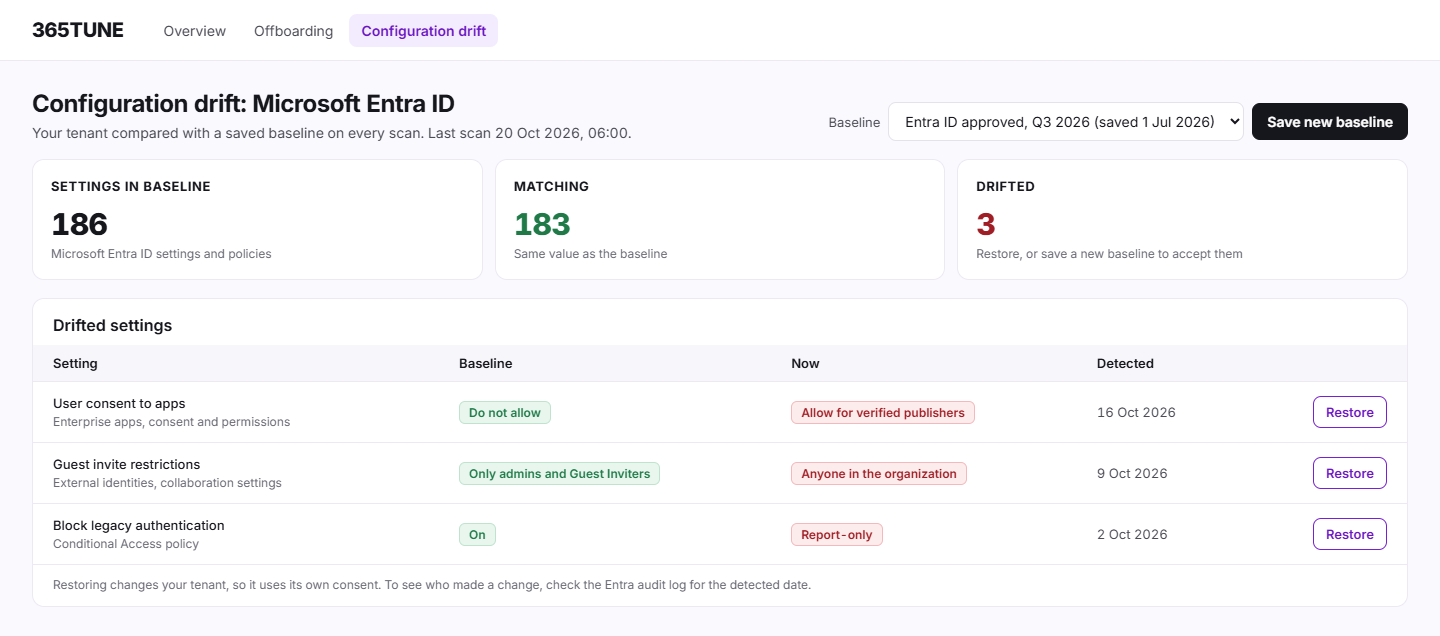
Sample data, compared with the baseline "Entra ID approved, Q3 2026":
| Setting | Baseline | Now | Detected |
|---|---|---|---|
| User consent to apps | Do not allow | Allow for apps from verified publishers | 16 Oct 2026 |
| Guest invite restrictions | Only admins and Guest Inviters | Anyone in the organization | 9 Oct 2026 |
| Conditional Access: block legacy authentication | On | Report-only | 2 Oct 2026 |
Each row has a Restore action that sets the approved value back. 365TUNE shows what changed and when the scan found it. To see who made the change, check the Entra audit log for that date.
How it works
- Snapshot. Save the tenant's current Entra ID settings as a baseline, and name it ("Entra ID approved, Q3 2026").
- Compare. Every scan, daily or on your schedule, checks the tenant against the baseline and lists the settings that differ.
- Decide. Some changes are intended: save a new baseline to accept them. Others aren't.
- Restore. Set the approved value back. Restoring needs its own consent, with only the permissions it uses.
What Microsoft offers, and what it leaves out
Entra Tenant Governance includes configuration management: you write a baseline as JSON, a monitor checks the tenant against it, and Microsoft Graph reports each drift. Fixing the drift is up to you, and snapshots are deleted after 7 days. 365TUNE does the same check from the app, keeps your named baselines, and restores a drifted setting for you.
Microsoft describes this in Configuration management in Tenant Governance.
For IT teams and MSPs
For IT teams
Keep the Entra ID settings your security review approved, and see on every scan what moved.
For MSPs
Save a baseline for each customer tenant after onboarding, and put back what someone changed.
Security of the connection
Comparing settings needs read-only access. Restoring a setting changes the tenant, so it asks for its own consent, with only the permissions it uses. 365TUNE is ISO 27001 certified, has a SOC 2 Type II report and doesn't use your data for training.
See which Entra ID settings moved
Connect read-only, save your first baseline and see what drifts during the 14-day trial.
Questions about Microsoft 365 configuration drift
Which settings does configuration drift cover?
Microsoft Entra ID settings today. Exchange, SharePoint and Teams settings aren't included yet.
Is this a backup?
No. It restores settings, not data. Mailboxes, files and Teams messages need a backup product.
Does it show who changed a setting?
No. It shows what changed and when the scan found it. The Entra audit log records who made the change.
Can I keep more than one baseline?
Yes. Baselines are named snapshots of the tenant, so you can keep one per review and compare against the one you approved.