
Table of Contents
Whereas the move to cloud solutions such as Microsoft’s 365 platform represents a solution to many companies’ infrastructure challenges—Exchange Online for email, OneDrive for file storage, Teams for collaborative work, among others—many still believe “Microsoft backs up my data,” but that’s not entirely true—understanding the difference can help you make sense of your total expenditure on backup.
The Hidden Risk: Cloud Does Not Equal Complete Backup
Although Microsoft 365 does offer high availability, redundancy, and recycling benefits, the platform was not designed to fully protect your company’s long-term data recovery needs.
There are a number of reasons why you may experience permanent loss of your data:
- Accidental deletion by users.
- Malicious insider activity.
- Ransomware attack.
- Sync errors leading to the file being overwritten.
- Loss of or gap in compliance, regulation, or retention obligations.
- Misconfigured third-party application integration.
Recycle bin and retention policies only assist with temporary recovery windows, and once those windows close, you will be unable to recover your data.
That’s where third-party backup solutions come in—and when the real cost becomes apparent.
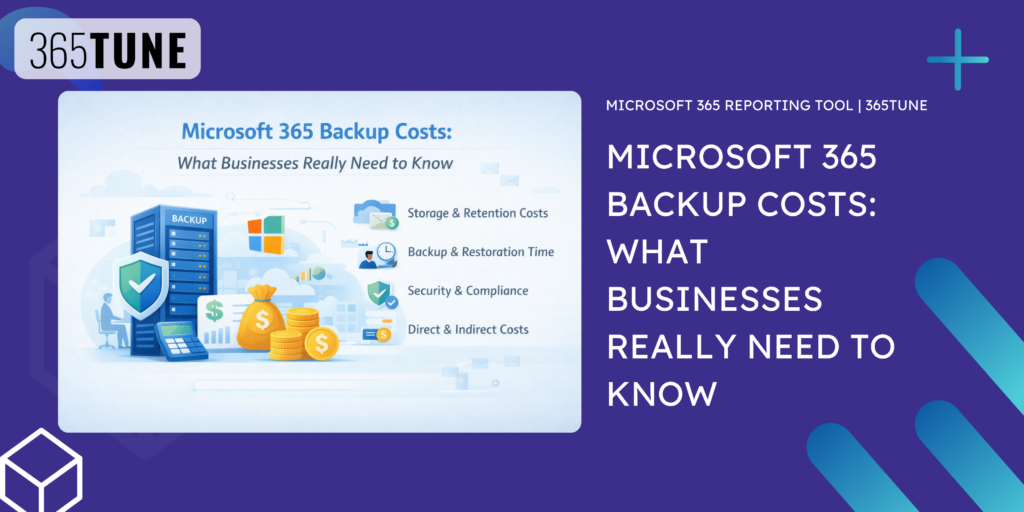
Why Microsoft 365 Backup Costs Vary So Widely
Backup pricing is always complicated because how your company uses Microsoft 365 is one way it may differ from vendor to vendor based on the way costs are structured, which includes many aspects.
Scope of Data Protection
For every area of your company that you want covered for backups, you will pay a higher price for those areas to have full protection from loss and corruption as well. Many times companies don’t realize that so much of their critical data resides outside of their email system these days. Teams’ conversations, shared documents, and project workspaces are common examples of valuable and irreplaceable company operational intelligence.
Storage Volume and Growth
Unlike traditional on-premises systems, data in the cloud grows without you being aware of it. The auto-save feature, version tracking, document sharing, and collaboration cause the amount of data that will need to be backed up to grow at an extraordinary rate. In addition, backup providers usually have to keep multiple copies of each of the versions of documents, causing that consumption of data to grow as well.
A team of four could typically grow to become a significant backup consumer very quickly within a year.
Retention Period Requirements
How long is historical data stored?
- Recovery (weekly/monthly)
- Archive (annual)
- Compliance (how long data needs to be retained for regulatory compliance)
Data retention adds to your overall costs long-term because when you keep data forever, you continue to pay for the storage. In fields such as finance, healthcare, and law, data retention is typically a challenge, so planning from day one when you’re doing backups is key.
Recovery Capabilities
Backups are more than just a data storage solution; they also need to allow you to quickly and accurately recover lost data.
The cost of recovery solutions often provides flexibility for how much data can be recovered.
- Restores to single emails or files
- Restore the full mailbox
- Restore the entire SharePoint site
- Restore across multiple users
- Restore to a specific point in time
Backup solutions that provide granular, quick recovery solutions typically provide a greater return on investment for the organization being impacted, particularly during a loss.
Security and Compliance Features
Backup solutions today also need to be able to protect against the potential for attacks (i.e., a cyberattack).
Advanced backup solutions provide protective solutions against these attacks.
- Immutable storage (storage that cannot be modified by unauthorized personnel)
- Encryption of data at rest and in transit
- Ransom ware detection
- Access control and audit trail features.
- Compliance reporting
Backup solutions must also have protective solutions in place for the backups themselves—that is becoming more and more important as hackers continue to target backup systems.
The True Cost of Not Having Proper Backup
Though many organizations may postpone adopting a backup plan to save money, the overall cost of losing data can actually be far more catastrophic than saving money.
For example, here are just a few of the possible repercussions:
- Business interruption;
- Loss of intellectual property;
- Exposure to legal action;
- Potential for fines and penalties due to not abiding by regulations;
- Damage to your company’s reputation;
- Operational turmoil;
One loss could be enough to make numerous years of backups worthwhile. Backups are a business risk insurance policy, not just an expense to IT.
|
Microsoft 365 backup insights and cost optimization Protect your Microsoft 365 data without overspending365TUNE helps you understand backup risks, optimize storage costs, and ensure your Microsoft 365 environment is fully protected — so your business can recover quickly from data loss, ransomware, or accidental deletion. 14-day free trial • No credit card required • Fast onboarding |
Why Many Businesses Feel Overwhelmed
Pricing isn’t the only consideration when selecting a backup solution for Microsoft 365—understanding each solution’s options for clarity is key.
A lot of organizations struggle with the following questions prior to making an informed purchase:
- What do we need to protect?
- How big a backup will we need in the future?
- How critical is each aspect of the backup in receiving our data?
- How will we keep compliant?
- Are we paying too much or not enough for protection?
Without proper guidance, businesses risk either spending too much money on things they don’t need or spending too little money and leaving themselves vulnerable.
How 365tune Makes Microsoft 365 Backup Simple and Strategic
This is why 365Tune is so important—because they are not only a Microsoft 365 backup service, but they also provide the optimization you need for effectively utilizing Microsoft 365. Rather than offering “one-size-fits-all” backup packages, 365Tune emphasizes a thorough understanding of how your organization is actually using Microsoft 365.
Tailored Protection Instead of Generic Packages
Every organization has different data profiles in Microsoft 365; therefore, a consulting company will have a different profile than a manufacturing company or a startup. 365 Tune will evaluate:
- How you collaborate,
- What data is critical to you,
- What compliance obligations you have,
- Your overall security posture,
- Your expected growth trajectory.
Then they align your backup strategy to reflect your actual operational needs.
Cost Optimization Without Sacrificing Protection
Instead of just adding more backups on top of what you already have using Microsoft 365, 365 Tune helps you eliminate inefficiencies within your entire Microsoft 365 environment. This may consist of things like
- Eliminating redundant storage,
- Optimizing your retention policies,
- Streamlining your licensing,
- Identifying underutilized resources, and
- Aligning your backups to your organization’s priorities.
The outcome is removed inefficiencies and a balanced protection plan that is data-rich where it is absolutely necessary and economical where it is not.
Business-Focused Recovery Planning
365tune is a business recovery-focused company that will help ensure your organization can recover quickly when a data-related incident occurs so there is minimal loss to wire work.
Planning for potential risks in real life, i.e., deleted executive mailbox, compromised Teams workspace, corrupted SharePoint project site, accidental mass deletion, and incidents of security breaches.
Thus, the backup strategy is part of your organization’s business continuity plan and should not simply be considered an IT cleaning job.
Ongoing Guidance as Your Organization Evolves
Corporate Microsoft 365 environments continue to change due to new employees being added, team restructuring, project scope growth, and data growth over time.
365tune will continually evaluate your backup process and adjust it to current conditions to be effective, rather than have you continue to operate based on assumptions.
Final Thoughts
Microsoft 365 provides incredible productivity tools, but implementing an effective data protection strategy that includes a backup plan is a must. The total cost of your backup strategy will depend upon several factors, including storage and retention period, recovery capabilities, and security requirements.
The best way to consider your Microsoft 365 data protection strategy is to think about the amount of risk to your company and choose a backup solution accordingly, not to simply select the least expensive product or the most feature-rich product.
The main goal of 365Tune is to help organizations transform their Microsoft 365 backup strategy from a confusing liability to an effective business continuity tool.