
For Microsoft Entra Passkeys, Organizations need to adopt secure authentication methods in order to benefit from the advantages of AI. For this purpose, it is crucial for them to migrate from the old insecure systems towards more secure ones like passkeys. This is the reason why Microsoft Entra ID is going to integrate Passkeys as a default authentication method in order to provide organizations with high level of security that can withstand phishing attacks.
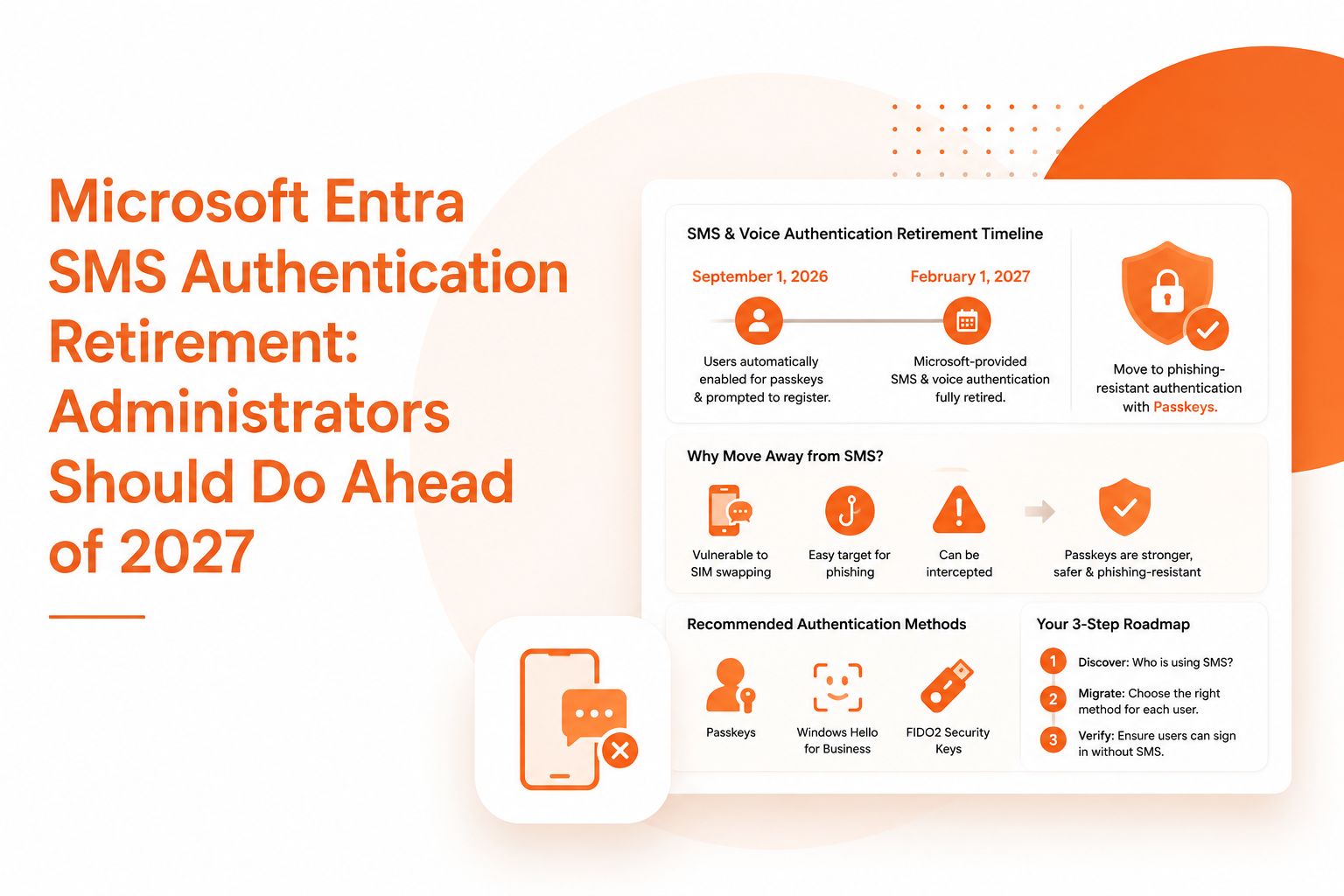
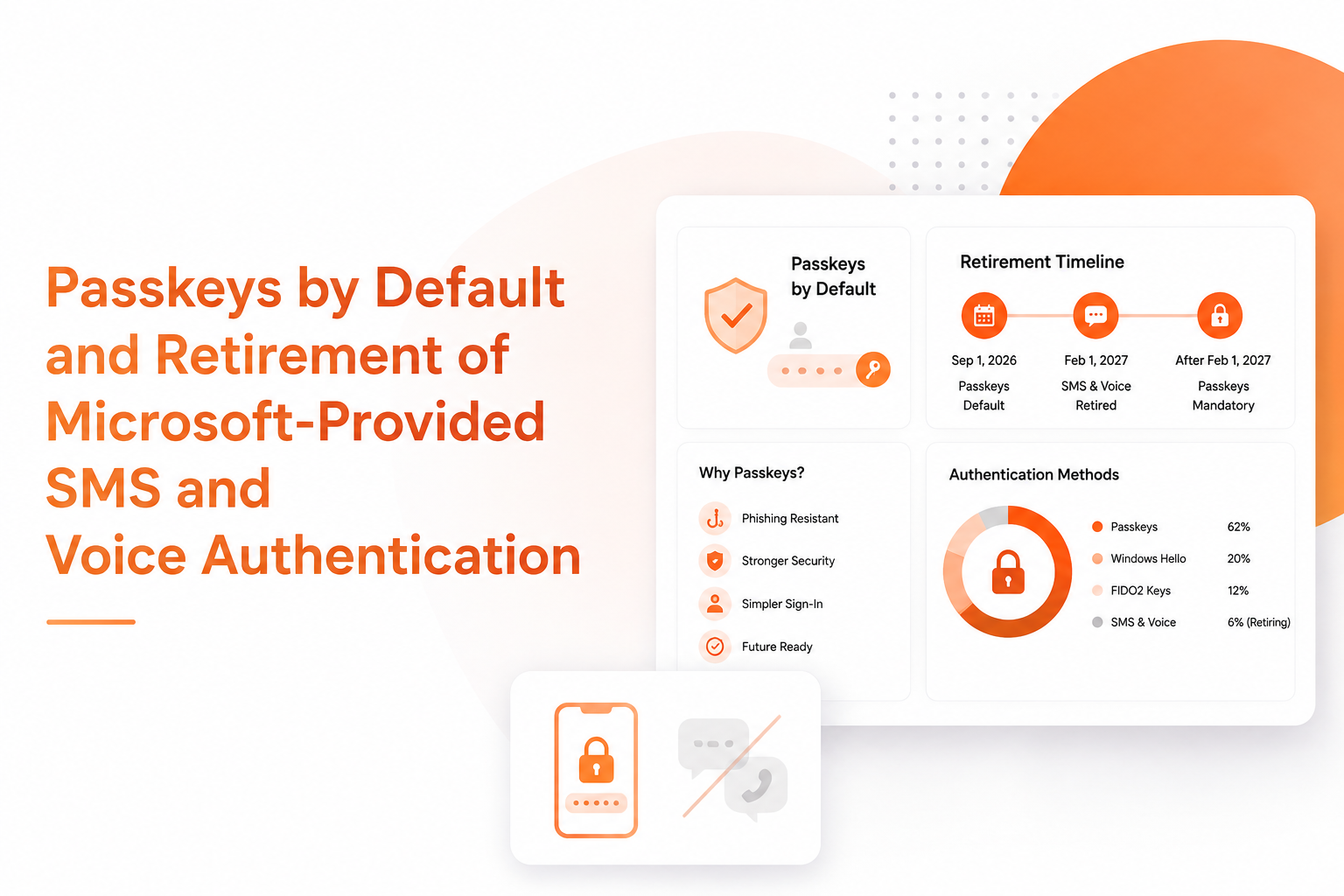
The introduction of Microsoft Entra Passkeys as the primary method of authenticating users will take place on September 1, 2026, and passkeys will be automatically made available for everyone who has been registering themselves through SMS or voice calls. Starting from February 1, 2027, Microsoft will no longer provide SMS and voice services to its customers, and those customers who need them will have to establish and configure their own system of authentication. It is expected that the information about this process will be available from February 18, 2026.
| Date | Milestone | What you should do |
|---|---|---|
| September 1, 2026 | If you are an SMS or voice enabled tenant, those users will be automatically registered for passkey at the time of MFA login. | Inform the users about the changes that are being made. Use the guide for deployment of passkey to set up the environment for its use. |
| February 1, 2027 | The “SMS and Voice” of Microsoft are fully retired successfully in Microsoft Entra ID. | Users need to ensure that they are using phishing resistant forms of authentication such as passkeys, Windows Hello, or FIDO2 before this deadline. |
| After February 1, 2027 | Users who must rely on SMS or voice as the only available form of MFA will need to create a passkey during the login process. There will be no option to opt out from this notification. MFA will be mandatory starting from February 1.
All tenants will have to comply with this condition. reparing for Microsoft Entra Passkeys early can help organizations avoid authentication disruptions |
All users must be migrated to a secure method or select a mobile carrier if they would like to continue the use of SMS and voice authentication. |
Individuals who have already logged in using passkeys; Windows Hello for Business; or any other anti-phishing methods can keep using those methods going forward.
Retirement timeline
Organizations should begin preparing for Microsoft Entra Passkeys well before the retirement of SMS and voice authentication.
Prepare for transition to Microsoft Entra Passkeys
1. Identify users enabled for SMS or Voice
This assessment is an important first step toward deploying Microsoft Entra Passkeys across the organization. Administrators can also use Microsoft 365 reporting to gain visibility into users and activity across their Microsoft 365 environment. It is recommended by Microsoft to figure out users who have been enabled for SMS and Voice prior to migration. In order to reach that goal, use the following steps. To find SMS and voice enabled users, run the following PowerShell script.
Make sure that you are entitled to one of the following: global reader, Authentication policy administrator, or Security reader role.
2. Transitioning Users to Passkeys
With Microsoft Entra Passkeys, organizations can move users away from authentication methods that are more vulnerable to phishing and SIM-swap attacks. Passkeys serve as Microsoft Entra ID’s primary solution offering a phishing-proof credential. Passkeys exist as a function of a device, or a synced credentials store, employing cryptography rather than shared secrets in their operation, thus being resilient against phishing, SIM-swap, and replay attacks. Organizations should also maintain visibility into potentially risky activity through Microsoft 365 audit logs.
The two different types of passkeys that Microsoft Entra ID supports are:
- Synced passkeys. These refer to passkeys that reside in a credential manager of a platform such as iCloud Keychain or Google Password Manager and synchronized through all of a user’s devices, as it is best suited for individuals who are already utilizing any kind of a credential manager.
- Device-based passkeys. This reference explains passkeys being created on a user’s device, such as Passkeys in Microsoft Authenticator, Microsoft Entra Passkeys in Windows, or a hardware security FIDO2 key.
Provisioning Microsoft Entra Passkeys for your tenant and preparing for the implementation involves following guidelines on Enabling passkeys (FIDO2) for your organization.
To obtain full information on passwordless authentication methods compatible with Entra ID, browse through the Microsoft Entra authentication overview.
Important
The users who have enabled both SMS and Voice features in Entra Authentication Methods Policy (AMP), and are in the old Multi-Factor Authentication settings, will be put automatically into a passkey profile on September 1, 2026, thereby allowing them to use all forms of passkeys.
The settings for Registration Campaigns will be automatically enabled to Microsoft Managed targeting passkeys and letting users to use their passkeys.
Whenever these users log in via MFA next time, they will be received a notification for creating their passkey. As per the default settings, users will be allowed to snooze notification indefinitely. However, if you do not wish to face this situation, you must remove users from SMS or Voice in the AMP level before nine months from now.
Launching a registration campaign for passkey.
The registration campaign can help organizations introduce Microsoft Entra Passkeys gradually and prepare users for the upcoming authentication changes. Before the official activation date of September 1, 2026, you can start the Passkey registration campaign for your SMS and Voice users. The registration campaign is a process in which users are prompted to create a passkey during their next login and when undergoing MFA. It is the best way of decommissioning SMS and Voice users without overwhelming help-desk staff.
Before getting started with the registration campaign, check that the passkey authentication method is active and that your SMS and Voice users are included in the list of those with access to passkey authentication.
How to set up the registration campaign for passkeys:
- Log in to the Microsoft Entra admin center as an Authentication Policy Administrator.
- Navigate to Entra ID > Authentication methods > Registration campaigns.
- Set the State to Microsoft Managed and choose the security group of SMS and Voice users you created in paragraph 1.
4. Examine a telecom operator in the Security Store in terms of the operational requirements
Microsoft suggests that the best way to transfer all customers to passkeys is to use this technology whenever possible. But when the only options are in the form of telecom channels, such as in regulated sectors where various rules apply like out-of-band SMS or when there are no alternatives, a telecom operator that can be located in the Security Store by Microsoft can help find adequate solutions for those people.
- Consider the user segments that actually have regulations that obligate them to use a telecom channel and provide a thorough explanation of how compliance with the regulation would be possible.
- The Microsoft Security Store will be available starting September 18, 2026.
- Starting from October 30, 2026, solutions in the Microsoft Security Store can finally be selected by the customers needing enabled SMS or voice service delivery through the telecom provider.
- Establish the carrier contract through the marketplace flow beginning from working with a pilot group and moving towards the wider implementation.
- Use passkeys for all other user types.
4. Educate your users about the change
With passkeys implemented in your organization, it’s important to effectively communicate with your users about the change process, including the implementation time of the change, so that proactive registration of users can be considered in time.
Microsoft also proposes gradual communication in accordance with the decommissioning timeline:
- Awareness – announce the decommissioning of SMS and voice services, specifying why it is being done and informing users about the replacement method.
- Action – instruct users on obtaining a passkey by providing them with detailed instructions appropriate for their devices (Windows Hello, iOS, Android).
- Reminder – remind users who have failed to obtain the phishing-proof authentication method what they need to do.
Use available communication templates for writing emails, messages on Teams, and other internal communication platforms. Microsoft also recommends informing SMS and Voice users only or those who belong to a security group you created in the first step.
5. After retirement
Effective February 1, 2027, SMS and voice features from Microsoft will cease to exist in Entra ID.
Organizations that complete the transition to Microsoft Entra Passkeys before the deadline can reduce the risk of users experiencing sign-in problems. Regular Microsoft 365 security monitoring can also help organizations identify unusual activity and maintain better visibility after the transition. For customers with existing users in their Microsoft Entra ID tenant who have not registered with custom telecom provider in the Microsoft Security Store, those users cannot gain access to the SMS and voice options for MFA and sign in.
After this date, users with no other MFA option apart from SMS and voice will have to register passkeys during sign-in to continue using their accounts.
It will not be possible to avoid these changes by opting out of new services introduced on February 1, because all tenants will be affected by this.
Always ensure that users register their passkeys or migrate to another authentication method in order to avoid sign-in issues after the retirement date.
Temporarily opt out of the automatic Microsoft Entra Passkeys enablement
The temporary opt-out from automatic passkey enabling is available from September 1, 2026 until February 1, 2027. You are allowed to postpone passkey and Registration Campaign enabling while you carry out necessary transition work like setting up customer-managed telecom providers or moving to other means of authentication.
To perform the opt-out application, you need the permission granted by Microsoft Graph. Use Microsoft Graph to change authentication methods policy and set the property to true.
This setting means that starting from the application of this option your tenant won’t be subjected to automatic passkey enabling and won’t be included into the Registration Campaign if we speak about the opt-out period. However, after February 1, 2027 the standard deadlines for migrating to passkey will be applied whatever was done earlier about the opt-out.
If the tenant still has users enabled for using Microsoft-managed SMS or voice after February 1, 2027 and the Security Store wasn’t used to set up the customer-managed telecom provider, they won’t be able to use SMS or voice for MFA.
There is no opt-out in relation to the enforcement starting from February 1, 2027. The mentioned requirement is valid for all the tenants.