
We’ll be straightforward here—most companies spend too much on Microsoft 365. Licenses are bought in bulk, accounts that people leave don’t get disabled, and departments often have plans greater than they need for their work. This is not called “negligence.” This is what happens when visibility is poor and things get out of control. The answer is not another software audit or a spreadsheet nightmare. The answer is already in your system: the Microsoft 365 reporting tools. These quietly keep track of sign-ins to apps, giving you a clear idea of what is being used, what is wasted, and where your dollars are leaking. Let’s describe how these reports really help teams save real money—not just on paper, but on your monthly bills.
Seeing the full picture—that’s where savings start
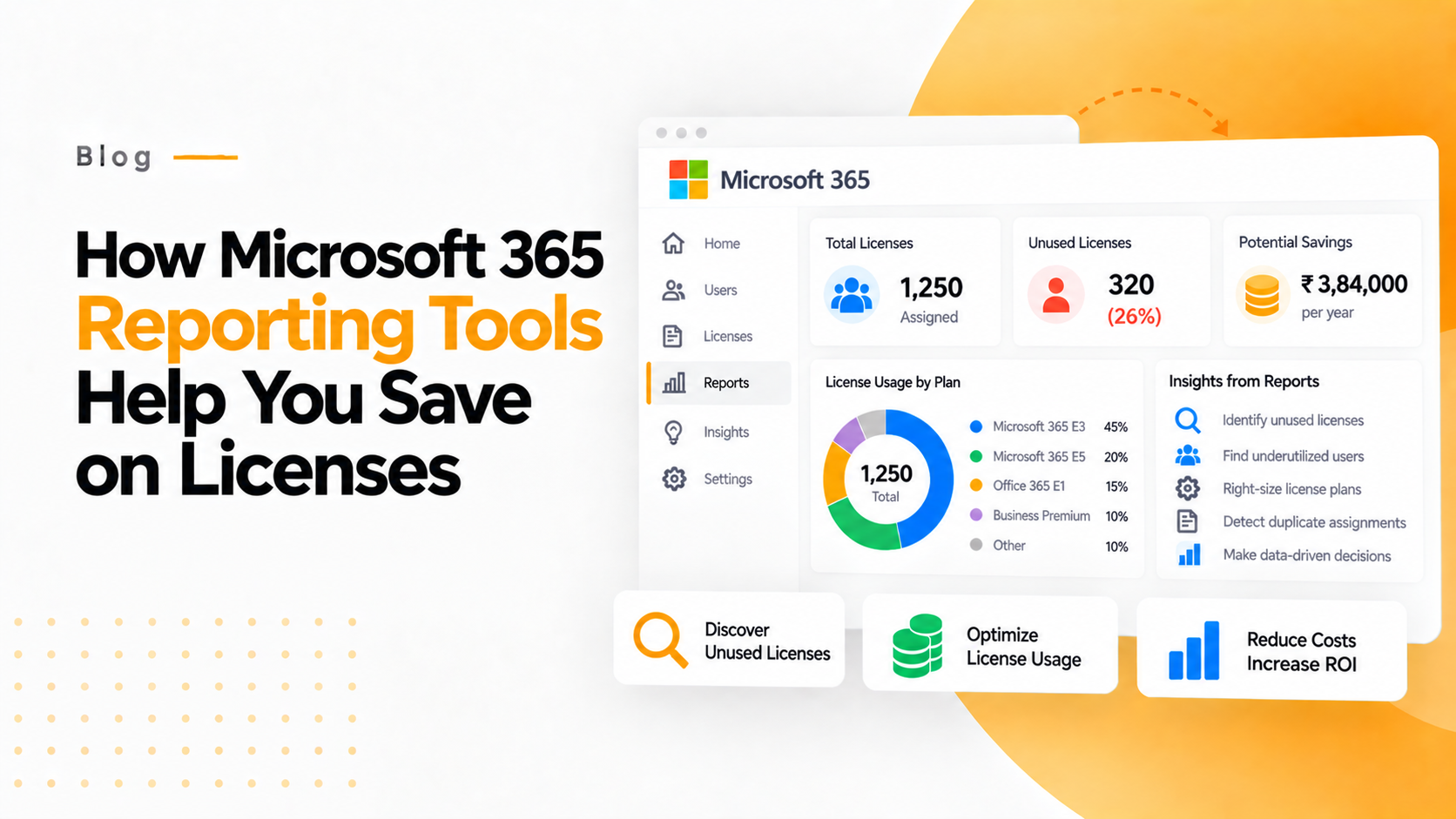
The first step to savings? Big picture thinking. You can’t manage what you don’t know. That’s the start—what you can find when you get into Microsoft 365’s Admin Center. You can see in detail: How many licenses have been assigned and are active, which people sign in regularly (and who is missing), and which programs are getting the most use and which is the least? That’s your starting point. Once you have that baseline, there are patterns. Perhaps several dozen key employees haven’t launched Outlook in months.
Inactive accounts = invisible spend
Here’s a simple example: someone in HR moved on six months ago, but because the offboarding wasn’t synced with IT, their license stayed active. That’s one wasted license. Multiply that by 20 or 50 people in different departments, and you’ve got one silent leaked budget that is bubbling higher month after month. It’s very easy to grab this from Microsoft 365’s user activity reports. You can use the active users report to sort by “last sign-in date,” find the inactive accounts, and either deactivate or reassign those licenses. It’s one of those five-minute maintenance items that has immediate value. Some companies save thousands just by cleaning out old users once a quarter.
Not everyone needs the premium plan
Let’s face it—nobody at your company needs every single Microsoft 365 feature (or every single feature in Office, or in SharePoint, etc.). Some people live in Outlook and Teams. Others may not even know what Power BI or SharePoint is. But since it’s such a pain to assign licenses manually, a lot of admins take the route of “give everybody the highest level of license.” It’s easy and convenient but also expensive. The Usage Analytics Dashboard goes a long way toward solving that problem. For example, if 30 percent of your employee base never uses any advanced analytics or security tools, there’s no reason for them to have E5-level licenses. Downgrade them to E3 or Business Standard, and they’ll still have everything they require.
Finding overlaps in your tech stack
Here’s a common mistake many companies make: double-paying for tools that do the same thing. Maybe your organization still pays for Slack or Zoom while also using Teams for internal communications. Or maybe you’re paying for Dropbox licenses in addition to OneDrive. Microsoft 365 reporting data can uncover how many times each application is being used, allowing you to identify duplicated subscriptions. It’s not only about simplifying your tools; it may also be a matter of increasing the adoption of tools you already have. If the use of Teams is already low, perhaps some new onboarding of users or workflow integration is in order.
Forecasting future needs
Another underappreciated value of Microsoft 365 reports: they help you spot trends before they become budget problems. You can see usage month over month—who is using what, which applications are up, and which applications are down.
Keeping everyone accountable
Let’s say IT wants to throw away 50 unused licenses. Finance needs proof, managers want assurances that productivity won’t drop. Usually, this turns into a week or so of back-and-forth emails. But when you have Microsoft 365 reports, the conversation changes. You can actually show the information—logins, usage frequency, and last activity. All are now looking at the same thing. This visibility builds trust between departments. It takes license management out of the zone of “gut check” and into the area of data-driven decisions.
Compliance and audits made easy
Nobody likes audits, but they occur, and the licensing overview reports that are generated from Microsoft 365 can be your best friend. They tell you exactly who is active, what roles have been assigned, and how the licenses are stacked. This not only adds assurance of compliance but also prevents over-assignment by mistake, which can lead to violations of license terms.
A quick story to bring it home:
An IT consulting firm in Pune (let’s call them ArvoTech) had approximately 600 MS 365 users. They thought they were optimized until a new administrator ran usage reports. It turned out that nearly 90 accounts had not logged in for more than 2 months, and about 50 were on high-end E5 licenses using MS Outlook and this other program called Excel. After cleanups and downgrading, they saved over ₹12 Lakhs in yearly expenses. No drastic measures were taken—just data and a few clever adjustments. That’s the power of visibility.
Turn reporting into a habit.
Make checking in on reporting a regular occurrence. Most organizations only check Microsoft 365 usage just before the renewal date. This is like only checking your bank account once a year. Instead, make it a regular occurrence. Set reminders every month or quarter to look at reports:
- Find inactive users.
- Look at which apps are used by which departments.
- Adjust licenses based on trends.
It’s quick, it’s evidence-based, and it keeps your license spend lean without usurping performance.
How Microsoft 365 Reporting Tools Help You Save on Licenses by Cutting Waste
Cost-cutting isn’t about cutting tools; it’s about cutting waste, and with Microsoft 365, there are reporting tools that give you the data you need to achieve this. The data provided shows not just numbers but patterns. Who is active? What tools are being used? Where the overlap is and how to plan better for the next billing cycle. If you haven’t looked at your Microsoft 365 reports for a while, check them out today. The savings are not hidden; they are right there in your dashboard, waiting for someone to see them.
Want to save on your Microsoft 365 licensing?
Start by checking your Admin Center reports, or get in touch with an expert who can analyze your usage data to reduce costs that don’t really help—without slowing down your teams.