
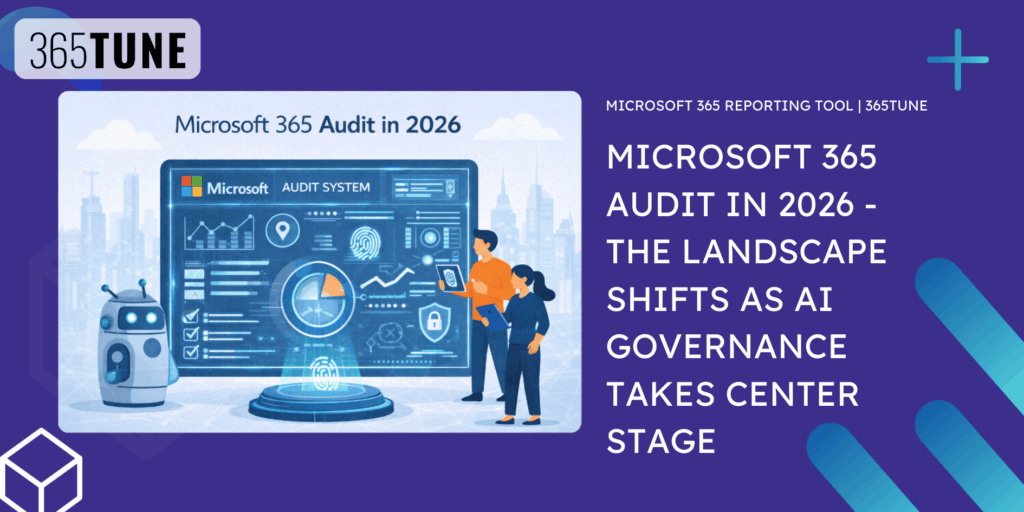
The Microsoft 365 audit and compliance landscape faces a pivotal transformation in 2026. Over 56% of enterprise M365 licenses remain inactive, underutilized, or oversized, representing approximately $21 million in annual waste per organization—while simultaneously, security incidents targeting Microsoft 365 environments have reached record levels, with Microsoft becoming the #1 impersonated brand in 51.7% of all phishing attacks worldwide. For consultants, 2026 presents both urgent client challenges and significant service opportunities as Microsoft shifts toward AI-driven governance infrastructure while organizations grapple with new compliance mandates including CMMC 2.0 enforcement and CISA security baselines.
License waste reaches critical mass as spending escalates
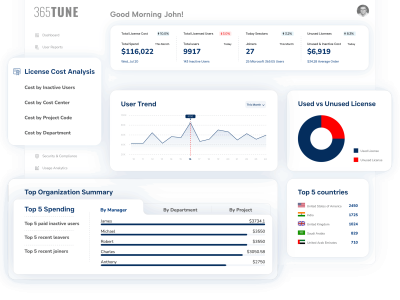
The scale of M365 license inefficiency has become impossible to ignore. A leading 2024 analysis of over 5 million users reveals that 44% of M365 licenses are underutilized or oversized, while an additional 12% sit completely inactive. The breakdown by tier tells a compelling story: 38% of E5 licenses could be downgraded to E1 based on actual feature usage, and 42% of E3 licenses remain unassigned.
Another 2025 SaaS Management Index shows the problem worsening, not improving. Organizations now use only 47% of their provisioned SaaS licenses—down from 49% the previous year. Average wasted spend jumped 14.2% year-over-year to $21 million annually, while large enterprises with 10,000+ employees waste approximately $127.3 million yearly on unused licenses. The cost per employee for SaaS now averages $4,830—a 21.9% increase that compounds the waste problem.
Real-world optimization projects demonstrate the savings potential. A global engineering firm recovered $4.5 million over three years through license right-sizing across countries. A 10,000-user organization saved $700,000 annually by downgrading or eliminating 1,000 E5 licenses based on actual consumption patterns. These aren’t outliers—Gartner research confirms organizations implementing software asset management best practices can cut spending by up to 30% in the first year with ongoing annual savings of 5-10%.
The common causes of waste remain consistent: orphaned licenses from departed employees, inactive accounts with no login activity for 30+ days, over-licensing where E5 or E3 is assigned to users needing only basic features, and unassigned “shelfware” from bulk purchasing. With Microsoft’s July 2026 price increases approaching, the window for license optimization before renewal negotiations is narrowing.
Security incidents surge as MFA adoption stalls
Microsoft faces unprecedented security pressure. The company reported a record 1,360 vulnerabilities in 2024—an 11% increase representing an all-time high—with Microsoft Office vulnerabilities nearly doubling to 62. More critically for M365 environments, 40% of these vulnerabilities (554 total) involved Elevation of Privilege, the primary goal of threat actors seeking to escalate access within compromised tenants.
The Midnight Blizzard attack in January 2024 illustrated the stakes. Russian state-backed hackers compromised Microsoft’s own corporate email system through a password spraying attack on a legacy test tenant account that lacked MFA protection. Senior executive accounts were accessed for over a month before detection. This attack on Microsoft itself underscores how fundamental security controls remain problematic even for sophisticated organizations.
MFA adoption presents a stark opportunity gap. Only 38% of Entra ID monthly active users employ MFA as of early 2024—far short of Microsoft’s stated 80%+ target. This matters enormously because 99.9% of compromised accounts did not have MFA enabled. Smaller organizations lag dramatically: only 27% of businesses with up to 25 employees use MFA, compared to 87% for enterprises with 10,000+ employees. Microsoft now blocks over 7,000 password attacks per second and faces 600 million identity attacks daily, with 97% being password spray attacks.
Business email compromise has become the dominant threat vector. BEC attacks accounted for 73% of all reported cyber incidents in 2024, with $2.77 billion in US losses reported to the FBI. Average per-incident costs have nearly doubled from $74,723 in 2019 to $137,132 in 2023. Perception Point reported a staggering 1,760% surge in BEC attacks from 2022 to 2023, attributed largely to generative AI enabling more convincing and scalable attacks.
A concerning emerging threat demands attention: OAuth device code phishing has accelerated sharply since September 2024, with attack success rates exceeding 50% in some campaigns. This technique bypasses MFA entirely by tricking users into entering device codes on legitimate Microsoft portals, and both financially motivated criminals and Russian state-aligned actors actively exploit it.
Compliance landscape hardens with new mandates
Several significant compliance deadlines are reshaping M365 requirements for 2026. CMMC 2.0 became fully enforceable on November 10, 2025, meaning defense contractors handling Controlled Unclassified Information must achieve Level 2 compliance with 110 controls from NIST SP 800-171. The critical point for consultants: Microsoft 365 Commercial cannot be used for CMMC Level 2 compliance—organizations must migrate to M365 GCC or GCC High environments that meet FedRAMP Moderate equivalency requirements.
CISA’s Binding Operational Directive 25-01 establishes aggressive timelines for federal agencies that influence broader industry practices. By June 20, 2025, agencies must implement mandatory SCuBA (Secure Cloud Business Applications) security policies covering Azure Active Directory, Microsoft Defender, Exchange Online, Power Platform, SharePoint Online, OneDrive, and Microsoft Teams. While these mandates apply directly to federal agencies, they establish baseline expectations that private sector organizations increasingly adopt.
Microsoft is rolling out significant security enhancements. Baseline Security Mode began deployment in December 2025 with full worldwide rollout targeted for late January 2026 (March 2026 for government clouds). This new dashboard in the M365 Admin Center centralizes 18-20 recommended security policies across Office, SharePoint, Exchange, Teams, and Entra ID—blocking legacy authentication protocols and mandating phishing-resistant MFA for administrators.
The December 2024 announcement that Security Copilot will be included for all M365 E5 customers represents a major shift. More than 70 Microsoft and partner-built security agents will become available, with 12 new Microsoft-built agents across Defender, Entra, Intune, and Purview. For E3 customers, Microsoft is adding Defender for Office 365 Plan 1 features and URL checks to lower-tier plans like E1 and Business Basic—though this comes with price increases effective July 2026.
Top misconfigurations create audit priorities
Consultants conducting M365 audits consistently encounter the same critical misconfigurations. Understanding these patterns helps prioritize assessment activities and remediation recommendations.
Legacy authentication remaining enabled tops the list. Legacy protocols like POP3, IMAP, and SMTP bypass MFA entirely, making them popular targets for password spray attacks. Microsoft’s March 2026 deadline for final Basic Auth shutdown provides a forcing function, but many organizations remain unprepared.
Excessive Global Administrator accounts create concentrated risk. While trends are improving—61% of tenants now have five or fewer Global Admins—the underlying problem has shifted. Research data shows that 51% of tenants have 250+ Entra ID applications with read-write access, effectively recreating super-admin privileges through application permissions.
Unrestricted external sharing in SharePoint and OneDrive exposes data without audit trails. Anonymous “Anyone with the link” sharing remains a default in many environments, and 79% of organizations operating multiple tenants struggle to maintain consistent sharing policies across their environment.
Mailbox auditing and Unified Audit Log gaps hamper investigations. Organizations that onboarded to Office 365 before January 2019 may not have auditing enabled by default. Additionally, 49% of organizations incorrectly assume Microsoft backs up tenant configurations, while Microsoft explicitly does not—creating recovery blind spots after security incidents.
Missing email authentication (SPF, DKIM, DMARC) enables domain spoofing and phishing campaigns. While SPF is often configured during domain onboarding, DKIM and DMARC are frequently skipped, leaving organizations vulnerable to impersonation attacks.
Native audit capabilities versus third-party tools
Microsoft Purview Audit provides baseline capabilities but has significant limitations that third-party tools address. Standard audit retention is 180 days—insufficient for compliance frameworks like HIPAA, SOX, and GxP that often require 7-10 years. Premium audit features including 1-year default retention and critical forensic events like MailItemsAccessed require E5 licensing or expensive add-ons.
The Unified Audit Log has reliability concerns that security researchers have documented. Invictus IR notes that the Search-UnifiedAuditLog cmdlet can return inconsistent results across different interfaces—”you can’t completely trust what gets returned,” which is problematic for forensics and incident response. There’s a 5,000 record limit per call that silently ignores additional records, a 60-90 minute data lag preventing real-time monitoring, and an export cap of 50,000 records in the Purview portal.
Third-party tools fill these gaps with varying approaches and complexity levels:
- 365UNE targets large enterprises with unified dashboards, Virtual Tenants for segmented administration, and no-code automation workflows. Customer data shows 130%+ ROI within the first year and 4,000+ manual hours saved annually. Setup typically requires only a few minutes.
- Netwrix Auditor serves mid-size to enterprise organizations with cross-platform visibility, 10+ year audit trail storage, and pre-built compliance reports for HIPAA, PCI DSS, SOX, GDPR, FISMA, and FERPA. Customers report 90% reduction in time spent on reporting and audit requests completed in minutes rather than weeks.
- Quest On Demand Audit offers the fastest deployment—potentially minutes for the SaaS version—with up to 10 years of retention at fixed subscription pricing. The hybrid Change Auditor product provides real-time on-prem auditing without native audit logs.
- ManageEngine M365 Manager Plus provides strong mid-market value with 700+ preconfigured reporting templates and indefinite audit log storage without retention limits.
For consultants making recommendations, the decision factors include compliance retention requirements, hybrid versus cloud-only infrastructure, IT staff expertise level, budget constraints, multi-tenant management needs, and automation priorities.
AI governance emerges as the defining 2026 challenge
Microsoft’s strategic pivot from “AI-powered” to “AI-accountable” infrastructure defines the 2026 roadmap. Agent 365 will serve as a central control plane for managing AI agents—registering, securing, governing, and monitoring all agents across the organization. Entra Agent ID extends Zero Trust identity principles to AI agents with role-based permissions, conditional access policies, and instant credential revocation.
The Copilot readiness problem is more severe than many organizations recognize. If users have access to sensitive files, Copilot inherits identical access—and current data shows over 3% of business-sensitive data is shared organization-wide without proper review. Metomic research indicates 15% of business-critical files are at risk from oversharing, while 67% of enterprise security teams express concern about AI exposing sensitive data. The US Congress banned Copilot for staffers specifically due to these data security concerns.
Shadow AI has emerged as a compliance blind spot more dangerous than shadow IT because it’s harder to detect and governs itself. IBM’s 2025 data shows shadow AI was a factor in 20% of data breaches, adding $670,000 to average breach costs. Organizations without clear AI ownership and governance policies face heightened compliance and security risk as AI adoption accelerates.
Consultant opportunities for the year ahead
The 2026 landscape creates distinct service opportunities. Copilot readiness assessments should audit data access permissions, implement sensitivity label strategies, and develop AI governance policies before organizations activate Copilot features. License optimization engagements have renewed urgency before July 2026 price increases, with potential savings of 10-30% of M365 spend through right-sizing and reclamation workflows.
Extended audit log retention solutions address the gap between native 180-day retention and multi-year compliance requirements through third-party tools or SIEM integration. Legacy authentication migration support helps organizations meet the March 2026 Basic Auth deadline. CMMC compliance migrations to GCC or GCC High environments serve the defense contractor market now facing enforced requirements.
The cloud compliance market is projected to reach $112.29 billion by 2030 at a 16.28% CAGR—reflecting the scale of enterprise demand for governance solutions. For M365 consultants, the convergence of security pressures, compliance mandates, AI governance requirements, and license optimization opportunities creates a comprehensive value proposition that extends well beyond traditional administration services.
Conclusion
Microsoft 365 auditing in 2026 operates at the intersection of cost optimization, security hardening, and emerging AI governance—each dimension presenting measurable client impact. The data is clear: organizations waste millions annually on unused licenses while simultaneously facing record-breaking security threats and tightening compliance requirements. Consultants who master the audit tool landscape, understand the gaps in native Microsoft capabilities, and position AI governance services ahead of widespread Copilot deployment will find substantial opportunities. The shift from reactive compliance to proactive governance—powered by automation and AI—represents both the challenge and the strategic direction for the year ahead.