Mateo Luis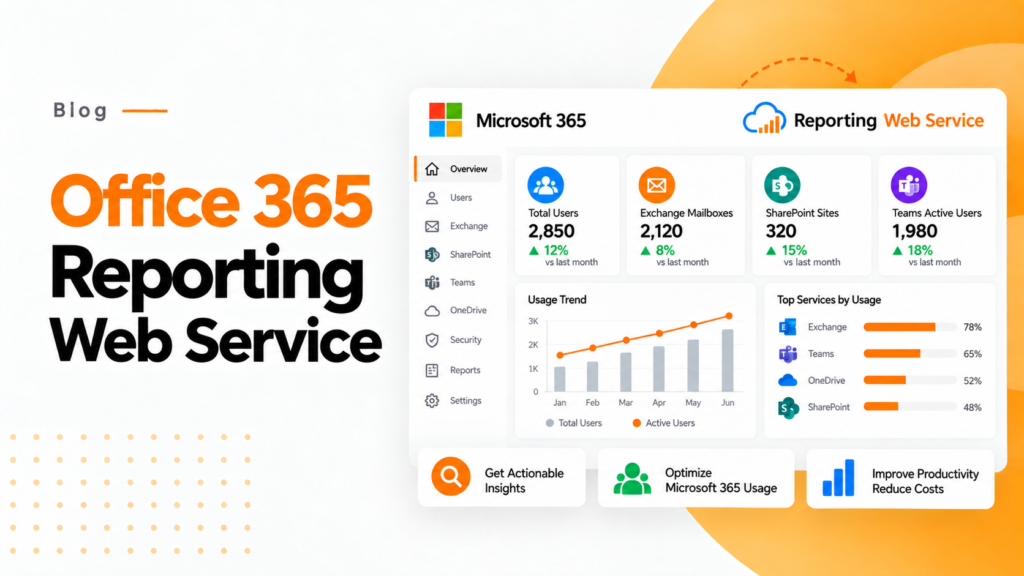
Key takeaways
- In Microsoft 365 usage reports an active user is someone who did something in a workload, such as reading mail, not just someone who signed in.
- At ₹2,000 per user per month, 1,000 users cost ₹2.4 crore a year, so ₹2 lakh of monthly license waste adds up to ₹24 lakh a year.
- A Microsoft 365 reporting service should offer historical data, link usage to cost, flag exceptions automatically and cover governance.
An Office 365 reporting web service collects usage, license and security data from a Microsoft 365 tenant and turns it into dashboards and reports. 365TUNE adds license costs and checks against the CIS and CISA SCuBA baselines.
What Is an Office 365 Reporting Web Service?
An Office 365 reporting web service obtains data on MS 365 tenants and presents it in the form of dashboards, reports, trends, and summaries.
Microsoft giant provides all kinds of report structures in the MS 365 admin center.
Depending on the report, administrators can learn about active users, various apps, Exchange, OneDrive operations, SharePoint, Teams, licensing, and other tasks.
For instance, MS 365 usage analytics gives an overview of all tasks performed during the last year, while specific data is available for the last month.
Nevertheless, built-in reporting mainly intends to assist managers in understanding usage patterns.
Present-day companies need more than just information on usage.
Why Microsoft 365 Reporting Matters
Let us consider a company with 500 employees using Microsoft 365.
Now, if the company spends an average of ₹1,500 on each employee per month, that gives us:
500 × ₹1,500 = ₹7,50,000 per month
or, nearing:
₹90 lakh for the year.
The crucial point here is not whether the employees are using Microsoft 365 or not.
The point is:
- “Are we getting any value at all from the ₹90 lakh we are spending?”
Microsoft offers such tools to its administrators to figure out both active and inactive employees.
Specifically, Microsoft states that the usage reports show who barely uses a service and “might not need a Microsoft 365 license.”
As for finance and IT departments, however, the next step will be transforming that information into a financial impact.
What Can You Monitor Through Microsoft 365 Reporting?
With a comprehensive Microsoft 365 reporting approach, several aspects can be included in it.
1. User Activity.
Reports will help in recognizing active users and their activities in a specific workload.
For instance, activity across Exchange Online, SharePoint, OneDrive, and Teams can be analyzed.
It is crucial to mention that “active user” does not automatically mean someone has logged in.
Microsoft has defined activity differently in accordance with each workload. The activity in Exchange Online may consist of messaging, marking messages as read, scheduling appointments, or giving responses to meetings. Activities defined for SharePoint can include creating, modifying, reading, deleting, sharing, and synchronizing files.
2. Microsoft 365 Application Usage
Reports based on system activity of Microsoft 365 applications allow tracking of how applications like Outlook, Word, Excel, PowerPoint, OneDrive, and Teams are being used.
Reports can be generated for periods of 7, 30, 90, and 180 days, and the data in each report usually covers up to the last 24 to 48 hours.
This gives administrators a very useful baseline for their analysis of adoption of Microsoft 365 applications.
3. License Visibility
Through license reporting, one can find out the answers to several questions, such as:
- How many licenses are issued?
- How many are left unissued?
- Which specific licenses do certain users possess?
- Are users assigned high-cost subscriptions while not using most of the services?
- Are employees keeping the licenses they no longer need after their promotions?
The issue becomes quite relevant with the increasing number of Microsoft subscriptions.
Essentially, a business could obtain Microsoft 365 E3/E5 plans, Business Premium and Teams subscriptions, among others.
As a result, license management becomes less efficient without proper analysis.
Where 365TUNE Fits
365TUNE moves the Microsoft 365 reporting idea much further than basic activity reporting. It emphasizes several things, such as license optimization, financial visibility, governance, and security.
Instead of just asking:
- “How many users are active?”
365TUNE allows companies to ask:
- “What are our costs related to Microsoft 365, and where are the inefficiencies?”
This specialization makes a difference.
A report tells you what happened. An optimization platform should tell you why it is important and what to do.
Microsoft 365 Cost Reporting with 365TUNE
One of the main benefits of using Microsoft 365 reporting for financial analysis is that IT and accounting departments work from a common source of data.
As an illustration:
Picture a company with 1,000 users that spends an average of ₹2,000 per month per licensed user.
That amounts to:
₹20 lakh per month
or:
₹2.4 crore a year.
Now imagine if reporting identified ₹2 lakh of unnecessary licensing costs each month, bringing the total annual figure to around:
₹24 lakh annually.
Consequently, reporting goes beyond being a mere source of infographics.
It has the capability of identifying areas that need attention.
The 365TUNE solution provides reports about Microsoft 365 expenses, including per-user expense and cost trends, and how much money the company wastes on dormant licenses.
From Static Reports to Automated Microsoft 365 Monitoring
In traditional reporting, the process works monthly:
Collect → Export → Clean Data → Analyze Data → Prepare Excel Sheets → Present Findings → Repeat
In large Microsoft 365 environments, managing this process proves time-consuming for administrators.
According to 365TUNE, its service helps automate such reporting tasks, depending on the reporting workflow and environment.
Automation becomes especially valuable for MSPs managing many tenants in Microsoft 365.
Instead of checking each tenant’s report and preparing the Excel sheets, administrators can conduct centralized reporting for evaluating exceptions and prioritizing responses accordingly.
Microsoft 365 Governance and Security Reporting
Reporting goes beyond licensing.
Microsoft 365 setups also have configuration, identity, access, and governance vulnerabilities.
365TUNE checks 300+ controls from the CIS and CISA SCuBA baselines on every scan.
Thus, there appears to be a more comprehensive reporting paradigm:
Usage → Cost → Governance → Security → Comment.
As an example, the IT manager can see that some departments have unused licenses, but at the same time he is able to discover governance issues that need to be solved.
Hence, a more complete understanding of the tenant is achieved.
365TUNE for MSPs
Microsoft 365 reporting is of even higher importance for Managed Service Providers.
An MSP may administer multiple customer tenants, which can vary based on several factors, such as:
- License mixtures
- Number of users
- Adoption patterns
- Security setups
- Governance demands
- Cost schemes
365TUNE is a solution that provides multi-tenant visibility, allowing the MSP to assess the customers’ environments for excessive license use as well as governance risks and operational inefficiencies.
This will change the manner of communication with the customers.
Instead of saying:
“Your Microsoft environment is all well.”
An MSP can share specifics:
“For example, you need to be aware of licenses you are not fully utilizing, costing you about ₹X a month, as well as other governance issues.”
Native Microsoft Reports vs. 365TUNE
The native reporting capabilities of Microsoft can be regarded as building blocks. Microsoft has built-in usage analytics and activity reporting technology, providing users with the necessary functionalities. Users do not need to abandon Microsoft’s reporting infrastructure, as their potential can be further enhanced with Microsoft Power BI.
The main difference lies in the results obtained.
The objective is not to get rid of Microsoft’s reporting ecosystem.
It is all about improving the outcome of Microsoft 365 reporting for the users who are in charge of operational results.
What Should You Look for in an Office 365 Reporting Web Service?
When selecting a reporting platform, businesses should ensure that it meets the following five criteria:
1. Is it capable of providing historical data?
A single data point does not provide any information about license trends or adoption over time.
2. Does it relate usage to costs?
Usage information without any financial context does not allow prioritizing activities.
3. Is it capable of automatically detecting exceptions?
System administrators should not have to check thousands of users manually.
4. Does it provide governance and security?
Microsoft 365 reporting should increasingly go beyond measuring productivity.
5. Is it able to convert reporting into actions?
The most valuable reports are not those which contain many charts, but the ones that help organizations make better decisions.
Final Thoughts
Reporting in Microsoft 365 has progressed from simple usage statistics to a significant part of IT financial management, governance, and operational strategy.
Microsoft has developed powerful native reporting tools that include reporting periods from 7 days to 180 days of many activity reports, with some reports extending to 12 months of historical data.
Yet organizations managing complex Microsoft 365 environments may not have enough information.
365TUNE combines reporting, financial visibility, license optimization, governance, and security insights into one Microsoft 365-focused solution.
The true goal is not to produce yet another spreadsheet but rather to convert the data from Microsoft 365 to actually make decisions such as:
- Which licenses to retain?
- Where are we spending unnecessarily?
- What risks ought to be prioritized?
- Which departments or users need intervention?
- And how do we get more out of our investment in Microsoft 365?
This is exactly the reason why an Office 365 reporting web service is valuable: the knowledge that it gives you should not only consist of information about what is happening in your tenant but also suggestions on what to do about it.
Frequently asked questions
What is the Office 365 Reporting web service?
It was a REST web service that let developers pull Exchange Online reporting data, such as mail traffic and message trace results, from Office 365. Microsoft has retired most of its reports and points developers to the Microsoft Graph reports API instead.
How do I get Microsoft 365 usage reports through an API?
Call the Microsoft Graph reports endpoints, such as getOffice365ActiveUserDetail or getTeamsUserActivityUserDetail, with a period of D7, D30, D90 or D180. The app needs the Reports.Read.All permission, and results come back as CSV or JSON.
Can Microsoft 365 show the cost of unused licenses?
Not directly. The admin center shows assigned and unused licenses and each user's activity, but not what those seats cost, so finance teams usually combine report exports with their own price list to calculate waste.
Does 365TUNE support MSPs with multiple tenants?
Yes. 365TUNE gives MSPs a multi-tenant view of license use, cost and governance risks across customer tenants, so they can show each customer specific findings instead of a general status update.