
Introduction
Nowadays, with teams working from different places and across departments, it’s super important to understand how a company is structured. For any team to work smoothly, everyone needs to know what their role is, who they report to, and how their work fits into the company’s bigger goals. That kind of clarity keeps things organized and helps avoid confusion. And when you bring Microsoft 365 into the mix, it makes everything even better — people communicate more easily, collaborate effortlessly, and get more done together as a team.
1. Visibility of Reporting Structure
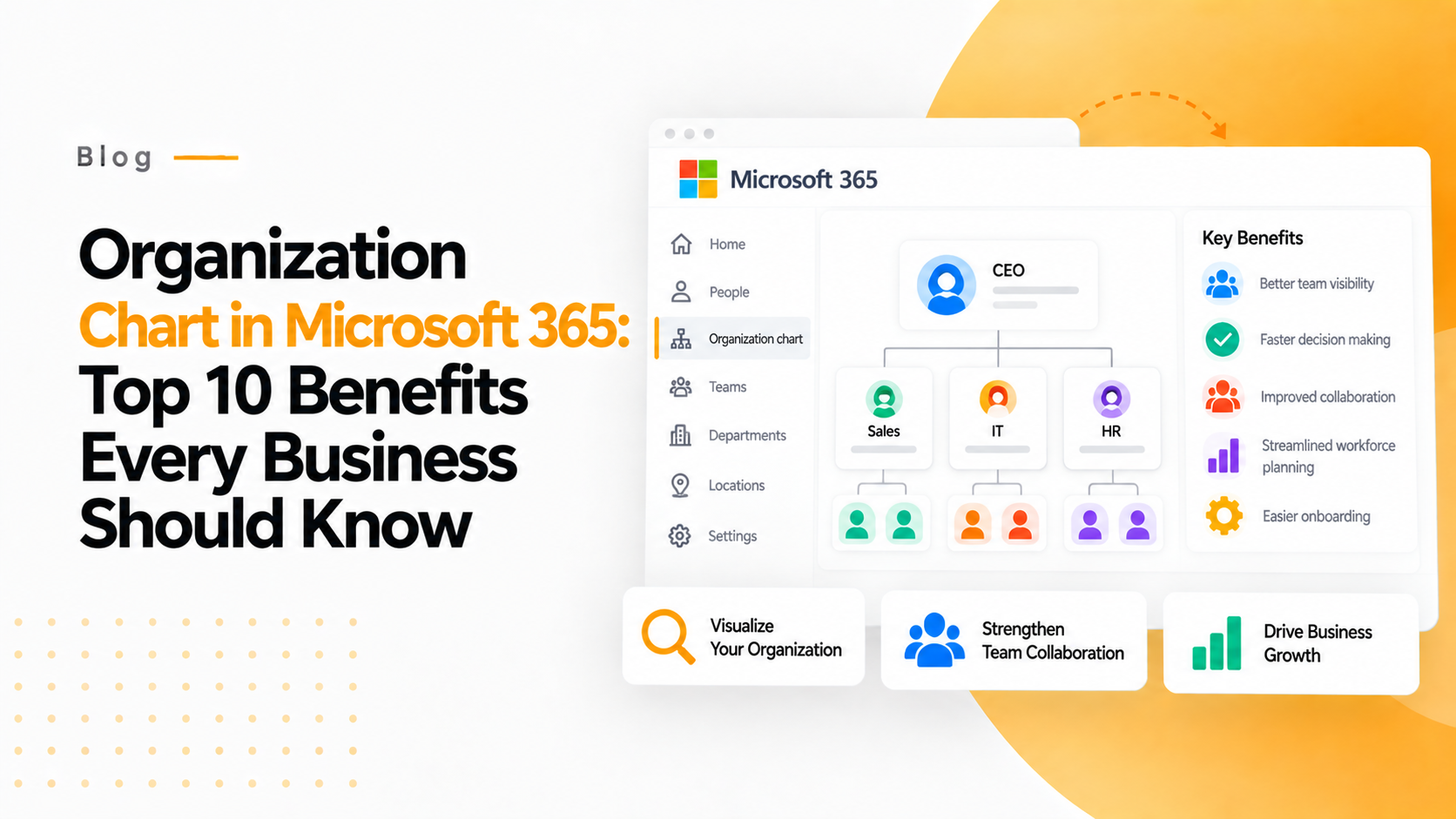
Using Organization chart in Microsoft 365, it clarifies the reporting structure. An org chart acts like a visual map, showing every role, department, and reporting line, which helps everyone understand exactly where they fit. Within Microsoft 365, we got few options to create org charts. You can create in Visio, use SmartArt in Word or PowerPoint, or even find an ‘Organization’ tab in Microsoft Teams. Org charts are an easy way of understanding the concept quickly. This tool is helpful for people working remotely or new hire in the team. Itis easy for them to use this for getting feedback, discussing projects without wasting time.
2. Onboarding New Team Members
Every company want its new hires to feel comfortable quickly and adapt environment as soon as possible. The onboarding process may be hectic work for large organizations. An org chart makes this easier by giving clear view of the company structure. New members on their first day itself will able to know more about the company and the structure by org charts. WithMicrosoft 365, HR teams can easily link these organizational charts to employee profiles in Outlook or Teams. This let new team members to see details like job titles, contacts, whom to report. They will immediately feel more part of the team as soon as they knew their role in company.
3. Improving Internal Communication and Teamwork
Everyone knows that poor communication is one of the biggest reasons projects get delayed and teams get frustrated. That’s why having an org chart that everyone can access. Itimproves the connectivity between teams. With this tool, we can find our higher authority. It helps people clearly see who’s responsible for what, so they can reach out to the right person without wasting time trying to figure it out. It also gives a quick view of their own role, their manager, and their team. In a way, it connects different departments and makes collaboration feel a lot smoother and more natural across the whole company.
4. Streamlined Workforce and Succession Planning
Organization charts in Microsoft 365 offer deep insights beyond basic structure. They are helpful tools for mapping out your team and workforce .HR team can use this to spot problems with management setup. Companies can even pull information from Excel files or Azure Active Directory (Azure AD) to create org charts that update in real time with Visio Data Visualizer in Microsoft 365.For instance, if a manager appears to have too many direct reports, it might signal the need for additional supervisors or a reorganization. If a department lacks successors for key roles, succession planning can be initiated early.
5. Increased Transparency and Organizational Clarity
A workplace culture should be in open exposure that is the key advantage that organizational charts provide. When employees know exactly who is responsible for what, the trust and accountability are built in the company. Microsoft 365’s org chart gives clarity of the company structure.
Staff can quickly see the leadership hierarchy, who reports to whom, and how departments are organized—all without digging through outdated files. Plus, transparency in the company gives team members confident and work on their own interest. This will help to increase productivity in the company. This can also cut down the confusion about the internal hierarchy.
6. Faster Decision-Making and Avoided Bottlenecks
Sometimes decisions take way longer than they should, mostly because no one’s sure who’s supposed to make the call. It’s so much easier when communication is clear and everyone knows who’s doing what. Org charts are helpful to take decision on person who is responsible for the problem. With tools like Microsoft Teams and Outlook, you can instantly check someone’s profile, see who they report to, and reach out in seconds. It saves a ton of time, keeps things moving, and makes it way easier for teams to stay connected and on track.
7. Better Change Management and Structural Visibility
Every company change over time — maybe there’s a merger, a new manager, or a complete team reshuffle. But when people aren’t updated about what’s happening, things can quickly get confusing. That’s where an org chart in Microsoft 365 really comes in handy. It gives everyone a clear picture of how the company’s structure has changed, who they now report to, and who’s leading each area. By showing the old and new setups side by side, it makes the whole transition feel smoother and easier for everyone to follow.
8. Automatic Updates and Seamless Integration with Microsoft 365
One of the coolest things about using org charts in Microsoft 365 is that they pretty much update themselves. You don’t have to waste time fixing them every time someone changes teams or gets a new role. With the Visio Data Visualizer add-in, you can quickly build charts straight from Excel, Exchange, Azure AD, or other connected sources. The best part? The chart automatically refreshes whenever there’s a change in your HR system—like someone’s title, department, or reporting line—so everything stays up to date without any extra effort.
9. Help with Insights and Analytics
An org chart in Microsoft 365 isn’t just for showing who’s who — it can be a great tool for analyzing your business too. When you connect it with Power BI, you can add all kinds of data to it, like performance results, team sizes, or budget details. For instance, you can link your company’s structure with sales numbers to see how different teams or individual reps are performing. It’s an easy, visual way to understand what’s going on across the company and make better decisions based on real insights.
10. Building the Stronger Team and Shaping the Workplace
Here’s something that doesn’t always get much spotlight — org charts can help people feel more connected at work. When employees can see exactly where they fit in and how their role contributes to the bigger picture, it gives them a real sense of belonging. They start to feel like their work truly matters. It also makes the workplace feel a lot more personal — less about fancy job titles and more about people coming together as one team. Plus, with interactive charts, it’s way easier for teams to reach out, collaborate, and build genuine connections across the company.
Conclusion
To sum it up, adding an org chart in Microsoft 365 isn’t just about making things look neat. It’s a smart tool that can help make things clearer, improve teamwork, make planning easier, boost communication, and even create a more positive workplace. If your company is still stuck with those outdated PowerPoint slides or diagrams that haven’t been touched in years, making the switch to an integrated org chart in Microsoft 365 could really be a game-changer.