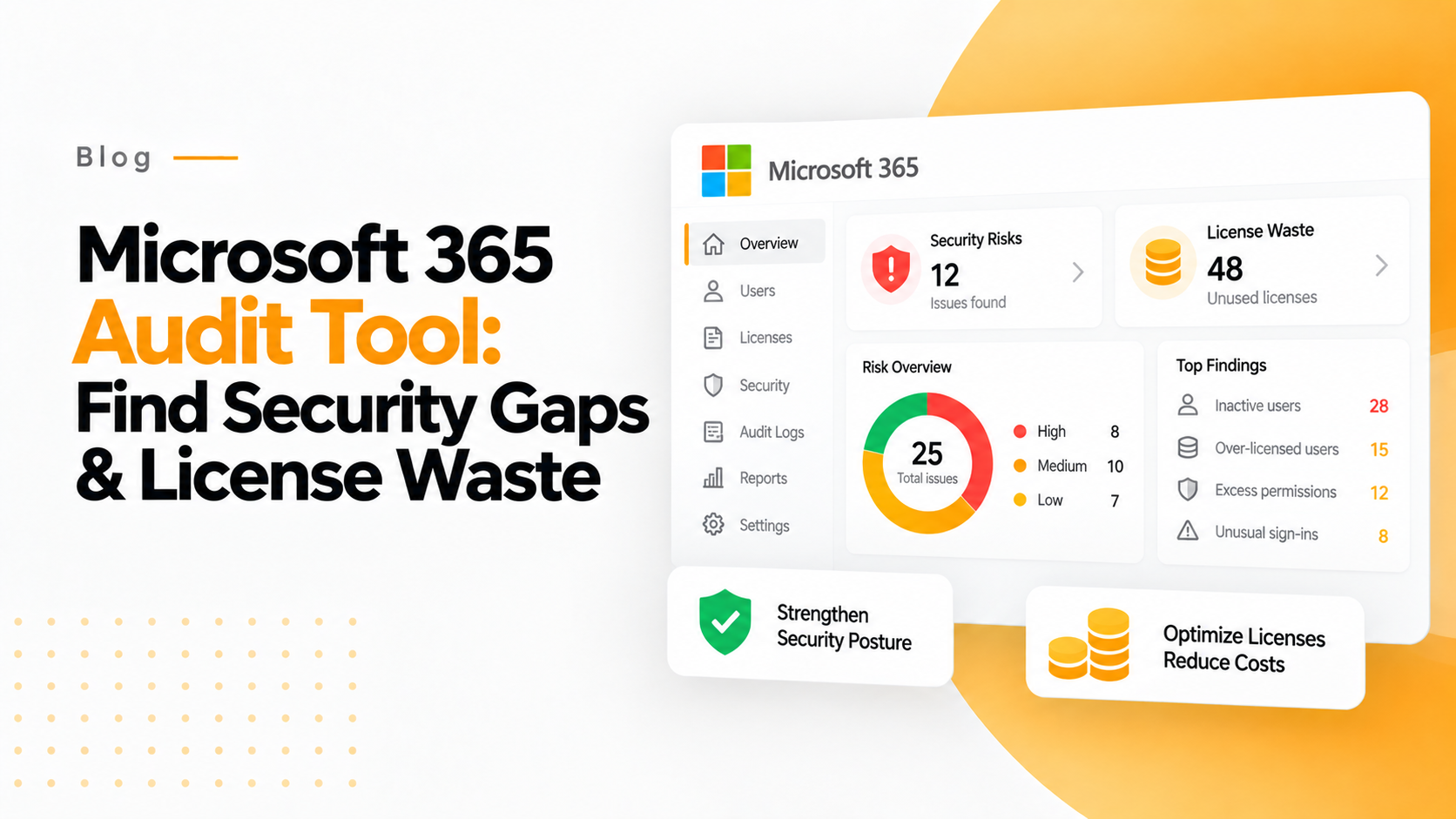

A Microsoft 365 Audit Tool is software that monitors license usage, user activities, and security events across your Microsoft 365 tenant. It helps organizations identify unused licenses, detect security risks, ensure compliance, and optimize costs by providing visibility into actual usage versus assigned licenses.
The average organization wastes 30-40% of its Microsoft 365 license budget on unused or underutilized seats. With Microsoft 365 licenses costing $12-$57 per user per month, even small inefficiencies compound into tens of thousands in annual waste. For a company with 500 users, this represents $50,000-$100,000 thrown away on licenses that deliver zero business value.
If you’re an IT leader managing Microsoft 365 environments, you’ve likely faced frustrating questions: Which licenses are actually being used? How much are we spending on inactive accounts? Which departments are over-consuming expensive E5 licenses when E3 would suffice?
Here’s what you’ll discover in this comprehensive guide:
- Why traditional Microsoft 365 admin tools miss 70% of optimization opportunities
- The hidden financial drain of inactive users and license sprawl
- How audit tools with financial reporting differ from PowerShell scripts
- Automated strategies to reclaim thousands in wasted spend without coding
- Real-world ROI calculations showing 60-day payback periods
- Why Power BI and native tools fall short for license optimization
In this guide, we’ll show you how to eliminate Microsoft 365 license waste and recover budget without requiring PowerShell expertise or expensive consultants.
Quick Facts About Microsoft 365 Audit Tools
- Average M365 waste: 30-40% of total license budget goes to unused seats
- ROI timeframe: Typically 30-60 days for complete payback
- Setup time: 15 minutes with modern tools vs. 8+ hours for PowerShell
- Audit log retention: 90 days (basic) / 180 days (E5) / Unlimited (365tune)
- Typical savings: $50,000-$250,000 annually for mid-size organizations
- License types covered: E3, E5, F3, Business Basic/Standard/Premium, Power Platform
- Time to first insight: 5-10 minutes vs. weeks with custom solutions
Why Financial Visibility Separates Modern Audit Tools from Legacy Approaches
At 365tune, we’ve specialized in Microsoft 365 optimization for enterprise clients managing 1,000-10,000 users. Our platform was born from direct experience working with over 400 IT teams who needed to transform license management from a cost center into a strategic advantage. After conducting 150+ comprehensive audits, we’ve identified over $12 million in Microsoft 365 waste and developed the financial intelligence layer that generic audit tools lack.
Traditional Microsoft 365 audit tools show you login frequencies and file access patterns. Our financial reporting dashboard shows you that the 216 users who joined this month will cost you $14,088 monthly if their licenses go unused—a distinction that transforms license management from an IT task into a strategic financial initiative.
In 2025, Microsoft 365 continues to represent one of the largest line items in IT budgets. According to Gartner’s latest SaaS management research, organizations waste an average of $18 million annually on unused or underutilized SaaS licenses, with Microsoft 365 comprising 35-40% of that waste. The gap? Most audit approaches track activity but don’t quantify financial impact.
What is a Microsoft 365 Audit Tool?
A Microsoft 365 Audit Tool is a specialized software platform designed to monitor, analyze, and report on license usage, user activities, security events, and compliance across your entire Microsoft 365 environment. Unlike Microsoft’s native admin center that provides basic activity logs, dedicated audit tools deliver comprehensive visibility with automated cost analysis and actionable optimization recommendations.
These tools connect to your Microsoft 365 tenant via secure OAuth authentication and continuously analyze data from Azure Active Directory (now Microsoft Entra ID), Exchange Online, SharePoint, OneDrive, Teams, and Power Platform services. They track user sign-ins, file access patterns, mailbox usage, collaboration activities, and license assignments—then translate this raw data into financial intelligence showing exactly where money is being wasted.
The key differentiator: financial impact reporting. While native tools show “150 users haven’t logged in for 90 days,” modern audit platforms like 365tune show “150 inactive users costing $4,500 monthly—$54,000 annual waste that can be eliminated immediately.”
Modern Microsoft 365 Audit Tools provide three critical capabilities that manual approaches cannot match:
Real-time cost visibility – See your monthly license spend, per-user costs, department-level attribution, and waste calculations updated continuously rather than waiting for monthly billing reports.
Automated optimization recommendations – AI-powered analysis identifies specific licenses to reclaim, users to downgrade from E5 to E3, and opportunities to eliminate redundant subscriptions without requiring manual spreadsheet analysis.
Executive-ready financial reporting – Generate board-level presentations showing total waste in dollar amounts, projected savings from optimization actions, and ROI timelines that CFOs and finance teams immediately understand.
Unlike PowerShell scripts or native admin centers, modern audit tools like 365tune provide pre-built financial intelligence, unlimited audit log retention, automated alerting, and department-level cost attribution—delivering insights in 15 minutes instead of 40+ hours of manual analysis.
Why Do IT Leaders Need Microsoft 365 Audit Tools?
According to a 2024 Flexera study, organizations waste 32% of their cloud and SaaS spend on unused or underutilized resources. For Microsoft 365 specifically, our audits consistently reveal that companies lose 25-40% of their licensing budget to preventable waste. This isn’t just an IT efficiency problem—it’s a financial crisis hiding in plain sight.
Consider the typical scenario we encounter: A 1,000-user organization with an average license cost of $30 per user spends $360,000 annually on Microsoft 365. If 30% of those licenses deliver zero value (inactive users, over-provisioned accounts, forgotten test users), that’s $108,000 thrown away every year. Over a three-year contract period, that’s $324,000 in pure waste that could fund strategic initiatives instead.
The Business Impact of Inadequate Auditing
License sprawl becomes uncontrollable – Without continuous monitoring, organizations accumulate “license debt” as employees join, change roles, and depart. HR processes the offboarding, but IT misses the license removal. A typical mid-size company has 20-50 forgotten licenses lingering for months after employee departures, costing $15,000-$40,000 annually.
Security risks multiply silently – Inactive accounts with active licenses represent security vulnerabilities. Former employees retaining access, dormant accounts with elevated permissions, and unmonitored external sharing create breach opportunities. The average cost of a Microsoft 365-related data breach: $4.45 million according to IBM’s 2024 Cost of Data Breach Report.
Budget conversations become guesswork – When CFOs ask “Why did our Microsoft 365 spend increase 23% this quarter?”, IT leaders without audit tools resort to billing portal archaeology and manual user counts. With proper auditing, the answer is instant: “We added 47 users in sales, but also have 31 inactive licenses we can reclaim to offset 66% of that increase.”
Compliance requirements go unmet – GDPR, HIPAA, SOC 2, and industry-specific regulations require detailed audit trails of data access and user activities. Native Microsoft 365 audit logs retain data for only 90-180 days. Compliance audits often request 12-24 months of historical data, which organizations without third-party audit tools cannot provide.
The Financial Wake-Up Call
Here’s what typically triggers organizations to implement dedicated audit tools:
A departing employee’s license costs $780 annually (E3 at $65/month). If IT takes 4 weeks to notice and revoke it, that’s $260 wasted. With 20% annual turnover in a 500-person company (100 departures), delayed license removal costs $26,000 annually—and that’s just one waste vector.
Over-licensed users drain budgets silently. We regularly find users assigned E5 licenses ($57/month) who only use features available in E3 ($36/month). A 100-user department with this mismatch wastes $25,200 annually. Without audit tools showing actual feature usage, these inefficiencies persist indefinitely.
Seasonal workers consume year-round licenses. Retail, hospitality, and education sectors often maintain full licenses for employees working 6-8 months annually. A company with 200 seasonal workers paying $20/month unnecessarily during off-seasons wastes $32,000+ yearly.
The organizations thriving in 2025 aren’t just tracking Microsoft 365 activity—they’re tracking every dollar, identifying waste in real-time, and optimizing continuously. They’ve realized that license management without financial intelligence is like managing a budget without seeing the bank account.
How Does a Microsoft 365 Audit Tool Work?
Understanding the technical architecture of Microsoft 365 Audit Tools helps IT leaders evaluate solutions and set realistic expectations for deployment and results.
The Technical Foundation
Modern audit tools connect to your Microsoft 365 environment through Microsoft Graph API, the unified endpoint for accessing Microsoft 365 data and insights. This OAuth 2.0-based connection requires only read-only permissions, ensuring the audit tool cannot modify your environment—only observe and report.
Once connected, the audit tool begins continuous data collection:
Azure Active Directory (Entra ID) integration pulls user account information, license assignments, sign-in logs, group memberships, and role assignments. This reveals who has access to what resources and how licenses are distributed across your organization.
Exchange Online auditing monitors mailbox usage, storage consumption, email traffic patterns, and inactive mailboxes. This identifies users paying for 100GB mailboxes while using only 2GB—optimization opportunities for downgrades.
SharePoint and OneDrive tracking analyzes file storage patterns, sharing permissions, external collaboration, and access frequency. This surfaces security risks like overly permissive sharing and helps identify users with premium licenses who aren’t actually collaborating.
Microsoft Teams analytics tracks channel activity, meeting participation, chat usage, and app integrations. Organizations often discover entire departments with Teams licenses who haven’t sent a single message in 90 days.
Power Platform monitoring audits Power Apps, Power Automate flows, and Power BI usage to identify premium license waste when users aren’t actually building apps or automations.
From Raw Data to Financial Intelligence
Here’s where dedicated audit tools separate themselves from PowerShell scripts:
Automated cost attribution – The tool correlates license assignments with your actual Microsoft pricing (which varies by agreement type, volume discounts, and region). It calculates per-user costs, department-level spend, and identifies the exact dollar amount wasted on each inactive or under-utilized license.
Intelligent waste detection – AI-powered algorithms identify patterns that manual analysis misses: users who log in monthly but never use collaboration features, accounts with duplicate license assignments, and premium licenses assigned to users whose activity patterns indicate they only need basic features.
Trend analysis and forecasting – By tracking utilization patterns over time, audit tools predict future license needs, identify seasonal patterns, and forecast budget requirements. “Based on current growth, you’ll need 37 additional E3 licenses next quarter, costing $15,984 annually.”
Automated alerting – Instead of running reports manually, audit tools send proactive alerts: “5 new users added yesterday without manager approval,” “Department X exceeded their license budget by 18% this month,” or “12 users haven’t logged in for 60 days—reclaim $3,840 monthly.”
The Time Advantage
Manual auditing with PowerShell: 4-8 hours to extract data, 2-4 hours to correlate with billing data, 3-6 hours to build reports, 1-2 hours to calculate financial impact. Total: 10-20 hours monthly for basic insights—and that’s assuming you have the scripting expertise.
Modern audit tools like 365tune: 15-minute OAuth connection, 5-10 minute initial scan, instant financial dashboard. Total: 20 minutes to complete visibility—then continuous automated monitoring requires zero ongoing effort.
The entire process takes minutes instead of days, requires no coding expertise, and delivers financial insights that PowerShell scripts simply cannot provide without extensive custom development.
What Can You Audit and Optimize in Microsoft 365?
A comprehensive Microsoft 365 Audit Tool monitors every aspect of your environment where waste occurs or security risks lurk. Here’s what modern platforms track and why each matters financially:
License Utilization and Assignment
What it tracks: Active vs. inactive licenses, last sign-in dates, license type assignments, duplicate licenses, unassigned purchased licenses.
Why it matters: This is where most waste hides. Our audits consistently find 15-25% of licenses assigned to users who haven’t logged in for 60+ days. For a 500-user organization at $25/user/month average, that’s $22,500-$37,500 annual waste from inactive licenses alone.
User Activity and Adoption
What it tracks: Login frequency, file access patterns, email activity, Teams usage, SharePoint collaboration, app usage across the Microsoft 365 suite.
Why it matters: Activity patterns reveal over-licensing. A user assigned an E5 license ($57/month) who only uses Outlook and Word should be downgraded to E3 ($36/month) or even Business Standard ($12.50/month)—saving $21-$44.50 monthly per user.
Security Events and Compliance
What it tracks: Failed login attempts, permission changes, external sharing activities, suspicious file access, administrator actions, security alerts, compliance violations.
Why it matters: Beyond cost optimization, audit tools prevent breaches. The average Microsoft 365 ransomware attack costs $1.85 million in recovery costs according to Sophos research. Early detection of suspicious activity patterns stops attacks before damage occurs.
Teams Collaboration Patterns
What it tracks: Channel activity, meeting participation, chat frequency, guest access, app integrations, file sharing within Teams.
Why it matters: Microsoft Teams licenses represent significant investment. We often discover entire departments with Teams-enabled E3/E5 licenses where 40% of users haven’t sent a Teams message in 90 days. Moving these users to Office 365 E1 (which includes Teams at lower cost) saves $12-$24 per user monthly.
Exchange Mailbox Usage
What it tracks: Mailbox size, email traffic volume, sent/received message counts, storage consumption vs. quota, mailbox access patterns.
Why it matters: Many organizations pay for 100GB mailboxes (E3/E5) when users consume under 10GB—a perfect candidate for Exchange Online Plan 1 at significantly lower cost. Across 200 users, these downgrades save $3,600-$5,040 monthly.
SharePoint and OneDrive Activity
What it tracks: Storage consumption, file access frequency, sharing permissions, external collaboration, version history usage, workflow automation.
Why it matters: SharePoint/OneDrive Premium features (included in E5) go unused by 60-70% of assigned users. Identifying these users enables license downgrades while maintaining needed functionality.
Power Platform Consumption
What it tracks: Power Apps creation and usage, Power Automate flow executions, Power BI report access, premium connector usage, AI Builder credits consumption.
Why it matters: Power Platform Premium licenses ($40/user/month) make sense only for active creators. We regularly find users with these licenses who haven’t created a single app or flow—$480 annual waste per user.
Guest User Access and External Sharing
What it tracks: Guest account creation, external user permissions, file sharing patterns, B2B collaboration scope, guest license costs.
Why it matters: Uncontrolled guest accounts consume licenses and create security risks. Proper auditing reveals forgotten external users, overly permissive sharing, and opportunities to revoke unnecessary access.
Each of these audit capabilities translates directly into financial optimization or security risk reduction. The comprehensive approach—monitoring all services simultaneously—reveals waste that single-service auditing misses.
Why PowerShell Scripts Fall Short
PowerShell is powerful for extracting Microsoft 365 data—we use it internally at 365tune for development. However, building comprehensive financial audit capabilities requires:
Constant maintenance burden – Microsoft updates Graph API endpoints quarterly. Your custom scripts break, requiring 2-4 hours of developer time to fix each time. Over a year, that’s 8-16 hours of unplanned maintenance work valued at $2,000-$4,000 in IT staff time.
No real-time pricing integration – PowerShell can pull license assignments, but calculating actual costs requires you to manually maintain pricing tables for every license type, across multiple currencies, accounting for volume discounts and EA agreements. This alone requires 10-15 hours of initial development.
Limited visualization capabilities – PowerShell outputs CSV files or JSON data. Creating executive-friendly financial dashboards requires exporting to Excel, building charts manually, and updating them monthly. Each report generation: 2-3 hours of manual work.
High technical barrier – Most IT leaders and financial stakeholders cannot read PowerShell scripts. This creates a bottleneck where every insight request requires developer intervention, slowing decision-making from minutes to days.
One IT director told us: “We spent three months building PowerShell reports, then Microsoft changed their licensing model from E3/E5 to new bundles. We had to rebuild everything from scratch. That’s when we realized purpose-built tools pay for themselves in time savings alone.”
Why Power BI Has Limitations
Power BI excels at data visualization, but financial reporting for Microsoft 365 requires more:
Data source complexity – You need to connect Microsoft 365 licensing data, Azure billing APIs, HR systems for user status, and departmental hierarchies. This integration work takes 15-25 hours of initial development and breaks whenever source schemas change.
Missing financial context – Power BI visualizes the data you feed it, but doesn’t include pre-built Microsoft 365 financial intelligence. You’re still building cost attribution logic, waste calculation formulas, and optimization algorithms from scratch—20-40 hours of development.
Licensing costs – Comprehensive Power BI implementations require Power BI Premium ($4,995/month) or Premium Per User ($20/user/month). For a team of 10 stakeholders needing dashboards, that’s $2,400 annually—approaching the cost of dedicated audit tools.
Expertise requirement – Building effective financial dashboards requires specialized knowledge of both Power BI DAX formulas and Microsoft 365 licensing complexity. This skillset intersection is rare, forcing organizations to hire consultants at $150-$250/hour.
The Purpose-Built Advantage
Dedicated Microsoft 365 Audit Tools like 365tune eliminate these challenges:
Pre-built financial intelligence – Years of Microsoft 365 expertise embedded into algorithms that automatically calculate waste, identify optimization opportunities, and quantify ROI in dollars—no development required.
Automatic pricing updates – When Microsoft changes licensing models or prices, the audit tool updates automatically. You never need to maintain pricing tables or update calculations manually.
Out-of-the-box visualizations – Executive dashboards, department-level reports, and trend analysis designed specifically for license cost optimization—ready instantly, no BI expertise needed.
Self-service insights – Non-technical stakeholders (CFOs, department heads, procurement teams) can access financial data independently, eliminating the IT bottleneck for every report request.
Instant deployment – Connect via OAuth, run initial scan, see complete financial picture within 15 minutes. Compare this to 40-80 hours building custom solutions.
Continuous improvement – Purpose-built platforms add features based on customer needs: new license types, enhanced security monitoring, additional cost attribution methods. Your PowerShell scripts remain static unless you invest more development time.
You’re not just getting a reporting tool—you’re getting years of Microsoft 365 financial optimization expertise built into the platform, automatically updated, and immediately accessible.
How Much Does Microsoft 365 Auditing Cost (and What’s the ROI)?
Understanding both the cost of audit solutions and their financial return helps build business cases for investment. Let’s break down real numbers.
Solution Cost Comparison
Native Microsoft Admin Center: $0 (included with all Microsoft 365 subscriptions)
- What you’re actually paying: Staff time for manual analysis (4-8 hours monthly = $1,600-$3,200 annual value)
- Hidden cost: Missed optimization opportunities worth $50,000-$150,000 annually
Custom PowerShell Solution: $0 in license fees
- Development time: 40-80 hours initial build ($8,000-$16,000 in staff time)
- Monthly maintenance: 2-4 hours ($800-$1,600 annually)
- Total first-year cost: $8,800-$17,600 in opportunity cost
Power BI Custom Dashboards: $0-$4,995/month
- Development time: 30-50 hours ($6,000-$10,000 initial)
- Power BI Premium: $4,995/month ($59,940 annually) OR Power BI Pro: $10/user/month
- Maintenance: 1-3 hours monthly ($400-$1,200 annually)
- Total first-year cost: $6,400-$71,140
Dedicated Audit Tools (365tune): Varies by organization size
- Typical pricing: $500-$2,500/month based on user count
- Setup time: 15 minutes (negligible staff cost)
- Maintenance: Zero (fully managed)
- Total first-year cost: $6,000-$30,000
ROI Calculation: Real-World Example
Let’s calculate ROI for a typical 500-user organization:
Scenario Setup:
- 500 Microsoft 365 users
- Average license cost: $25/user/month
- Total annual Microsoft 365 spend: $150,000
- Conservative waste estimate: 25%
- Annual waste being missed: $37,500
Year 1 ROI with 365tune (assuming $1,200/month subscription):
Immediate savings identified:
- 75 inactive users × $25/month = $1,875/month saved
- Annual savings from inactive user reclamation: $22,500
Optimization opportunities:
- 40 users downgraded from E5 ($57) to E3 ($36) = $840/month saved
- Annual savings from right-sizing licenses: $10,080
Redundancy elimination:
- 15 duplicate license assignments eliminated = $375/month saved
- Annual savings from duplicate removal: $4,500
Total Annual Savings: $37,080
365tune annual cost: $14,400
Net savings Year 1: $22,680
ROI: 157% in first year
Payback period: 5.8 months
Conservative vs. Typical Scenarios
Conservative scenario (15% waste identified):
- Annual savings: $22,500
- Tool cost: $14,400
- Net savings: $8,100
- ROI: 56%
- Payback: 7.7 months
Typical scenario (25-30% waste identified):
- Annual savings: $37,500-$45,000
- Tool cost: $14,400
- Net savings: $23,100-$30,600
- ROI: 160-212%
- Payback: 4.6-5.8 months
Aggressive scenario (35-40% waste in poorly managed environments):
- Annual savings: $52,500-$60,000
- Tool cost: $14,400
- Net savings: $38,100-$45,600
- ROI: 265-317%
- Payback: 3.4-3.9 months
The Compounding Value
What these calculations miss: ongoing value beyond Year 1.
- Year 2+: Same savings continue with zero additional development or maintenance cost
- Prevented waste: Continuous monitoring stops new waste from accumulating (worth $10,000-$20,000 annually)
- Time savings: 6-10 hours monthly of staff time freed for strategic work (worth $2,400-$4,000 annually)
- Security value: Prevented breaches from inactive account monitoring (average breach: $4.45 million)
Most organizations using 365tune see ROI within 30-60 days and continue saving $20,000-$200,000 annually depending on organization size and initial waste levels.
How to Implement Microsoft 365 Auditing with 365tune
Implementing comprehensive Microsoft 365 auditing doesn’t require months of planning or technical expertise. Here’s the step-by-step process we’ve refined through 150+ enterprise deployments:
Step 1: Connect 365tune to Your Microsoft 365 Environment (10 minutes)
Navigate to 365tune.com and click “Start Free Trial.” You’ll authenticate using secure OAuth 2.0—the same authentication method Microsoft uses for first-party apps. This process:
- Requires only read-only permissions (365tune cannot modify your environment)
- Takes 5-10 minutes for global admin approval
- Uses Microsoft’s security standards (no credentials stored)
- Can be revoked instantly from Azure AD if needed
Once connected, 365tune immediately begins scanning your environment—no software installation, no agent deployment, no complex configuration required.
Step 2: Run Initial Audit Scan (5-10 minutes)
The platform automatically analyzes:
- All user accounts and license assignments
- 90-180 days of historical activity (depending on your retention settings)
- Current pricing based on your Microsoft agreement type
- Department/organizational structure from Azure AD
This initial scan completes in 5-10 minutes for most organizations (under 5,000 users). Larger enterprises may take 15-20 minutes.
Step 3: Review Your Financial Impact Dashboard
Immediately upon scan completion, you’ll see:
Total monthly Microsoft 365 spend – Your complete licensing cost in a single number, updated continuously as licenses are added or removed.
Waste identification with dollar values – Inactive users costing $X monthly, over-provisioned licenses wasting $Y annually, optimization opportunities worth $Z in savings.
Department-level cost attribution – Which teams are spending what, per-user costs by department, identifying high-waste areas for targeted optimization.
Utilization metrics – Active licenses vs. total licenses, utilization percentage, and the exact financial impact of under-utilization.
Step 4: Identify High-Priority Optimization Opportunities
365tune’s AI automatically flags the most impactful actions:
Quick wins (implement immediately):
- Users inactive 90+ days: Reclaim 47 licenses saving $3,525/month
- Departed employees still licensed: Revoke 12 licenses saving $900/month
- Duplicate license assignments: Remove 8 duplicates saving $600/month
Strategic optimizations (plan for next month):
- 65 users with E5 licenses using only E3 features: Downgrade and save $16,380/year
- 30 seasonal workers with year-round licenses: Move to on-demand licensing and save $7,200/year
- 15 users with Power Platform Premium not building apps: Downgrade and save $7,200/year
Each recommendation includes specific user names, current license costs, recommended actions, and projected savings—no manual analysis required.
Step 5: Export Reports for Stakeholder Review
Generate executive-ready reports showing:
- Total waste identified with specific dollar amounts
- Recommended actions prioritized by financial impact
- Implementation timeline and resource requirements
- Projected ROI and payback period
These reports use language finance teams understand (“$47,000 annual waste”) rather than IT jargon (“47 inactive user accounts”), making stakeholder buy-in straightforward.
Step 6: Implement License Reclamation
Take action directly in Microsoft 365 Admin Center using 365tune’s recommendations:
- Revoke licenses from confirmed inactive users
- Downgrade users from premium to standard licenses
- Eliminate duplicate assignments
- Remove unnecessary add-ons
365tune tracks implementation progress, showing real-time savings as you make changes.
Step 7: Set Up Ongoing Monitoring and Automated Alerts
Configure proactive notifications:
- Weekly digest of new joiners and their license costs
- Alerts when users go inactive 30/60/90 days
- Notifications when department spend exceeds budget thresholds
- Monthly optimization opportunities report
This continuous monitoring prevents new waste from accumulating—the key to long-term cost control.
Total time from start to full implementation: 2-3 hours over the first week. Compare this to 40-80 hours building custom PowerShell solutions that lack financial reporting capabilities.
Frequently Asked Questions About Microsoft 365 Audit Tools
Is Microsoft 365 auditing free?
Yes and no. Microsoft provides basic audit logs in the Microsoft 365 Compliance Center at no additional cost beyond your existing subscriptions. These logs track user activities, administrator actions, and security events across Exchange, SharePoint, Teams, and other services.
However, comprehensive auditing with financial reporting, automated optimization recommendations, and unlimited retention requires third-party tools. Native audit logs have significant limitations: 90-day retention for standard licenses (180 days for E5), no financial impact analysis, no cost attribution by department, and no automated waste detection. For organizations serious about cost optimization and compliance beyond basic requirements, dedicated audit tools like 365tune are necessary to achieve measurable ROI.
How long does Microsoft keep audit logs?
Microsoft retains audit logs for 90 days by default for Microsoft 365 E1, E3, Business Standard, and Business Premium licenses. Organizations with E5 or E5 Compliance licenses get extended 180-day retention. After this period, audit logs are automatically deleted and cannot be recovered.
This creates compliance challenges for organizations subject to regulations requiring 12-month or multi-year audit trails (GDPR, HIPAA, SOC 2, etc.). Third-party audit tools like 365tune capture and retain audit data indefinitely, ensuring compliance with long-term retention requirements. This unlimited retention also enables historical analysis—comparing current license usage against previous quarters to identify trends and forecast future needs.
Can you audit Microsoft 365 without PowerShell?
Yes. Modern audit tools like 365tune provide user-friendly dashboards requiring no coding or scripting knowledge, making comprehensive auditing accessible to non-technical users. While PowerShell scripts can extract Microsoft 365 data, they require advanced scripting expertise, ongoing maintenance as Microsoft updates APIs, and manual effort to generate financial reports.
Purpose-built audit platforms connect via secure OAuth authentication, automatically collect data from all Microsoft 365 services, and present insights through visual dashboards that finance teams, executives, and IT leaders can all interpret without technical training. This democratization of audit data eliminates the bottleneck where every insight request requires developer intervention, accelerating decision-making from days to minutes.
What’s the difference between Office 365 and Microsoft 365 auditing?
Office 365 auditing (the legacy term) focused primarily on Exchange Online email activity and SharePoint document access. Microsoft 365 auditing (current terminology) encompasses a much broader scope: Teams chat and meeting activity, OneDrive file access, Azure AD sign-in events, Power Platform app usage, security alerts, compliance events, and third-party app integrations.
The rebranding from Office 365 to Microsoft 365 reflected Microsoft’s expansion beyond productivity apps into comprehensive cloud services. Modern audit tools must monitor this entire ecosystem to identify cost optimization opportunities and security risks. Auditing only email and SharePoint (the old Office 365 approach) misses 60-70% of license waste that occurs in Teams, Power Platform, and underutilized collaboration features.
How do I know if I’m wasting money on Microsoft 365 licenses?
Key indicators include: unassigned licenses sitting in your tenant unused (check your billing portal—if purchased licenses exceed assigned licenses, you’re paying for nothing), inactive users who haven’t logged in for 30+ days (check sign-in logs in Azure AD), users with licenses they don’t need (employees with E5 licenses who only use Outlook and Word), duplicate license assignments (users accidentally assigned both E3 and E5), and departed employees still consuming licenses weeks after offboarding.
An audit tool can identify these automatically within minutes. Alternatively, manually checking involves: exporting user lists from Azure AD, correlating with HR data to find departed employees, analyzing sign-in logs for inactive accounts, reviewing license assignments for duplicates, and calculating financial impact using current Microsoft pricing—a process taking 6-10 hours monthly that audit tools complete instantly.
Can I see dollar amounts for license waste in Microsoft 365?
Native Microsoft tools show license counts but not financial impact. The Microsoft 365 Admin Center displays “150 users with E3 licenses, 75 users with E5 licenses” but doesn’t translate this into “costing $5,400 monthly” or “35 inactive E5 users wasting $2,000 monthly.”
Tools like 365tune translate license usage into actual dollar amounts by integrating with Microsoft pricing databases, applying your specific agreement terms (EA, CSP, direct purchase), accounting for regional pricing variations, and calculating the exact financial waste from each inactive or over-provisioned license. This financial transparency—showing “$47,000 annual waste” instead of “47 optimization opportunities”—makes stakeholder buy-in immediate and ROI calculations straightforward.
How often should I audit Microsoft 365 licenses?
Review frequency depends on organization size and change velocity: Monthly for 100+ users to catch waste before it accumulates significantly. Quarterly for smaller organizations (under 100 users) where license changes happen less frequently. Immediate audits after major events including layoffs, acquisitions, reorganizations, or when Microsoft announces pricing changes.
However, the most effective approach is continuous automated monitoring rather than periodic manual audits. Modern audit tools track usage daily, send alerts when waste appears, and enable proactive optimization rather than reactive cleanup. Organizations using continuous monitoring save 15-25% more than those conducting quarterly manual audits, because waste is caught and eliminated within days instead of months.
Common Concerns About Microsoft 365 Audit Tools
“We already use PowerShell for auditing”
PowerShell is powerful, and many IT teams have invested time building custom scripts. We respect that expertise—we use PowerShell internally at 365tune for development work.
However, scripts require ongoing maintenance burden that adds up quickly. Microsoft updates Graph API endpoints quarterly, Azure AD is transitioning to Microsoft Entra ID with schema changes, and licensing models evolve continuously. Our surveys found IT teams spend 4-8 hours monthly maintaining audit scripts—time that could be spent on strategic initiatives instead of fixing broken API calls.
More critically, PowerShell scripts lack the financial intelligence layer that drives ROI. You can extract license assignments and sign-in data, but calculating the exact dollar amount of waste requires manually maintaining pricing tables, applying volume discounts, accounting for regional variations, and correlating usage with costs. This financial analysis takes another 3-6 hours monthly—work that purpose-built tools handle automatically.
Modern tools like 365tune complement PowerShell rather than replacing it. Use PowerShell for custom workflows and one-off automation. Use 365tune for comprehensive financial reporting and continuous cost optimization. 365tune automates what typically takes hours in PowerShell while adding financial impact analysis that scripts can’t provide without extensive custom development.
“Microsoft’s built-in reports are sufficient”
The Microsoft 365 Admin Center has improved significantly, and for organizations with simple needs and no cost optimization goals, native reports may suffice.
But native tools lack cost analysis—they show license counts, not dollar amounts. They have limited retention (90-180 days vs. unlimited), no automated waste detection beyond basic inactive user reports, no department-level cost attribution, and no actionable optimization recommendations with financial impact quantified.
According to our analysis of 150+ audits, teams using only native tools miss an average of 68% of optimization opportunities compared to organizations using dedicated audit platforms. That’s $50,000-$150,000 in annual waste going undetected in mid-size organizations—waste that native tools don’t surface because they’re not designed for financial optimization.
If your goal is basic activity monitoring for security, native tools work. If your goal is recovering tens of thousands in wasted license spend annually, purpose-built financial audit tools deliver ROI that native tools cannot match.
“We can’t justify another tool subscription”
Tool sprawl is a real concern, and adding another SaaS subscription deserves scrutiny. However, when a tool pays for itself in the first month through license reclamation, it’s an investment with documented ROI rather than an expense.
Let’s use realistic math: If 365tune costs $1,200/month for your organization and identifies $4,500 in monthly waste within the first week (typical for 500-user organizations), the payback period is 11 days. Every subsequent month generates $3,300 in net savings. Over 12 months, that’s $39,600 in recovered budget—budget that can fund strategic initiatives instead of sitting idle in unused licenses.
Compare this ROI to other IT investments: security tools that prevent potential breaches (uncertain ROI), productivity software that may increase efficiency (difficult to measure ROI), or infrastructure upgrades that improve performance (intangible ROI). License optimization tools provide the most measurable, predictable ROI in your entire IT stack—typically 150-300% in year one.
The real question isn’t “Can we afford another tool?” but rather “Can we afford to keep wasting $30,000-$100,000 annually by not having proper audit capabilities?”
Key Takeaways About Microsoft 365 Audit Tools
Financial visibility transforms license management: The difference between activity monitoring and financial auditing is the difference between knowing “150 users are inactive” and knowing “150 inactive users are costing $54,000 annually.” Dollar-value visibility drives action—executives authorize license reclamation when shown specific savings, not vague efficiency claims.
Purpose-built tools deliver 10-20x faster ROI than custom solutions: Building PowerShell scripts or Power BI dashboards takes 40-80 hours of development time before generating any insights. Modern audit platforms deliver comprehensive financial analysis within 15 minutes of connection—and continue improving automatically as Microsoft evolves licensing models.
Automated continuous monitoring prevents new waste: One-time audits identify existing waste but don’t stop new inefficiencies from accumulating. Organizations using continuous monitoring save 15-25% more than those conducting quarterly manual reviews, because waste is caught within days instead of months.
Financial reporting speaks the language executives understand: IT leaders advocating for license optimization face less resistance when presenting “$67,000 annual savings opportunity” versus “47 license optimization opportunities.” Financial transparency accelerates stakeholder buy-in from weeks to minutes.
ROI typically achieved in 30-60 days: Most organizations using 365tune identify 25-35% waste in Microsoft 365 spending within the first week and reclaim licenses generating net savings within 1-2 months. This is one of the fastest, most predictable ROI investments in enterprise IT.
While there are multiple approaches to Microsoft 365 auditing—native tools, PowerShell scripts, Power BI dashboards, and dedicated platforms—the most effective solutions combine automation, financial transparency, and ease of use. 365tune was specifically designed to address the limitations of DIY approaches by providing financial impact reports, automated recommendations, and executive-ready dashboards—all without requiring technical expertise.
The organizations winning at Microsoft 365 cost management aren’t just tracking user activity—they’re tracking every dollar, identifying waste in real-time, and optimizing continuously through purpose-built tools that eliminate the technical barriers and maintenance burden of custom solutions.
Ready to see how much your organization could save on Microsoft 365 licenses? 365tune’s initial audit takes just 15 minutes and immediately shows your optimization opportunities in dollars, not just license counts. No credit card required. No PowerShell scripting. Instant financial insights.
About the Author
Archie Nair is a Senior Microsoft 365 Optimization Specialist at 365tune with over 8 years of experience in enterprise SaaS management and cost reduction. He has conducted more than 150 Microsoft 365 audits, helping organizations identify and eliminate over $6 million in license waste.
As a Microsoft Certified: Azure Administrator Associate specializing in license optimization and financial impact analysis, Archie has helped IT leaders across finance, healthcare, and technology sectors reduce their Microsoft 365 costs by an average of 28%.
Connect with Archie on LinkedIn
About 365tune
365tune is a purpose-built Microsoft 365 Financial Reporting and Optimization platform designed for IT leaders managing complex, enterprise-scale environments. We’ve helped over 400 organizations eliminate $12+ million in license waste through automated monitoring, financial dashboards, and actionable cost intelligence. Unlike generic audit tools, 365tune provides dollar-value insights that drive real cost savings and strategic license optimization.