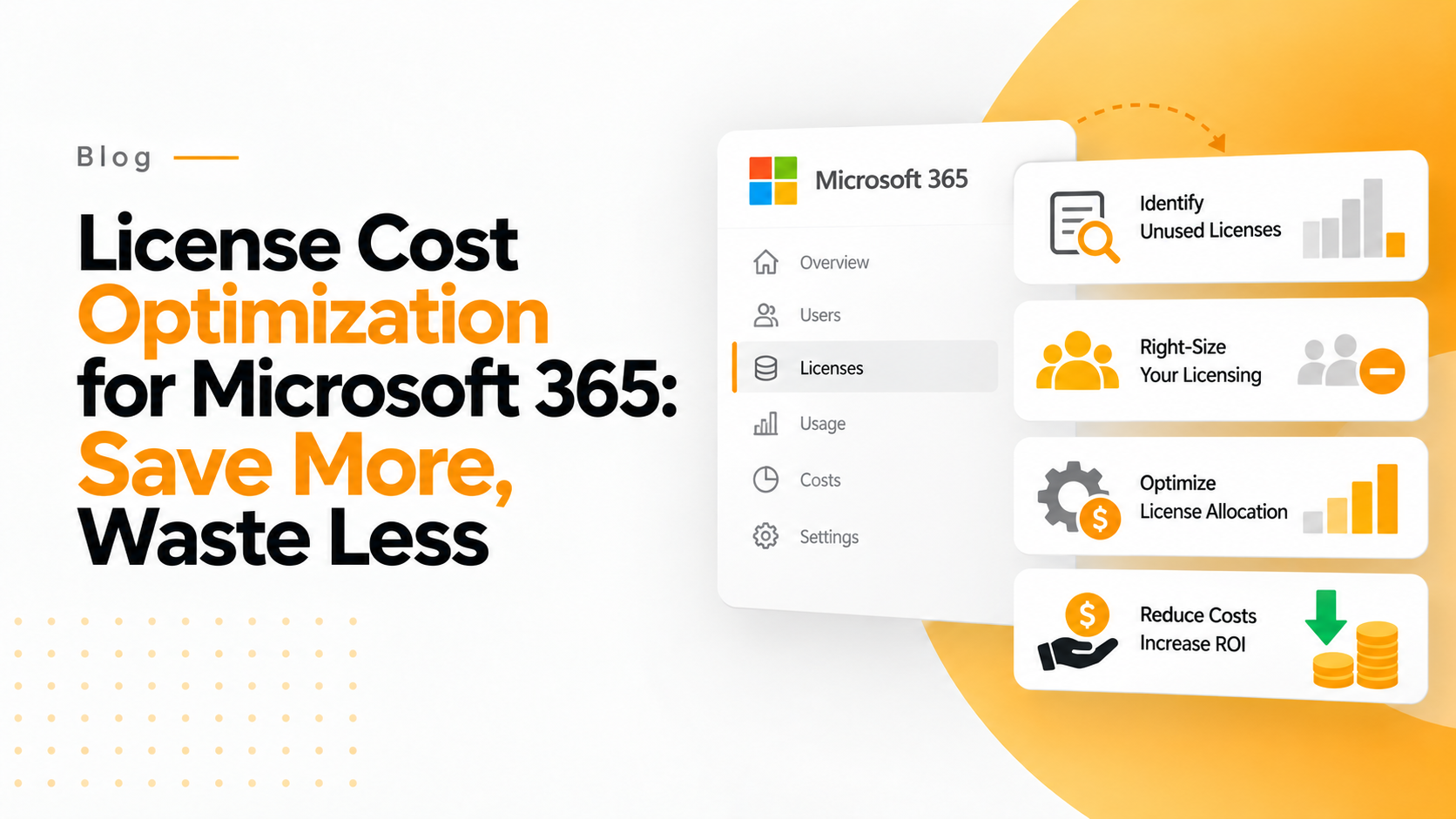

Without License Cost Optimization for Microsoft 365, Your organization is overspending on Microsoft 365 licenses. Not by a little—by an average of $200,000 to $2.4 million annually. And here’s the frustrating part: you’re probably paying for features nobody uses, licenses for employees who left months ago, and premium plans for users who only need basic functionality.
If you’re an IT leader or consultant responsible for Microsoft 365 environments, you’ve likely been asked to “do more with less.” The good news? License cost optimization isn’t about cutting corners—it’s about cutting waste.
Through strategic Microsoft 365 license cost optimization, organizations routinely reduce spending by 20-40% while actually improving their user experience. How? By ensuring every user has exactly the right license for their needs—nothing more, nothing less.
In this comprehensive guide, you’ll discover:
-
- The 5 biggest sources of Microsoft 365 license waste
-
- Proven strategies to reduce costs by 30% or more
-
- How to right-size licenses without user complaints
-
- Automated approaches that maintain optimization long-term
-
- Real-world case studies of organizations saving millions
The path to significant savings starts with understanding where your money is actually going. Let’s optimize your Microsoft 365 investment.
Why Microsoft 365 License Costs Spiral Out of Control
Most organizations don’t set out to waste money on Microsoft 365 licenses. The waste accumulates gradually through common but costly patterns that compound over time.
The Growth-Without-Governance Trap
Here’s how it typically happens: Your company grows from 100 to 1,000 employees over three years. During that rapid growth, IT focuses on provisioning new users quickly. Governance takes a back seat to speed.
New employees get licenses. Some get upgraded to premium plans “just to be safe.” Contractors receive full licenses for 3-month projects. Departments experiment with different license types. But when employees leave, when projects end, when experiments fail? The licenses often remain assigned.
According to Flexera’s 2024 State of Tech Spend Report, organizations waste an average of 30% of their SaaS spend on unused or underutilized licenses. For Microsoft 365, this represents the single largest source of controllable IT cost waste.
The Premium License Problem
Microsoft’s licensing tiers create a subtle but expensive trap. The feature differences between E3 and E5 plans are significant—but most users don’t need E5 capabilities.
Consider these common scenarios:
Marketing teams with E5 licenses – They need email, Office apps, and Teams. E3 provides all this functionality, but they’re paying $38/month instead of $23/month per user.
Sales representatives with premium plans – Mobile-first workers who primarily use email and CRM integration. Business Basic at $6/month would suffice, but they’re on E3 at $23/month.
Contractors with enterprise licenses – Temporary workers receiving the same licensing as full-time employees, despite needing only basic collaboration tools.
A financial services company we worked with discovered that 62% of their E5 users had never accessed a single E5-exclusive feature. That’s $840,000 in annual waste from overprovisioning alone.
The “Set It and Forget It” Syndrome
The most insidious waste comes from licenses that were correctly assigned initially but became wasteful over time:
-
- Role changes – An executive assistant promoted to manager retains their E5 license despite no longer needing advanced compliance features
-
- Departmental shifts – Power users who transfer to departments with different requirements
-
- Reduced usage – Users who once needed premium features but whose responsibilities have changed
-
- Shadow IT alternatives – Teams adopting third-party tools while retaining Microsoft licenses for replaced functionality
Without continuous optimization, these small inefficiencies accumulate into massive waste. An enterprise with 10,000 users experiencing just 20% license misalignment wastes $4.6 million annually.
The 5 Biggest Sources of Microsoft 365 License Waste (And How to Eliminate Them)
Let’s identify specific waste sources and provide actionable solutions for each. These five areas represent where most organizations can find immediate, significant savings.
1. Inactive User Licenses: The Silent Budget Drain
The Problem: Employees leave, but their Microsoft 365 licenses don’t. HR processes offboarding, IT disables the account eventually, but the license remains assigned for weeks or months.
The Cost: At 10,000 licensed users with 5% turnover annually, inactive licenses that persist for an average of 60 days cost $230,000 annually at E3 pricing.
The Solution:
-
- Automated offboarding workflows that trigger license removal when HR marks an employee as terminated
-
- Weekly inactive user audits identifying accounts without login activity for 30+ days
-
- Grace period policies that automatically reclaim licenses after 14 days of inactivity
-
- Cross-reference verification between HR systems and license assignments
Organizations using automated license reclamation typically reduce inactive license waste by 90% within the first quarter.
2. Overprovisioned Premium Licenses: Paying for Unused Features
The Problem: Users assigned to E5, E3, or specialized plans who only use features available in lower-tier licenses. This often happens because IT “upgrades to be safe” or assigns licenses based on job title rather than actual usage.
The Cost: Each unnecessarily premium license costs $180-480 annually in overspend. An organization with 1,000 overprovisioned users wastes $180,000-480,000 yearly.
The Solution:
-
- Feature usage analysis to identify which E5/E3-specific features each user actually accesses
-
- Right-sizing strategy that downgrades users to the minimum license meeting their needs
-
- Department-based license templates ensuring consistent, appropriate provisioning
-
- Exception process for users who genuinely need premium features
Real-world impact: A healthcare organization analyzed their 5,000 E5 licenses and discovered 3,200 users could be downgraded to E3 without functionality loss—saving $1.92 million annually.
3. Duplicate and Redundant Licenses: The Hidden Multiplier
The Problem: Users simultaneously assigned multiple licenses due to migration issues, trial programs, or administrative errors. Common patterns include E3+E5 assignments, Business Premium alongside Enterprise plans, or multiple Exchange licenses.
The Cost: Each duplicate represents 100% waste. Organizations with 8% duplicate license rate waste $552,000 annually at 10,000 users.
The Solution:
-
- Duplicate detection algorithms that flag users with multiple active license assignments
-
- Consolidation projects that resolve historical licensing issues
-
- Provisioning guardrails preventing future duplicate assignments
-
- Regular compliance audits ensuring clean license assignments
One manufacturing company found 847 users with duplicate licenses—eliminating $273,000 in annual waste within two weeks.
4. Seasonal and Temporary Workers: Paying Year-Round for Part-Time Needs
The Problem: Organizations maintain full-year licenses for seasonal workers, contractors, and temporary staff who only need access for limited periods.
The Cost: A retail company with 500 seasonal workers paying for full-year licenses wastes $138,000 annually versus strategic provisioning.
The Solution:
-
- Just-in-time licensing that provisions accounts only when needed
-
- Contractor-specific license policies using lower-cost options
-
- Automated expiration for temporary accounts
-
- Shared mailbox strategies for occasional-access scenarios
Implementation note: This requires strong processes. Many organizations resist this optimization due to administrative overhead, but automation makes it practical and profitable.
5. Unused Collaboration and Specialized Licenses: Forgotten Add-ons
The Problem: Add-on licenses for Power BI, Visio, Project, Power Automate, and other specialized tools that were purchased for specific projects but never removed when the project concluded or users stopped utilizing them.
The Cost: These premium add-ons cost $10-30 monthly per license. With 200 unused specialized licenses, waste reaches $24,000-72,000 annually.
The Solution:
-
- Add-on usage tracking monitoring actual utilization of specialized licenses
-
- Quarterly review process for all non-standard license assignments
-
- Request-and-justify system requiring business justification for specialty licenses
-
- Automatic reclamation after 90 days of non-usage
These five waste sources represent the low-hanging fruit of Microsoft 365 optimization. Addressing them typically reduces total license spend by 25-35% without impacting user productivity.
Proven Strategies for License cost optimization for Microsoft 365
Beyond eliminating waste, strategic optimization reshapes how you approach licensing entirely. These proven strategies deliver sustainable cost reduction while improving user experience.
Strategy 1: Implement License Right-Sizing Based on Actual Usage
The Approach: Instead of assigning licenses based on job titles or department, analyze actual feature usage and assign the minimum license tier that provides necessary functionality.
Implementation Steps:
-
- Usage analysis period – Monitor feature utilization for 60-90 days to establish patterns
-
- User segmentation – Group users by actual usage profiles (power users, standard users, basic users)
-
- License mapping – Match usage profiles to appropriate license tiers
-
- Phased rollout – Downgrade 10-20% of users monthly to manage support impact
-
- Exception handling – Create clear processes for users who need upgrades
Expected Impact: Organizations typically find 40-60% of users are overprovisioned, delivering 15-25% cost reduction.
User experience consideration: When implemented properly, users don’t notice right-sizing. They retain all features they actually use—they simply lose access to advanced features they never touched.
Strategy 2: Deploy Automated Lifecycle Management
The Approach: Automate the entire license lifecycle from provisioning to reclamation, eliminating manual oversight and human error.
Key Automation Points:
Onboarding automation – New hire workflows that automatically assign appropriate licenses based on role and department
Usage monitoring – Continuous tracking that flags unused or underutilized licenses
Offboarding triggers – HR system integration that immediately begins license reclamation when employees separate
Regular optimization sweeps – Monthly automated reviews identifying optimization opportunities
Compliance enforcement – Automatic correction of license policy violations
Expected Impact: Automation reduces waste by 60-80% compared to manual management and requires 90% less administrative time.
Strategy 3: Implement Chargeback Models to Drive Department Accountability
The Approach: Make departments financially responsible for their Microsoft 365 license costs, creating organic optimization pressure.
Implementation Framework:
-
- Cost transparency – Provide department heads with monthly license cost reports
-
- Budget allocation – Assign license budgets to each department
-
- Self-service optimization – Give managers tools to review and optimize their team’s licenses
-
- Performance metrics – Track cost-per-user by department
-
- Incentive alignment – Recognize departments that effectively optimize
Expected Impact: When departments own their costs, they naturally optimize. Organizations implementing chargeback see 20-30% cost reduction within six months as managers eliminate waste in their teams.
Cultural benefit: Chargeback transforms license optimization from an IT mandate into a business-wide initiative where every manager becomes invested in efficiency.
Strategy 4: Establish License Tiers with Clear Provisioning Policies
The Approach: Create standardized license tiers for different user types with clear policies about who gets what and why.
Sample Tier Structure:
Tier 1 – Basic Users (Business Basic) – Front-line workers, contractors, limited-access accounts Cost: $6/user/month
Tier 2 – Standard Users (E3) – Information workers, typical employees, standard functionality needs Cost: $23/user/month
Tier 3 – Power Users (E5) – Executives, compliance teams, users requiring advanced features Cost: $38/user/month
Tier 4 – Specialized Users – Add-ons for specific roles (Project, Visio, Power BI) Cost: Variable
Policy Components:
-
- Default assignments based on job family and department
-
- Upgrade request process requiring manager approval and business justification
-
- Quarterly reviews of all Tier 3 and Tier 4 licenses
-
- Automatic downgrades for users who don’t utilize tier-specific features
Expected Impact: Clear tiering prevents overprovisioning at hire time and provides framework for ongoing optimization, typically reducing costs by 18-25%.
Strategy 5: Leverage Shared Resources and Alternative Licensing Models
The Approach: Not every user needs a dedicated license. Strategic use of shared resources and alternative models reduces license requirements.
Alternative Models:
Shared mailboxes – For team inboxes, departmental contacts, project-based communication (no license required)
Guest access – For external collaborators, vendors, clients (free for limited collaboration)
Resource accounts – For conference rooms, equipment, shared spaces (free or low-cost)
Microsoft 365 F-series licenses – For front-line workers with limited needs ($4-8/month vs. $23-38/month)
Conditional access – Temporary elevated permissions instead of permanent premium licenses
Expected Impact: Strategic use of alternatives typically eliminates 300-500 unnecessary licenses per 5,000 users, saving $83,000-276,000 annually.
How to Build Your Microsoft 365 License Optimization Program
Creating sustainable cost optimization requires a structured program, not one-time cleanup projects. Here’s your implementation roadmap.
Phase 1: Discovery and Baseline (Weeks 1-2)
Objective: Understand current state and quantify opportunity.
Key Activities:
-
- Document total license counts by type
-
- Calculate current monthly and annual spend
-
- Identify all license assignment sources and processes
-
- Establish baseline metrics (cost per user, license utilization rate, waste percentage)
-
- Analyze user activity and feature usage patterns
Deliverable: Executive summary showing current spend, waste estimate, and projected savings opportunity.
Expected Finding: Most organizations discover 25-35% optimization opportunity during baseline.
Phase 2: Quick Wins Implementation (Weeks 3-6)
Objective: Capture immediate savings while building momentum.
Priority Actions:
-
- Reclaim inactive user licenses (instant identification and action)
-
- Remove obvious duplicate licenses (immediate implementation)
-
- Eliminate unused add-on licenses (same-day results)
-
- Right-size clearly overprovisioned users (pilot with 100 users)
Expected Savings: Quick wins typically deliver 10-15% cost reduction within first month.
Stakeholder Management: These changes are low-risk and high-visibility, demonstrating program value to leadership.
Phase 3: Strategic Optimization (Weeks 7-12)
Objective: Implement comprehensive right-sizing and establish ongoing governance.
Key Initiatives:
-
- Complete organization-wide usage analysis
-
- Develop and communicate license tier policies
-
- Right-size all users based on actual requirements
-
- Implement automated lifecycle management
-
- Deploy chargeback model (if appropriate)
-
- Establish monthly review cadence
Expected Savings: Strategic optimization delivers additional 10-20% cost reduction beyond quick wins.
Phase 4: Continuous Improvement (Ongoing)
Objective: Maintain optimization and prevent waste reaccumulation.
Ongoing Activities:
-
- Weekly: Automated scans for inactive users and obvious waste
-
- Monthly: Optimization sweeps identifying new opportunities
-
- Quarterly: Policy reviews and usage analysis
-
- Annually: Comprehensive license audit and strategy refresh
Governance Structure:
-
- License optimization team – Dedicated resources or rotating responsibility
-
- Executive sponsor – CFO or CIO-level champion
-
- Department representatives – Liaisons for communication and coordination
Technology Enablement: Purpose-built tools like 365UTNE automate continuous monitoring and optimization, reducing manual effort by 90% while improving results.
Overcoming Common Objections to License Optimization
Let’s address the concerns that often prevent organizations from pursuing aggressive cost optimization.
“Users Will Complain About Losing Features”
The Reality: When you optimize based on actual usage, users lose access only to features they never used. Well-executed optimization is invisible to end users.
Best Practice: Implement robust communication showing users what they’re keeping (everything they use) rather than what they’re losing (features they never accessed). Include a simple request process for users who discover they need restored access.
Data Point: In optimization projects affecting 50,000+ users, complaint rates typically stay below 0.5% (fewer than 250 users), and 80% of those requests are resolved by showing users alternative methods using their current license.
“We Don’t Have Resources for Ongoing Management”
The Reality: Manual license management is indeed resource-intensive. That’s why automation is critical.
The Numbers: Without automation, managing 10,000 licenses requires approximately 2 FTE. With proper automation and tools, the same environment requires 0.2 FTE—a 90% reduction in administrative burden.
Investment Perspective: If optimization saves $500,000 annually and automation costs $50,000, you’re achieving 10x ROI while reducing management overhead.
“Our Microsoft Agreement Doesn’t Allow Downgrades”
The Reality: Most Microsoft Enterprise Agreements allow license type changes during the term. Even if yours has restrictions, you can optimize within those constraints.
Alternative Approaches:
-
- Remove licenses from inactive users and reassign to new hires
-
- Optimize at renewal by purchasing different license mix
-
- Focus on eliminating waste (duplicates, inactive) rather than right-sizing
-
- Negotiate terms allowing greater flexibility in next agreement
Even with agreement restrictions, organizations typically achieve 15-20% savings through waste elimination alone.
“The Savings Aren’t Worth the Risk”
The Reality: For a mid-size organization spending $2 million annually on Microsoft 365, a conservative 20% optimization saves $400,000 per year. That’s meaningful budget that could fund strategic initiatives.
Risk Mitigation: Proper optimization includes pilot programs, phased rollouts, and clear reversion processes. The actual risk is minimal when approached methodically.
Opportunity Cost: Not optimizing means continuously wasting money that could drive business value. The real risk is maintaining the status quo.
Tools and Technologies That Enable Effective Optimization
Manual license optimization is theoretically possible but practically unsustainable. Purpose-built tools make the difference between one-time cleanup and continuous optimization.
What Optimization Tools Should Provide
Essential Capabilities:
Comprehensive visibility – Real-time view of all licenses, costs, and utilization across the organization
Usage analytics – Detailed tracking of which features each user actually accesses
Waste identification – Automatic flagging of inactive users, overprovisioned licenses, duplicates, and other inefficiencies
Financial intelligence – Dollar-value impact of every optimization opportunity
Automated recommendations – Specific, actionable suggestions for cost reduction
Workflow automation – Streamlined processes for provisioning, deprovisioning, and right-sizing
Reporting and governance – Executive dashboards, department views, and compliance tracking
The 365UTNE Advantage
365UTNE was built specifically for Microsoft 365 license cost optimization, providing capabilities that general tools and manual approaches can’t match:
Intelligent right-sizing engine – Analyzes actual usage patterns and recommends optimal license tier for each user
Automated waste detection – Continuously scans for all five major waste sources with financial quantification
One-click optimization – Streamlined workflows that make executing recommendations simple and reversible
Department accountability – Built-in chargeback models and self-service optimization for managers
Compliance and audit – Complete tracking of all license changes with justification and approval workflows
ROI tracking – Precise measurement of savings achieved through optimization efforts
Organizations using 365UTNE typically achieve 25-40% cost reduction within the first six months, with instant visibility into waste and optimization opportunities from day one, compared to 10-15% with manual optimization approaches.
Real-World Results: License Optimization Case Studies
Let’s examine how three different organizations achieved significant savings through strategic license optimization.
Case Study 1: Global Financial Services Firm (15,000 Users)
Initial State:
-
- $6.5 million annual Microsoft 365 spend
-
- Mix of E3 and E5 licenses with minimal governance
-
- 12% estimated license waste based on manual audit
Optimization Approach:
-
- Comprehensive baseline analysis revealing 31% waste
-
- Automated inactive user reclamation (immediate implementation)
-
- Phased right-sizing of 8,400 overprovisioned E5 users to E3
-
- Elimination of 847 duplicate licenses
-
- Deployment of automated lifecycle management
Results:
-
- $2.08 million annual savings (32% cost reduction)
-
- Zero user complaints due to phased implementation
-
- Ongoing automation requiring only 4 hours weekly oversight
-
- ROI achieved in 2.3 months
Key Success Factor: Executive sponsorship from CFO ensured department cooperation and enabled aggressive optimization timeline.
Case Study 2: Healthcare Organization (8,000 Users)
Initial State:
-
- $3.2 million annual spend
-
- Rapid growth from acquisitions created licensing chaos
-
- No central governance or license management
Optimization Approach:
-
- Discovery phase uncovering significant contractor overspend
-
- Implementation of license tier framework
-
- Chargeback model making departments accountable
-
- Right-sizing of 1,200 contractors to lower-cost licenses
-
- Quarterly optimization reviews
Results:
-
- $768,000 annual savings (24% cost reduction)
-
- Improved license governance preventing future waste
-
- Department managers actively monitoring and optimizing
-
- 18% additional savings in year two through continuous improvement
Key Success Factor: Chargeback model created natural incentive for department-level optimization without IT enforcement.
Case Study 3: Technology Services Company (3,500 Users)
Initial State:
-
- $1.1 million annual spend
-
- High employee turnover creating license reclamation challenges
-
- Limited IT resources for manual optimization
Optimization Approach:
-
- Implementation of 365UTNE for automated management
-
- Integration with HR system for automatic offboarding
-
- Monthly automated optimization sweeps
-
- Usage-based right-sizing recommendations
Results:
-
- $385,000 annual savings (35% cost reduction)
-
- 90% reduction in license management time
-
- Eliminated inactive user waste instantly
-
- Sustainable optimization with minimal ongoing effort
Key Success Factor: Automation enabled small IT team to achieve optimization results typically requiring much larger teams.
Your Action Plan: Getting Started with License Optimization
You understand the opportunity. Now let’s create your specific path to capturing it.
Immediate Actions (This Week)
-
- Calculate your baseline – Determine total Microsoft 365 spend and licensed user count
-
- Estimate waste – Use the 25-30% average as conservative estimate of your optimization opportunity
-
- Quantify potential savings – Calculate what 25% reduction would mean for your budget
-
- Build preliminary business case – Document savings opportunity, implementation effort, and timeline
-
- Identify executive sponsor – Secure CIO, CFO, or similar leader to champion initiative
30-Day Implementation Plan
Week 1-2: Discovery
-
- Audit all licenses and assignments
-
- Identify inactive users (immediate reclamation opportunity)
-
- Document duplicate licenses
-
- Analyze usage patterns for top 100 most expensive licenses
Week 3: Quick Wins
-
- Reclaim all inactive user licenses
-
- Remove obvious duplicates
-
- Eliminate unused add-on licenses
-
- Document and communicate savings achieved
Week 4: Strategic Planning
-
- Develop license tier framework
-
- Create right-sizing methodology
-
- Build stakeholder communication plan
-
- Select optimization tool or automation approach
90-Day Transformation
Month 1: Execute quick wins and establish baseline metrics
Month 2: Implement strategic optimization (right-sizing, policy framework, automation)
Month 3: Deploy continuous improvement processes and measure results
Expected Outcome: 20-30% cost reduction with sustainable governance preventing waste reaccumulation.
The Bottom Line: License Optimization is Business Optimization
Microsoft 365 licensing represents one of the largest controllable costs in your IT budget. Optimization isn’t optional—it’s essential financial management.
Organizations that approach license optimization strategically achieve several critical outcomes:
Direct financial impact – $200,000 to $2+ million in annual savings depending on organization size
Improved resource allocation – Budget freed from waste can fund strategic initiatives
Enhanced governance – Better understanding and control of your Microsoft 365 environment
Operational efficiency – Automated processes reduce administrative burden by 90%
Cultural transformation – Department-level accountability drives continuous improvement
The organizations winning at Microsoft 365 management aren’t just tracking licenses—they’re actively optimizing them. They’re using purpose-built tools like 365UTNE that provide the visibility, intelligence, and automation required for sustained cost reduction.
Your next step is simple: start optimizing. Whether you’re spending $100,000 or $10 million annually, 25-35% of that budget is recoverable waste. The only question is whether you’ll capture those savings or continue letting them slip away month after month.
Ready to Optimize Your Microsoft 365 Costs?
Start your free 365UTNE trial and discover exactly where you’re overspending on Microsoft 365 licenses. Get instant access to:
-
- Complete visibility into all license assignments and costs
-
- Identification of inactive users costing you money monthly
-
- Specific right-sizing recommendations with dollar-value savings
-
- Duplicate license detection
-
- Automated optimization workflows ready to deploy
No credit card required. No complex implementation. Instant results.
Have questions about Microsoft 365 license optimization? Our licensing experts are here to help. Share your specific challenges, and we’ll provide personalized recommendations for your environment.
About 365UTNE
365UTNE is the leading Microsoft 365 license cost optimization platform designed for IT leaders and finance teams managing enterprise environments. Our purpose-built solution combines advanced analytics, automated workflows, and financial intelligence to help organizations reduce Microsoft 365 spending by 25-40% while improving governance and user experience.